
Class-A Expert
Produce high-end Class-A Quality surfaces respecting the styling intent and converging technical requirements leveraging the power of the 3DEXPERIENCE
Role
Going from Concept to Production Quality Class A Surfaces
Surface Refinement is a discipline involved in all processes involving complex surfaces design or re-work. The title “Surface Refinement” is an industry expression encompassing all the processes required to reach a very high level of quality in surface design. The corresponding tasks for CAD users are mainly:
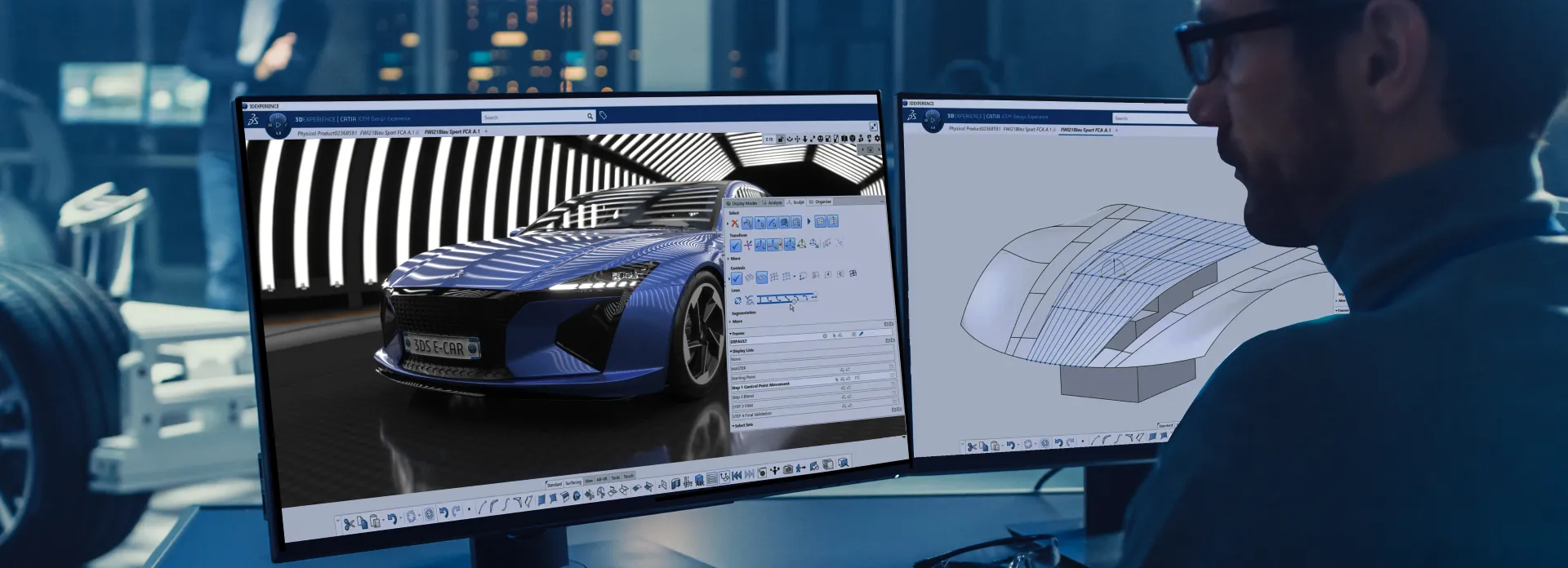
Thanks to the powerful and industry leading Curve and Surface modeling tools (ICEM Surf), designers have the full freedom to create high quality Class A surface geometry within intuitive and ergonomically optimized user interface supporting the need for rapid and efficient interactions during geometry creation and modifications.
The next generation of surface modeling for Styling & Class A ICEM Design Experience delivers an innovative, new, specialized modeling application on the 3DEXPERIENCE platform for CAS and Class A surfacing specialists. It delivers a comprehensive and completely integrated set of tools for industrial design, providing a high level of design freedom, an efficient and intuitive user interface, and precise, industry-leading surface results.
Why do we believe that our customers are facing an increasing need for high quality complex shapes? In all industries, product sophistication is a necessary trend to meet final customer expectations. To get a chance to stay competitive on the market, companies now have to take care of aspects that cannot be avoided anymore, among which:
CATIA Surface Refinement solutions, as the globally accepted industry standard, offers key benefits to reach aesthetical criteria within technical constraints:
On the 3DEXPERIENCE platform, CATIA Surface Refinement software products are packaged as Roles to get you up to speed faster and work more efficiently with all needed applications available at your fingertips. Select a package that corresponds to your role in an organization.
Produce high-end Class-A Quality surfaces respecting the styling intent and converging technical requirements leveraging the power of the 3DEXPERIENCE
Role
Design & Manage all technical areas of the model, collaborate with mock-up organization for technical reviews and facilitate link with Engineering teams.
Role
Grow quality of visible technical surfaces, to increase perceived quality, reach higher shape standards and optimize downstream processes consuming surfaces
Role
Providing integrated boat hull form Design & compartments position, with advanced shape design for best quality, optimization & first hydrostatics assessment
Role
Imagine the most sophisticated shape Design by creating high end surfaces ready for production, respecting the Design intent and technical requirements
Role
State of the Art for high end surface modeling, suitable for any aeronautical surface design from lofting, interior design up to surfaces simplification
Role
"Make Design Changes on the Fly"
The world of product design is changing. Discover how to stay ahead with CATIA.
Dear CATIA lovers, We are pleased to invite you to our next CATIA Design User Talk. Date: September 29th, 10am (CET) Title: From Product to Immersive Experience with CATIA 3DEXPERIENCE VR Solutions Topic of the presentation: In this session Michael Adrian and Ugo BARBA-LATA, CATIA Design & Styling experts will explain how CATIA Immersive Solutions capabilities address VR scenarios that places the
CATIA CREATIVE DESIGN & STYLING - USER COMMUNITY
Hello All,Se attached a little example of a corner fillet.Everything is full parametric and have G2 matching (btw super easy to change to G3...).All function are in ICEM Design Experience (IDX) except "Corner Fillet", who belongs to the App "ICEM Shape Morphing". As you see in the video (Min 1'26), it is easy to look for a function from another App without going there (just use the Command search
CATIA CREATIVE DESIGN & STYLING - USER COMMUNITY
First steps in learning ICEM Surf. A spectacular tool.
CATIA CREATIVE DESIGN & STYLING - USER COMMUNITY
The Art of Surface Modeling
From Conceptual Shape Ideation and Exploration to Human Centric User Experience
Visualize, Experience and Decide on your 3D Design
A Unified Industrial Design Workflow Solution
Speak with a CATIA expert to learn how our solutions enable seamless collaboration and sustainable innovation at organizations of every size.
Courses and classes are available for students, academia, professionals and companies. Find the right CATIA training for you.
Find information on software & hardware certification, software downloads, user documentation, support contact and services offering