
SysML v2 Book sample - read only
Can the sample model ("SysML v2 book sample") be opened in CATIA MAGIC Community edition in read-write mode? (is read-only by default) so that I can access the text version of the models...
CATIA MBSE CYBER SYSTEMS
Addressing Essential End-to-End Design Requirements for Model-Based Design
Model-Based System Engineering (MBSE) and SysML tools are becoming more sophisticated in order to support the increased complexity of embedded and distributed applications. These new systems are larger, contain autonomous components, operate from the edge to the cloud, and often have strict requirements in terms of performance, scalability, robustness and security.
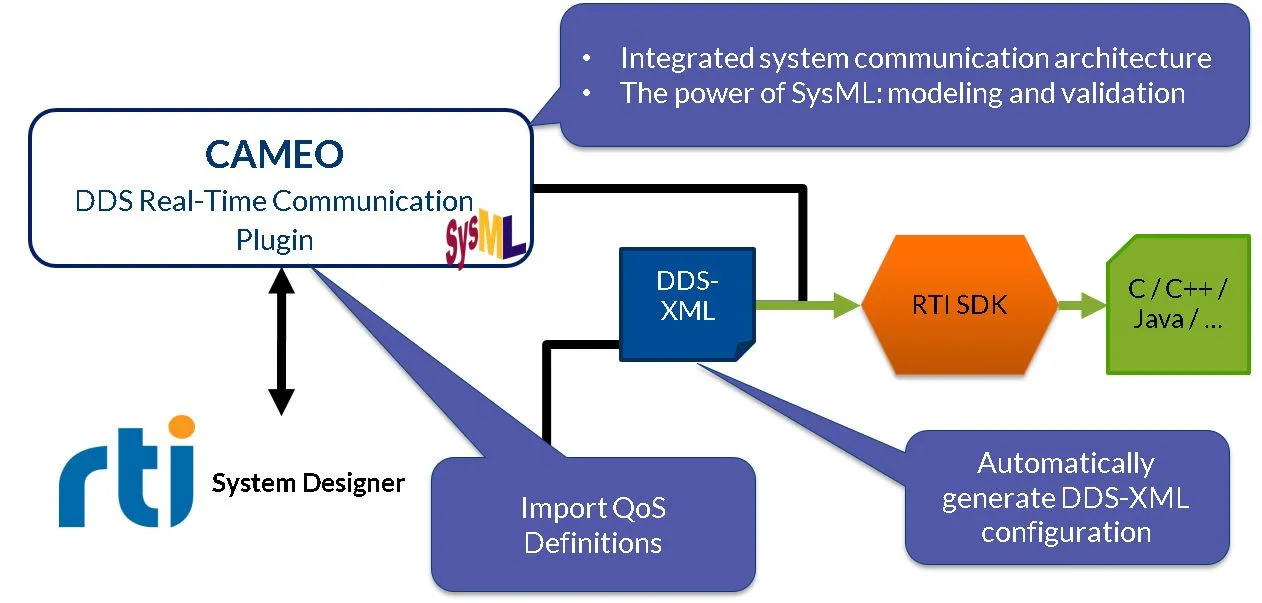
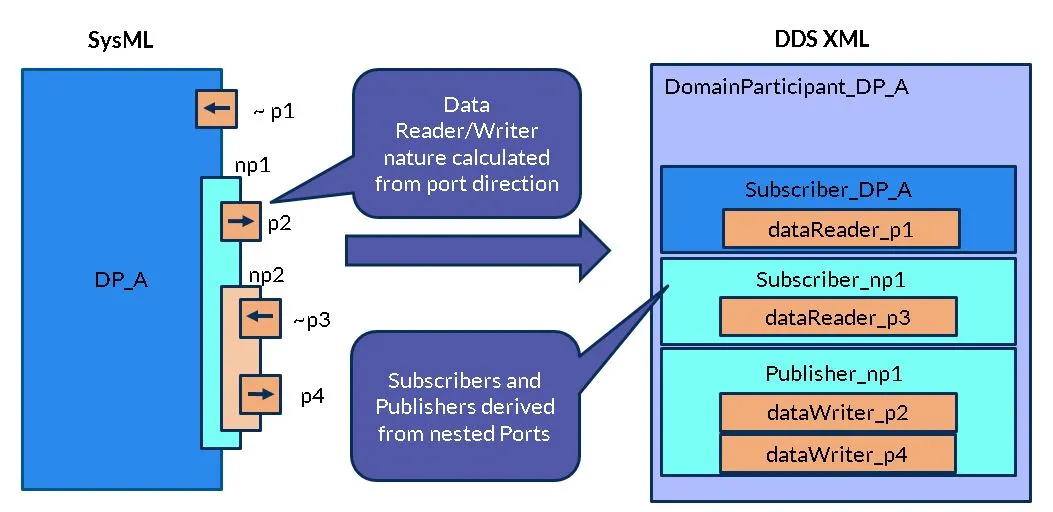
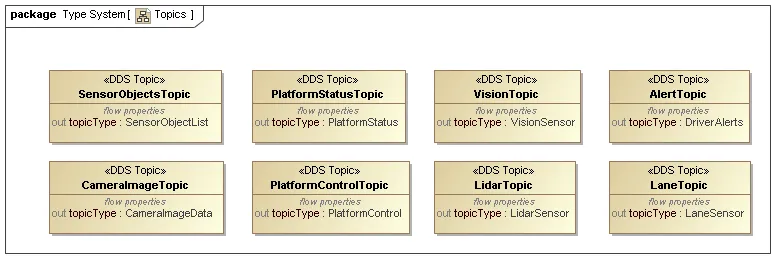
Two standards - SysML and Data Distribution Service™ (DDS™) - address the necessary end-to-end design requirements for model-based design. SysML defines the requirements of the system itself. DDS addresses the communications requirements between system components running across different computers, including connectivity, security and quality of service (QoS).
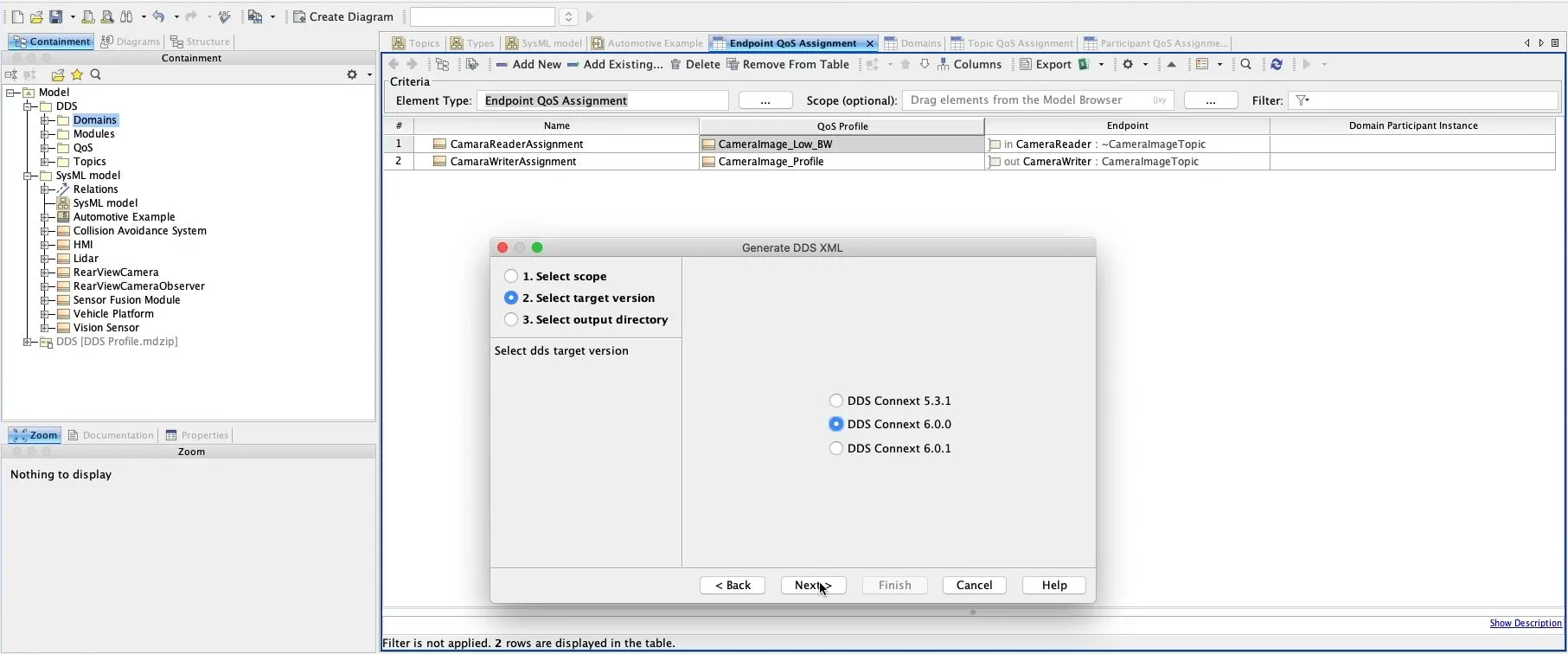
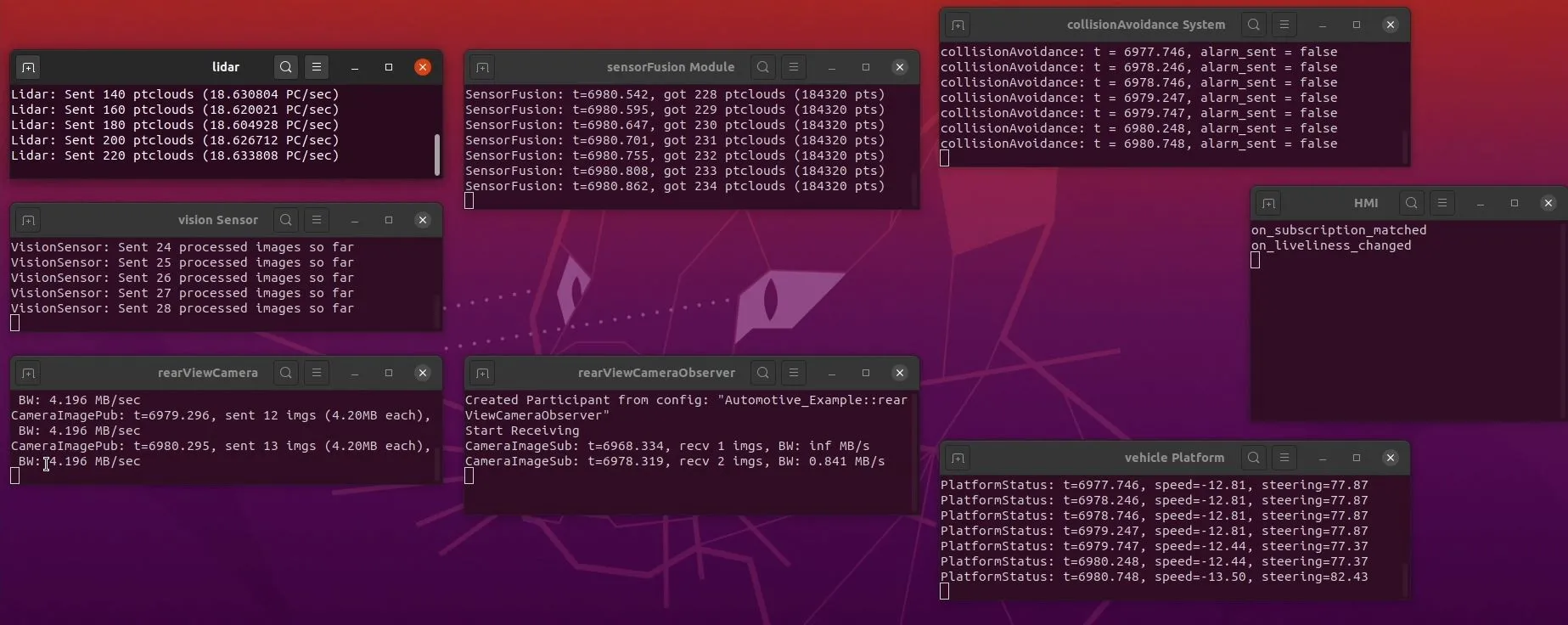
Dassault Systèmes has addressed the digital continuity and integration between the two worlds of MBSE to interface design with the new DDS Real-Time Communication Plugin. This software plugin provides a direct integration to RTI Connext®, the leading commercial software based on the DDS standard, enabling engineers to create model-based systems based on real-time communication flow across embedded and distributed systems. Engineers can go directly from the system model in SysML to RTI Connext for implementation and deployment of a distributed system.
This integration has been specially validated with RTI Connect®, along our partnership with Real-Time Innovation Inc. (RTI)
Can the sample model ("SysML v2 book sample") be opened in CATIA MAGIC Community edition in read-write mode? (is read-only by default) so that I can access the text version of the models...
CATIA MBSE CYBER SYSTEMS
I'm looking to add a table of contents based on the ordering of the views; by paragraph # as laid out in the Inner Elements ordering. It would be awesome if there were page numbers on the ToC when published and exported to pdfThe "Collaborator WebApp" can insert a ToC to the very first page of my document, but that gets listed before my customers official markings and cover pages. I would prefer
CATIA MBSE CYBER SYSTEMS
Hi, is there a way to get a trial version of Cameo Systems Modeler or MagicDraw for my postgraduate MBSE course? Also, I am writing a research paper for Zero Trust and would like to use the software to publish my model. Or can it be included in a Student Package, Although I only need the MBSE capability and no other software? I don't think University of New South Wales in Australia offer an academ
CATIA MBSE CYBER SYSTEMS
Tired of digging through menus because your most-used SysML v2 elements aren't in the creation dialog? I just dropped a new video showing how to easily patch your CATIA Magic UI to add elements like Views and Viewpoint Definitions right into your palette. We're keeping it strictly focused on native, out-of-the-box configurations rather than writing complex code.Grab the downloadable source file
CATIA MBSE CYBER SYSTEMS
NOTE: Existing users of No Magic products can access to the user portal at https://magicdraw.com/main.php, as well as Cameo Collaborator for Teamwork Cloud samples at https://ccexamples.nomagic.com.
Speak with a CATIA expert to learn how our solutions enable seamless collaboration and sustainable innovation at organizations of every size.
Courses and classes are available for students, academia, professionals and companies. Find the right CATIA training for you.
Find information on software & hardware certification, software downloads, user documentation, support contact and services offering