
Publish and review models on the web

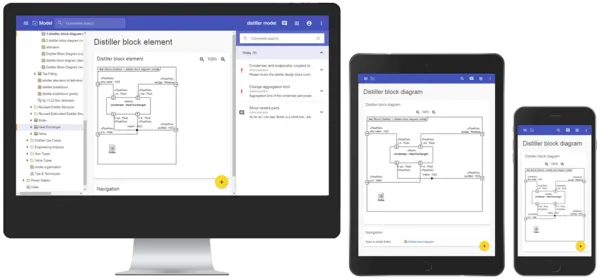
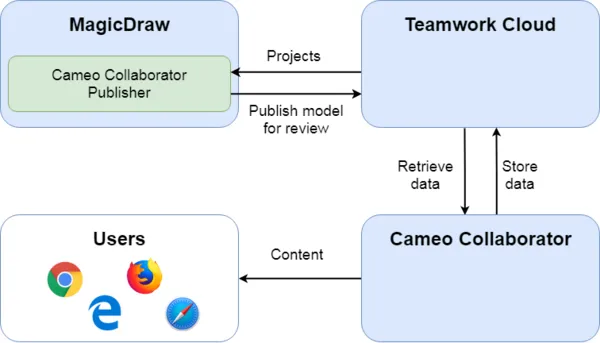
Cameo Collaborator for Teamwork Cloud is a web-based product designed to present models in a simplified form for stakeholders, sponsors, customers, and engineering teams. It allows editing and reviewing models. The product is built with scalability in mind, making it possible to deploy it both in a single node and a cluster setting. It works in all form factors (desktop, tablet, and smartphones), making model sharing and reviewing easy.

Use Cameo Collaborator for Teamwork Cloud to:

  • Present models to stakeholders, sponsors, or customers
  • Present models to engineering teams (modelers and non-modelers) within your organization
  • Keep stakeholders and engineering teams up-to-date with the precise, consistent information from the single source of truth - model repository
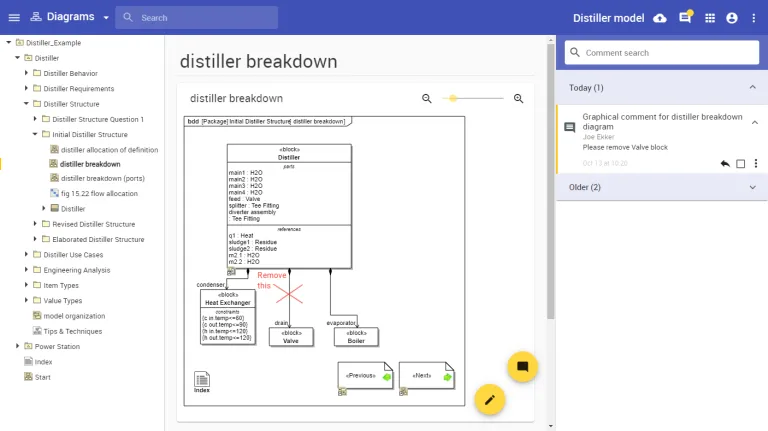
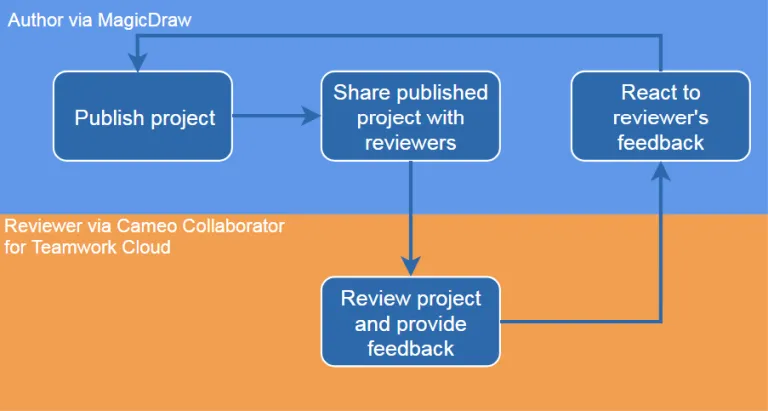
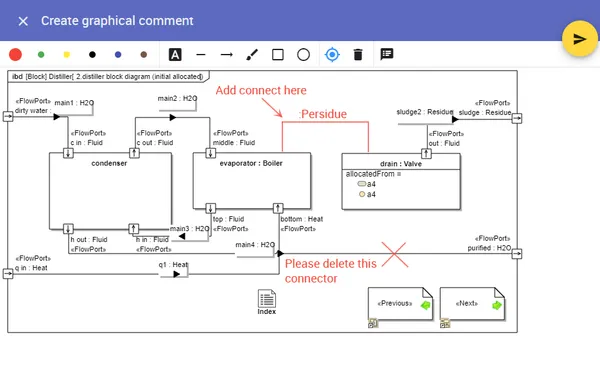
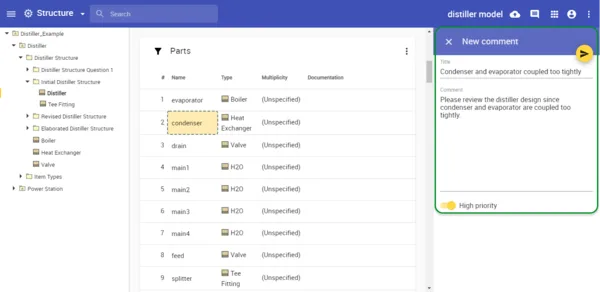
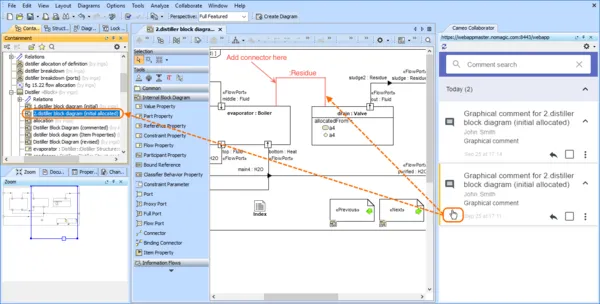
  • Review models and write comments to provide feedback to model authors
  • Address comments by making changes to models without using a modeling tool
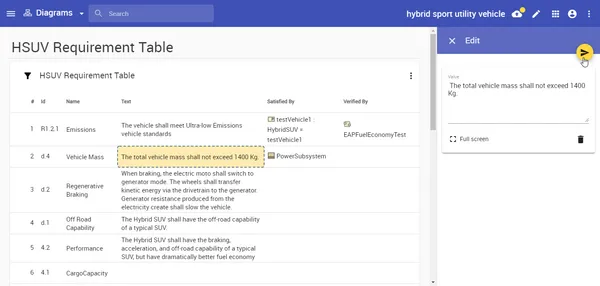
  • Edit models on the web without having to use MagicDraw, e.g. for specification of interface libraries or editing requirements

Collaborator is designed for the following types of users:

  • Non-modelers – users who were not trained in MagicDraw nor are equipped with it nor have good command in modeling languages like UML, SysML, UPDM, UAF, BMPN or others
  • Modelers – typically members of engineering teams working on process engineering, requirements, or system designs

Cameo Collaborator for Teamwork Cloud comes with the following portal types:

  • Model-Based System Engineering (SysML)
  • Defense Enterprise Architecture (UPDM)
  • Business Architecture (BPMN)
  • Software Engineering (UML)
  • Requirements (SysML Requirements)
  • Requirements Document
  • Diagrams
  • Entire model

Track progress of your reviews

The following review processes are supported out of the box:

  • Technical peer reviews – share and review models within the team
  • as a means of getting feedback in the form of comments
  • to address comments by modifying models without having to use MagicDraw
  • Formal reviews – share models for review to other teams
  • Public community interaction, social modeling, crowdsourcing - share models publicly to the entire organization so that users can consume information available in the models as well as to contribute to the models via comments
  • for end users of models to contribute to the model via comments, especially when your users are non-modelers who want to provide feedback on the contents in the model
  • to train users – users can consume information available in the models, ask questions on the content and get answers
  • to share best modeling practices – when separate modeler groups agree on the best practices, they can be shared for the whole organization and input from the community can be provided to the content creators

Features

Presenting Models Like Documents

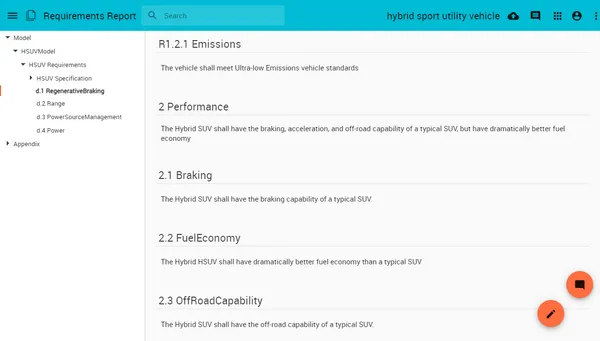
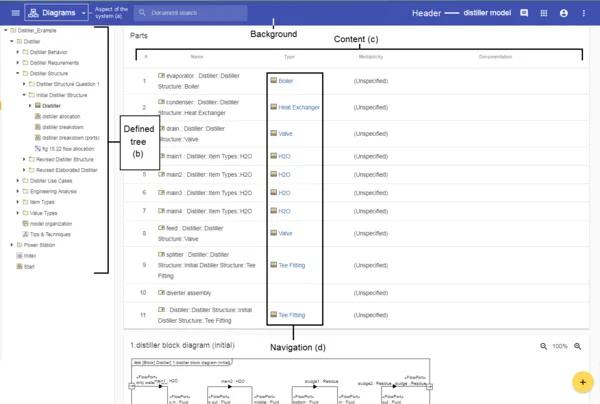
Cameo Collaborator for Teamwork Cloud allows you to present models in a simplified form for sponsors, customers and engineering teams. The product has two viewing modes: Model View and Document View. Model View presents models in a similar way to MagicDraw. Document View provides a Wiki-style view to users who do not have a good knowledge of modeling languages like SysML, UPDM, UAF, BPMN, etc. A Cameo Collaborator for TWC document viewed in a Document view mode.

and other Features

Mobile and Tablet Friendly

Cameo Collaborator for Teamwork Cloud is built considering Google Material Design guidelines. Whether you are using a desktop PC or a mobile device – you can reach and comment models from anywhere.

Join the conversation in the CATIA MBSE Cyber System User Community!

[Webinar] Digital Engineering Strategy with a Model-Based Approach, September 30

Dear all, we invite you to the upcoming webinar "Digital Engineering Strategy with a Model-Based Approach"Digital Engineering aims to integrate models, simulations, surrogate models, systems and components across engineering disciplines and throughout the full lifecycle.The webinar will explore an integrated digital approach using authoritative system data and models as a connected continuum, supp

CATIA MBSE CYBER SYSTEMS

Importing a spreadsheet and having the fields correspond to block names and value properties.

Hello, I have a basic question.I've been tasked with building out a series of BDDs for a computer network. I have an excel file that specifies the properties of each device on the network, e.g. host name, ip address, operating system, and make/model.For the blocks in the diagram, I would like to create a value property that corresponds to each of the properties specified in the spreadsheet, and po

CATIA MBSE CYBER SYSTEMS

S2X Conference - 3. November 2026 in Hamburg, wir sind dabei!

Wir sind in diesem Jahr auf der S2X vertreten und bringen ein echtes Highlight für alle Systemingenieure mit.Die SysML V2 steht in den Startlöchern und wird die Systemmodellierung nachhaltig verändern. Aber wie sieht die methodische Umsetzung in der Praxis aus?Genau diese Frage beantwortet Aurelijus Morkevicius in seinem Vortrag:„Best Practices in Developing Methodologies for SysML V2“! Er teilt w

CATIA MBSE CYBER SYSTEMS

Upcoming Event: TdSE-2026 in Dortmund, 17-20th, November

We are pleased to share that our CATIA experts will participate in TdSE 2026 – Tag des Systems Engineering, the premier Systems Engineering conference in Dortmund. When: November, 17-20, 2026 Where: Dortmund, Germany Booth: Nr. 14Organized by GfSE (the German chapter of INCOSE), TdSE is a central meeting point for experts, practitioners, decision-makers, and researchers across industries to

CATIA MBSE CYBER SYSTEMS

NOTE: Existing users of No Magic products can access to the user portal at https://magicdraw.com/main.php, as well as Cameo Collaborator for Teamwork Cloud samples at https://ccexamples.nomagic.com.

Learn What CATIA Can Do for You

Speak with a CATIA expert to learn how our solutions enable seamless collaboration and sustainable innovation at organizations of every size.

Get Started

Courses and classes are available for students, academia, professionals and companies. Find the right CATIA training for you. 

Get Help

Find information on software & hardware certification, software downloads, user documentation, support contact and services offering