


Product Creative Designer
Imagine, Create & Experience your Product, with a unified creative design workflow solution, for the best Consumer Experience
역할
통합형 산업 디자인 워크플로 솔루션
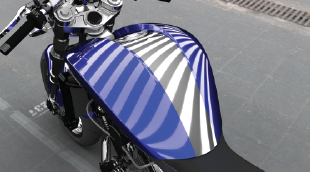
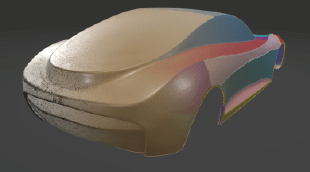
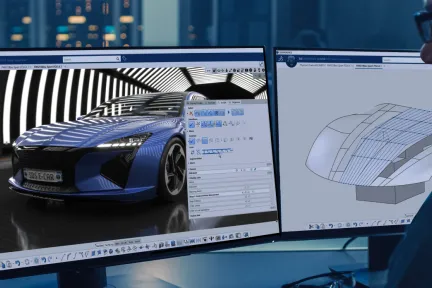
생산에서 운송 산업까지 제품의 스타일과 디자인은 시장에서 성공을 결정짓는 중대한 역할을 합니다. 형상과 재질의 창의성을 개발하고, 곡면의 정교함과 품질의 수준을 한층 높이며, 실제 및 가상 프로토타입을 통해 올바른 의사 결정 도구를 이용하는 것이 설계 혁신을 촉진하기 위한 CATIA Design & Styling의 핵심 요소입니다.
CATIA Design & Styling은 설계 창의성, 곡면 우수성 및 제품 경험을 위한 모든 솔루션을 제공합니다. 즉, 3D 스케치, Subdivision 곡면, 클래스 A 모델링을 3D 프린팅, 리버스 엔지니어링, 사실적인 시각화, 가상 및 증강 제품 경험에 결합하여 통합된 프로세스 및 워크플로를 통해 렌더링을 생성하고 개발할 수 있습니다.
통합된 창의적 워크플로우를 통해 혁신적인 개념적 아이디어를 만들고 탐구하여 인간의 맥락에서 더 풍부한 설계 경험을 만들 수 있습니다.
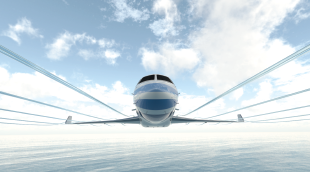
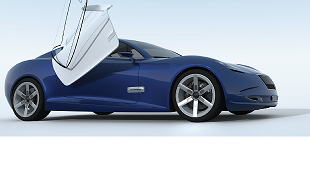
최고의 곡면 품질 생성, 최적화 및 성능으로 높은 수준의 자동차 클래스 A 곡면, 항공기 로프팅, 해군 건축 선체 형태를 설계할 수 있습니다.
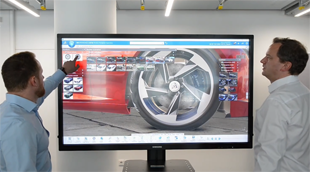
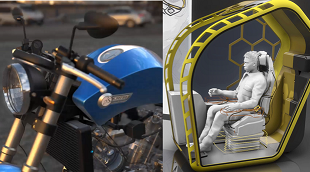
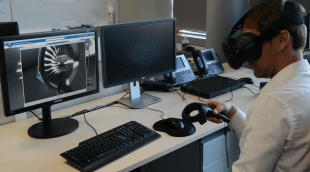
몰입형 가상 현실 및 증강 현실 경험을 통한 고급 시각화를 활용하여 제품 개발 프로세스 중에 정확한 의사 결정을 내릴 수 있습니다.
3DEXPERIENCE 플랫폼을 통해 미래의 제품을 제한 없이 상상, 제작 및 경험하고 직관적인 CATIA 솔루션을 활용하여 창의적인 설계부터 곡면 모델링, 제품 경험에 이르기까지 설계 프로세스의 모든 단계에서 더 많은 아이디어를 탐색할 수 있습니다. 다음 분야를 살펴보세요.
개념적 형상 아이디어를 시작으로, 인간 중심의 사용자 경험까지 활용할 수 있습니다.
컨셉 설계 단계부터 생산 품질 클래스 A 곡면으로 전환
3D 설계의 시각화, 경험 및 결정
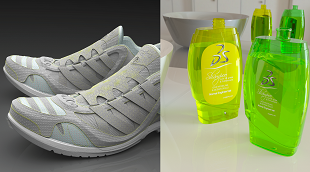
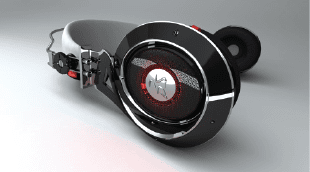
CATIA Creative Design & Styling 포트폴리오는 사용자가 설계 스케치 통합, Subdivision 곡면을 사용한 초고속 3D 아이디어 컨셉 모델링, 고급 곡면 처리, 고급 실시간 시각화, 사진 실사적 렌더링 및 신속한 프로토타입 제작을 수행할 수 있도록 지원합니다. 인간 중심의 설계 사고 방법론을 통해 소비자 중심의 경험을 창출할 수 있도록 지원합니다. 모든 산업 및 시나리오에 적용 가능한 이 솔루션은 통합 워크플로, 협업 플랫폼 및 상호 연결된 솔루션 덕분에 렌더링, 곡면 및 프로토타입을 원활하게 만들고 개발할 수 있습니다.
CATIA Design & Styling 소프트웨어 제품은 3DEXPERIENCE 플랫폼 에서의 Role에 따라 패키지화되어 있어 필요한 모든 애플리케이션을 더 빠르게 활용하고 더 효율적으로 작업할 수 있습니다. 조직에서 자신의 역할에 해당하는 패키지를 선택해 보세요.
Imagine, Create & Experience your Product, with a unified creative design workflow solution, for the best Consumer Experience
역할
Make the right Design choice & decision by creating intuitive & realistic Product Design Experience presentations, exploring alternative variants & experiences
역할
Boost your creativity, design with quality and reduce time-to-market of your Product with a Unified Industrial Design workflow solution
역할
Bring Real product to Virtual twin models, with the highest productivity, quality, and multiple possible methodologies of reconstruction.
역할
Imagine the most sophisticated shape Design by creating high end surfaces ready for production, respecting the Design intent and technical requirements
역할
State of the Art for high end surface modeling, suitable for any aeronautical surface design from lofting, interior design up to surfaces simplification
역할
Gain the competitive advantage with an integrated Design workflow, to Imagine, Create & Experience the vehicle of tomorrow with a Unified solution up to class A
역할
Imagine, Create & Experience the Vehicle of Tomorrow, with a unified Industrial Design workflow solution, for the ultimate Consumer Experience
역할
Accelerate the Real to Virtual product Process. From scanned data generate the Virtual twin model and associativity for reconstruction & preparation for 3DPrint
역할
Immediately improve the understanding of your design with integrated & direct access to immersive Virtual Reality inside your 3DEXPERIENCE applications
역할
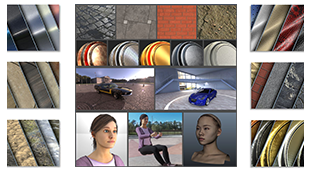
Increase the performance of your design decisions with highly realistic ready-to-use Visual Content - of Materials, Humans, Props and Environments
역할
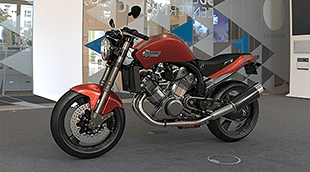
Accelerate the appearance design exploration and make the right visual design decision with a fully integrated real-time Visualization and Rendering
역할
When I am creating sections, I pick the mesh add it as a new section, Plane direction, count 1 select the plane, no section. Keeps doing this.Worse though, is that when I save and then close down file and reopen, all my sections have been deleted except the last one.. Video shows this.What does this option in Preferences do? Nick McferranSylvain CarreThomas Frison
CATIA CREATIVE DESIGN & STYLING - USER COMMUNITY
How do I balance a curve or a surface about a symmetry plane in IDX. We have been using this as a process methodology for over 15 years now and it surprises me that it is still not part of the IDX toolset, unless I am missing something?Currently, for a curve I am having to edit the control point positions as I used to do in ICEM Surf 2.0 in 1995! Forget the surfaces!I can't use the ISD Control poi
CATIA CREATIVE DESIGN & STYLING - USER COMMUNITY
When setting Sliding mode to be None, and then using Z (XY Plane or Top) from VNav everything works perfect as designed.(X direction runs left to right)So why when I press F4 and choose Top or Bottom View does it rotate the view 90 degrees?Nick McferranSylvain Carre
CATIA CREATIVE DESIGN & STYLING - USER COMMUNITY
곡면 모델링 기술
서페이스 모델링 기술
메카트로닉 및 소프트웨어 중심의 환경을 위한 포괄적인 모델 기반의 솔루션
고품질 기계 제품의 신속한 개발 지원
완벽한 설계 프로세스에 통합된 포괄적인 엔지니어링 역할 세트
모든 프로젝트 단계와 거래에 걸쳐 건축가, 토목 엔지니어 및 계약업체를 위한 세계적인 수준의 건축 정보 관리(BIM) 소프트웨어 솔루션을 제공합니다.
CATIA 전문가와 상담하고, 기업 규모에 관계없이 원활한 협업과 지속 가능한 혁신을 실현할 수 있는 방법을 확인해 보세요.
학생, 교육기관, 전문가 및 기업을 위한 다양한 교육 과정이 제공됩니다. 나에게 맞는 CATIA 교육 과정을 찾아보세요.
소프트웨어 및 하드웨어 인증, 소프트웨어 다운로드, 사용자 문서, 기술 지원 문의 및 서비스에 대한 정보를 확인해 보세요.