Antenna Array Simulation with SIMULIA CST Studio Suite | Dassault Systèmes
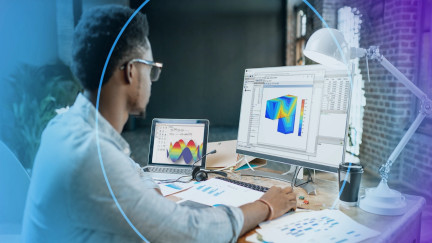
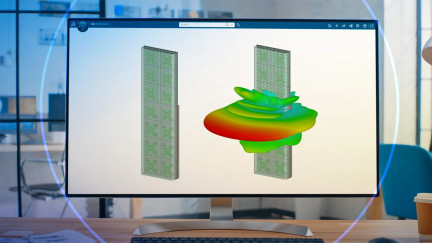
Discover how to model & simulate Antenna Arrays in CST Studio Suite—from unit cells to finite arrays—using the DDM solver. Join our webinar!
E-seminar
On demand
UX/UI testing brings many advantages to software product development improving build quality into the product
Discover how to model & simulate Antenna Arrays in CST Studio Suite—from unit cells to finite arrays—using the DDM solver. Join our webinar!
E-seminar
Press Release
September 18, 2025
Press Release
September 16, 2025
Press Release
June 25, 2025
What if your students could master complex math and solve real-world engineering problems?
E-seminar
The new storage configurator designed for all its users. The solution the market was missing.
E-seminar
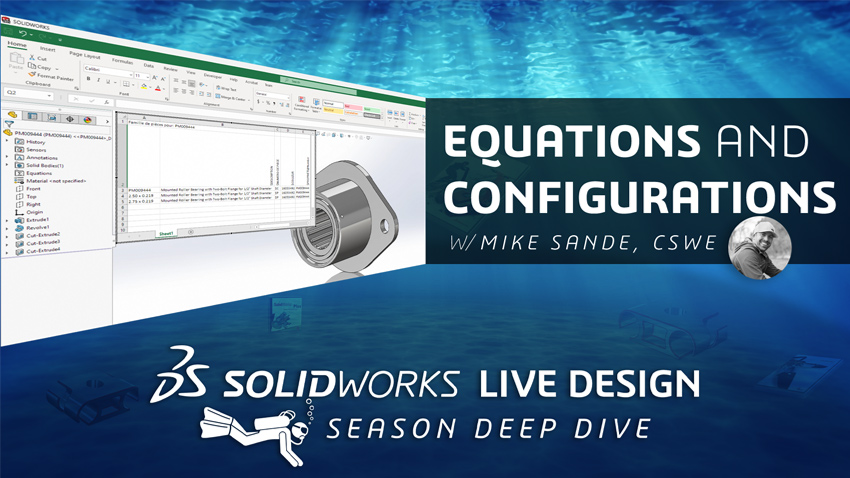
SOLIDWORKS offers an almost endless set of tools when it comes to approaching 2D and 3D parametric designs.
SOLIDWORKS LIVE
Unlock the power of strategic sourcing—connect engineering, procurement & suppliers to cut costs, boost quality, and build resilient supply chains.
E-seminar
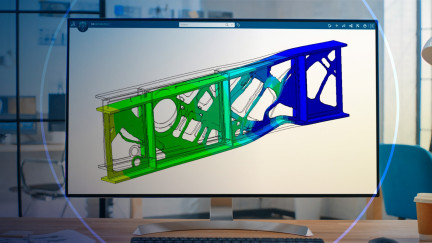
Explore advances in solving nonlinear industrial optimization problems using Tosca Structure, Abaqus/Standard, and CST, with updates on multiphysics and Multi-DV optimizations.
E-seminar
Find the best GD&T Training to improve your prints and production process.Learn how Geometric Dimensioning and Tolerancing is used in the real world, not just in theory, with training tailored to provide practical engineering solutions.Courses available:Print Reading and Tolerances, GD&T Fundamentals, and Advanced GD&TTraining for Groups: Align your company's design, manufacturing, and inspection processes with GD&T training for teams. Our courses are designed to solve your company's toughest engineering challenges by streamlining communications, minimizing waste, improving quality, and controlling costs.Training for Individuals: Boost your competence and confidence with self-paced online GD&T training for individuals. Built around our simplified framework, our GD&T online training uses real-world examples to equip you with practical skills you'll actually use on the job.Anyone who works with engineering prints can benefit from GD&T training, whether you're an industry veteran or new to the field.
Partner Product
Fasteners are essential to your designs, so we made it easier to work with them. We replaced scrolling through a list of filenames with a fast and shareable database. Click Add Fastener and select a type, diameter, length (skipped for washers) and a material, then drag the part into the assembly. Lightning adds the washer for you. To change the diameter or length, select one or more fasteners and click Bigger Diameter or Make longer and you're done. It's magic. Lightning works with your existing library (Toolbox or custom) and is highly optimized for metric fasteners. Imperial sizes are not yet supported.
Partner Product
WOODEXPERT is an intuitive, easy-to-use 3D CAD software for furniture design and manufacturing. Fully compatible with the SOLIDWORKS environment, it is designed to simplify and improve the furniture design process and production chain. A flexible, time-saving, and error-reducing solution that fits perfectly with the idea of Industry 4.0. Easy integration with ERP and PDM systems. WOODEXPERT supports the entire furniture design and manufacturing process, including 3D design, automatic generation of 2D documentation, bill of materials, CAM, and nesting process. With perfectly designed material management, thanks to functions for geometry validation and technological collisions, WOODEXPERT is a software that detects errors and allows the user to correct them faster than ever. This eliminates the risk of material loss in the production process.The software has a library of intelligent components that can be easily extended with new models at any time. What's more, the user can also import ready-made component models from other CAD software or libraries available on manufacturers' websites. Based on the furniture model, generating material lists and all documentation for production is possible. By integrating WOODEXPERT with SOLIDWORKS, the user can instantly generate NC for any numerical machine, and the built-in component packaging tool helps to prepare packages of finished furniture for safe storage and transport. CAM is based on a technological database that allows the user to set up standard strategies and tools for each machine in our factory. All programs are generated automatically with the ability to adjust parameters and paths as required. Users can check the generated programs for collisions and carry out 3D machining simulations. The user can easily select the right package, whether the machine is 3, 4, or 5 axis. Intelligent control of the entire production chain makes the business more productive.
Partner Product
The Simpleware product group at Synopsys develops an industry-leading 3D image processing platform for the visualization, quantification and conversion of 3D scan data (MRI, CT, micro-CT...) into high quality design, simulation and 3D printing models. Simpleware software is used in theLife Sciences, Clinical Applications, and Materials & Manufacturing. Easy-to-learn and use, the software offers a robust bridge between the latest imaging technologies and multiple design and simulation applications.Simpleware Design Link allows users of Simpleware software and SOLIDWORKS to harness the power of both software packages and speed up product development workflows. The module eliminates the need to import/export between the two packages. With Simpleware Design Link, updates are passed between SOLIDWORKS and Simpleware with a single click, enhancing iterative product design workflows such as patient-specific implant planning.
Partner Product
Featuring an optimized steel front panel for massive airflow, the L-Class SOLIDWORKS Edition is built with CORSAIR's 5000D AIRFLOW case. The case includes a toolless tempered glass side panel, and multiple dust filters around the case. The L-Class SOLIDWORKS Edition is also equipped with a 13th Gen Intel Core i9-13900KS, one of the highest-end CPUs available to date, which makes it perfect for those taking on multiple demanding tasks at once - video rendering, audio editing, 3D renders, and more. For graphics processing, the system is built with the NVIDIA RTX A4000 Graphics Card. The most powerful single-slot GPU created for professionals delivers real-time ray tracing, AI-accelerated computing, and high-performance graphics to your desktop. This level of graphical power is perfect for 3D renders, VR development, and GPU-based applications. Customize your L-Class SOLIDWORKS edition with up to 64GB of 4800 Mhz memory. This high-performance workstation RAM works in conjunction with your CPU to provide increased speed for all your system's tasks. Load programs faster and run more applications at once without lag or slowdown.
Partner Product
SWLM (SOLIDWORKS Learning Machine) program is an ALL-IN-ONE program, which means this program covers a wide range of SolidWorks training material such as essential training, advanced training, module-specific training, project-based training, certification training, mock exams, and much more. Users will follow a specific learning path to master SOLIDWORKS through our proven step-by-step learning path. At the end of the program, users can design any complex real-world product with complete confidence. Also, users will have a higher chance of passing the SOLIDWORKS certification on their first attempt. The best part is you can skip years of trying to grow your SOLIDWORKS skills. MCAD Skill also offers community access, where you can ask the instructor questions if you get stuck in your SOLIDWORKS CAD learning journey.
Partner Product
Find the best GD&T Training to improve your prints and production process.Learn how Geometric Dimensioning and Tolerancing is used in the real world, not just in theory, with training tailored to provide practical engineering solutions.Courses available:Print Reading and Tolerances, GD&T Fundamentals, and Advanced GD&TTraining for Groups: Align your company's design, manufacturing, and inspection processes with GD&T training for teams. Our courses are designed to solve your company's toughest engineering challenges by streamlining communications, minimizing waste, improving quality, and controlling costs.Training for Individuals: Boost your competence and confidence with self-paced online GD&T training for individuals. Built around our simplified framework, our GD&T online training uses real-world examples to equip you with practical skills you'll actually use on the job.Anyone who works with engineering prints can benefit from GD&T training, whether you're an industry veteran or new to the field.
Partner Product
Fasteners are essential to your designs, so we made it easier to work with them. We replaced scrolling through a list of filenames with a fast and shareable database. Click Add Fastener and select a type, diameter, length (skipped for washers) and a material, then drag the part into the assembly. Lightning adds the washer for you. To change the diameter or length, select one or more fasteners and click Bigger Diameter or Make longer and you're done. It's magic. Lightning works with your existing library (Toolbox or custom) and is highly optimized for metric fasteners. Imperial sizes are not yet supported.
Partner Product
WOODEXPERT is an intuitive, easy-to-use 3D CAD software for furniture design and manufacturing. Fully compatible with the SOLIDWORKS environment, it is designed to simplify and improve the furniture design process and production chain. A flexible, time-saving, and error-reducing solution that fits perfectly with the idea of Industry 4.0. Easy integration with ERP and PDM systems. WOODEXPERT supports the entire furniture design and manufacturing process, including 3D design, automatic generation of 2D documentation, bill of materials, CAM, and nesting process. With perfectly designed material management, thanks to functions for geometry validation and technological collisions, WOODEXPERT is a software that detects errors and allows the user to correct them faster than ever. This eliminates the risk of material loss in the production process.The software has a library of intelligent components that can be easily extended with new models at any time. What's more, the user can also import ready-made component models from other CAD software or libraries available on manufacturers' websites. Based on the furniture model, generating material lists and all documentation for production is possible. By integrating WOODEXPERT with SOLIDWORKS, the user can instantly generate NC for any numerical machine, and the built-in component packaging tool helps to prepare packages of finished furniture for safe storage and transport. CAM is based on a technological database that allows the user to set up standard strategies and tools for each machine in our factory. All programs are generated automatically with the ability to adjust parameters and paths as required. Users can check the generated programs for collisions and carry out 3D machining simulations. The user can easily select the right package, whether the machine is 3, 4, or 5 axis. Intelligent control of the entire production chain makes the business more productive.
Partner Product
The Simpleware product group at Synopsys develops an industry-leading 3D image processing platform for the visualization, quantification and conversion of 3D scan data (MRI, CT, micro-CT...) into high quality design, simulation and 3D printing models. Simpleware software is used in theLife Sciences, Clinical Applications, and Materials & Manufacturing. Easy-to-learn and use, the software offers a robust bridge between the latest imaging technologies and multiple design and simulation applications.Simpleware Design Link allows users of Simpleware software and SOLIDWORKS to harness the power of both software packages and speed up product development workflows. The module eliminates the need to import/export between the two packages. With Simpleware Design Link, updates are passed between SOLIDWORKS and Simpleware with a single click, enhancing iterative product design workflows such as patient-specific implant planning.
Partner Product
Featuring an optimized steel front panel for massive airflow, the L-Class SOLIDWORKS Edition is built with CORSAIR's 5000D AIRFLOW case. The case includes a toolless tempered glass side panel, and multiple dust filters around the case. The L-Class SOLIDWORKS Edition is also equipped with a 13th Gen Intel Core i9-13900KS, one of the highest-end CPUs available to date, which makes it perfect for those taking on multiple demanding tasks at once - video rendering, audio editing, 3D renders, and more. For graphics processing, the system is built with the NVIDIA RTX A4000 Graphics Card. The most powerful single-slot GPU created for professionals delivers real-time ray tracing, AI-accelerated computing, and high-performance graphics to your desktop. This level of graphical power is perfect for 3D renders, VR development, and GPU-based applications. Customize your L-Class SOLIDWORKS edition with up to 64GB of 4800 Mhz memory. This high-performance workstation RAM works in conjunction with your CPU to provide increased speed for all your system's tasks. Load programs faster and run more applications at once without lag or slowdown.
Partner Product
SWLM (SOLIDWORKS Learning Machine) program is an ALL-IN-ONE program, which means this program covers a wide range of SolidWorks training material such as essential training, advanced training, module-specific training, project-based training, certification training, mock exams, and much more. Users will follow a specific learning path to master SOLIDWORKS through our proven step-by-step learning path. At the end of the program, users can design any complex real-world product with complete confidence. Also, users will have a higher chance of passing the SOLIDWORKS certification on their first attempt. The best part is you can skip years of trying to grow your SOLIDWORKS skills. MCAD Skill also offers community access, where you can ask the instructor questions if you get stuck in your SOLIDWORKS CAD learning journey.
Partner Product
SWLM (SOLIDWORKS Learning Machine) program is an ALL-IN-ONE program, which means this program covers a wide range of SolidWorks training material such as essential training, advanced training, module-specific training, project-based training, certification training, mock exams, and much more. Users will follow a specific learning path to master SOLIDWORKS through our proven step-by-step learning path. At the end of the program, users can design any complex real-world product with complete confidence. Also, users will have a higher chance of passing the SOLIDWORKS certification on their first attempt. The best part is you can skip years of trying to grow your SOLIDWORKS skills. MCAD Skill also offers community access, where you can ask the instructor questions if you get stuck in your SOLIDWORKS CAD learning journey.
Partner Product
Inside The GD&T Premium Reference Center, you will find over 275 GD&T Tips with PDFs, 88 with videos. There are an additional 160 educational videos, electronic versions of our GD&T Hierarchy Pocket Guides (1994, 2009, 2018), all ASME Y14.5 symbols, an easy-to-use search function, Y14.5 Standard references, case studies, Brown Bag sessions, and the SOLIDWORKS add-on. This robust reference center will help to answer questions related to GD&T and help users to refresh their knowledge of symbols not often used. With the SOLIDWORKS add-on, the reference center is available at your fingertips in a convenient drop-down menu within SOLIDWORKS. Our customers find the reference center (AKA GD&T help files) to be a valued resource both before and after GD&T training with Tec-Ease.
Partner Product
The DSTV Assistant is integrated into SOLIDWORKS and can be used by any user with basic SOLIDWORKS knowledge. During development, special emphasis was placed on implementing as many functions as possible in the familiar SOLIDWORKS environment and in uniform Property Manager Pages (PMP).If NC data is to be generated from a 3D solid body, the DSTV Assistant analyzes the component and determines the profile type or sheet orientation as well as all processing such as holes, cutouts, chamfers and many more. Thanks to the intelligent functions, the NC data in DSTV format can be generated very quickly and automatically. However, if, for example, the profile type is not known or the sheet metal alignment is not clear, manual entries by the user may be necessary. Here, too, the DSTV Assistant provides you with the best possible support with clearly structured queries for the missing information.In summary, the DSTV Assistant is the perfect addition for all users who work with structural steel components in SOLIDWORKS and offers automatic functions for exporting NC data in DSTV directly from SOLIDWORKS. The source of the data is almost irrelevant as long as SOLIDWORKS can import the data and the volumes are clearly defined.
Partner Product
We believe that fostering and strengthening authentic personal relationships with our customers is the most important part of our business. Above all, we want to help you get exactly what you need to be successful. When you need more than a mass-market pre-built system, trust our technical expertise and dedication to personal service to design and build your bespoke PC.
Partner Product
AddItIn is a SolidWorks addin to easily create, modify and deploy your own SolidWork addin.Create your own customized SolidWorks addin, hosting your companies' macros within one single file, without the need of API knowledge.AddItIn allows you to have control which macros are available to users and the way they are implemented within SolidWorks. Some of the implementations are:- Availability depending on the document type- Taskpane: create your own tab in the SolidWorks taskpane containing a Visual Studio usercontrol.- Hidden: macros are ran on certain SolidWorks events e.g. when a file is saved or when the active document changes.- RMB: you can create your own RMB menus depending on the selection a user made.- File open/save: you can add your own extensions to the SolidWorks open and save menu.You can use your own logos and images to make the UI even more in line with your companies demands.Using AddItIn will give you improved performance, a professional UI, ease of deployment and insight in the intensity a macro is used.
Partner Product
Turn hours of file admin into minutes! #TASK takes care of automating tasks, batch processing, and saves you hours of file admin in SOLIDWORKS. Trusted by more than 15,000 users in over 100 countries, #TASK has revolutionized file admin automation. Whether you're a solo designer or managing a national team of users, #TASK is purpose-built to support batch processing at any size.
Partner Product
Find the best GD&T Training to improve your prints and production process.Learn how Geometric Dimensioning and Tolerancing is used in the real world, not just in theory, with training tailored to provide practical engineering solutions.Courses available:Print Reading and Tolerances, GD&T Fundamentals, and Advanced GD&TTraining for Groups: Align your company's design, manufacturing, and inspection processes with GD&T training for teams. Our courses are designed to solve your company's toughest engineering challenges by streamlining communications, minimizing waste, improving quality, and controlling costs.Training for Individuals: Boost your competence and confidence with self-paced online GD&T training for individuals. Built around our simplified framework, our GD&T online training uses real-world examples to equip you with practical skills you'll actually use on the job.Anyone who works with engineering prints can benefit from GD&T training, whether you're an industry veteran or new to the field.
Partner Product
Fasteners are essential to your designs, so we made it easier to work with them. We replaced scrolling through a list of filenames with a fast and shareable database. Click Add Fastener and select a type, diameter, length (skipped for washers) and a material, then drag the part into the assembly. Lightning adds the washer for you. To change the diameter or length, select one or more fasteners and click Bigger Diameter or Make longer and you're done. It's magic. Lightning works with your existing library (Toolbox or custom) and is highly optimized for metric fasteners. Imperial sizes are not yet supported.
Partner Product
WOODEXPERT is an intuitive, easy-to-use 3D CAD software for furniture design and manufacturing. Fully compatible with the SOLIDWORKS environment, it is designed to simplify and improve the furniture design process and production chain. A flexible, time-saving, and error-reducing solution that fits perfectly with the idea of Industry 4.0. Easy integration with ERP and PDM systems. WOODEXPERT supports the entire furniture design and manufacturing process, including 3D design, automatic generation of 2D documentation, bill of materials, CAM, and nesting process. With perfectly designed material management, thanks to functions for geometry validation and technological collisions, WOODEXPERT is a software that detects errors and allows the user to correct them faster than ever. This eliminates the risk of material loss in the production process.The software has a library of intelligent components that can be easily extended with new models at any time. What's more, the user can also import ready-made component models from other CAD software or libraries available on manufacturers' websites. Based on the furniture model, generating material lists and all documentation for production is possible. By integrating WOODEXPERT with SOLIDWORKS, the user can instantly generate NC for any numerical machine, and the built-in component packaging tool helps to prepare packages of finished furniture for safe storage and transport. CAM is based on a technological database that allows the user to set up standard strategies and tools for each machine in our factory. All programs are generated automatically with the ability to adjust parameters and paths as required. Users can check the generated programs for collisions and carry out 3D machining simulations. The user can easily select the right package, whether the machine is 3, 4, or 5 axis. Intelligent control of the entire production chain makes the business more productive.
Partner Product
The Simpleware product group at Synopsys develops an industry-leading 3D image processing platform for the visualization, quantification and conversion of 3D scan data (MRI, CT, micro-CT...) into high quality design, simulation and 3D printing models. Simpleware software is used in theLife Sciences, Clinical Applications, and Materials & Manufacturing. Easy-to-learn and use, the software offers a robust bridge between the latest imaging technologies and multiple design and simulation applications.Simpleware Design Link allows users of Simpleware software and SOLIDWORKS to harness the power of both software packages and speed up product development workflows. The module eliminates the need to import/export between the two packages. With Simpleware Design Link, updates are passed between SOLIDWORKS and Simpleware with a single click, enhancing iterative product design workflows such as patient-specific implant planning.
Partner Product
Featuring an optimized steel front panel for massive airflow, the L-Class SOLIDWORKS Edition is built with CORSAIR's 5000D AIRFLOW case. The case includes a toolless tempered glass side panel, and multiple dust filters around the case. The L-Class SOLIDWORKS Edition is also equipped with a 13th Gen Intel Core i9-13900KS, one of the highest-end CPUs available to date, which makes it perfect for those taking on multiple demanding tasks at once - video rendering, audio editing, 3D renders, and more. For graphics processing, the system is built with the NVIDIA RTX A4000 Graphics Card. The most powerful single-slot GPU created for professionals delivers real-time ray tracing, AI-accelerated computing, and high-performance graphics to your desktop. This level of graphical power is perfect for 3D renders, VR development, and GPU-based applications. Customize your L-Class SOLIDWORKS edition with up to 64GB of 4800 Mhz memory. This high-performance workstation RAM works in conjunction with your CPU to provide increased speed for all your system's tasks. Load programs faster and run more applications at once without lag or slowdown.
Partner Product
SWLM (SOLIDWORKS Learning Machine) program is an ALL-IN-ONE program, which means this program covers a wide range of SolidWorks training material such as essential training, advanced training, module-specific training, project-based training, certification training, mock exams, and much more. Users will follow a specific learning path to master SOLIDWORKS through our proven step-by-step learning path. At the end of the program, users can design any complex real-world product with complete confidence. Also, users will have a higher chance of passing the SOLIDWORKS certification on their first attempt. The best part is you can skip years of trying to grow your SOLIDWORKS skills. MCAD Skill also offers community access, where you can ask the instructor questions if you get stuck in your SOLIDWORKS CAD learning journey.
Partner Product
SWLM (SOLIDWORKS Learning Machine) program is an ALL-IN-ONE program, which means this program covers a wide range of SolidWorks training material such as essential training, advanced training, module-specific training, project-based training, certification training, mock exams, and much more. Users will follow a specific learning path to master SOLIDWORKS through our proven step-by-step learning path. At the end of the program, users can design any complex real-world product with complete confidence. Also, users will have a higher chance of passing the SOLIDWORKS certification on their first attempt. The best part is you can skip years of trying to grow your SOLIDWORKS skills. MCAD Skill also offers community access, where you can ask the instructor questions if you get stuck in your SOLIDWORKS CAD learning journey.
Partner Product
Inside The GD&T Premium Reference Center, you will find over 275 GD&T Tips with PDFs, 88 with videos. There are an additional 160 educational videos, electronic versions of our GD&T Hierarchy Pocket Guides (1994, 2009, 2018), all ASME Y14.5 symbols, an easy-to-use search function, Y14.5 Standard references, case studies, Brown Bag sessions, and the SOLIDWORKS add-on. This robust reference center will help to answer questions related to GD&T and help users to refresh their knowledge of symbols not often used. With the SOLIDWORKS add-on, the reference center is available at your fingertips in a convenient drop-down menu within SOLIDWORKS. Our customers find the reference center (AKA GD&T help files) to be a valued resource both before and after GD&T training with Tec-Ease.
Partner Product
The DSTV Assistant is integrated into SOLIDWORKS and can be used by any user with basic SOLIDWORKS knowledge. During development, special emphasis was placed on implementing as many functions as possible in the familiar SOLIDWORKS environment and in uniform Property Manager Pages (PMP).If NC data is to be generated from a 3D solid body, the DSTV Assistant analyzes the component and determines the profile type or sheet orientation as well as all processing such as holes, cutouts, chamfers and many more. Thanks to the intelligent functions, the NC data in DSTV format can be generated very quickly and automatically. However, if, for example, the profile type is not known or the sheet metal alignment is not clear, manual entries by the user may be necessary. Here, too, the DSTV Assistant provides you with the best possible support with clearly structured queries for the missing information.In summary, the DSTV Assistant is the perfect addition for all users who work with structural steel components in SOLIDWORKS and offers automatic functions for exporting NC data in DSTV directly from SOLIDWORKS. The source of the data is almost irrelevant as long as SOLIDWORKS can import the data and the volumes are clearly defined.
Partner Product
We believe that fostering and strengthening authentic personal relationships with our customers is the most important part of our business. Above all, we want to help you get exactly what you need to be successful. When you need more than a mass-market pre-built system, trust our technical expertise and dedication to personal service to design and build your bespoke PC.
Partner Product
AddItIn is a SolidWorks addin to easily create, modify and deploy your own SolidWork addin.Create your own customized SolidWorks addin, hosting your companies' macros within one single file, without the need of API knowledge.AddItIn allows you to have control which macros are available to users and the way they are implemented within SolidWorks. Some of the implementations are:- Availability depending on the document type- Taskpane: create your own tab in the SolidWorks taskpane containing a Visual Studio usercontrol.- Hidden: macros are ran on certain SolidWorks events e.g. when a file is saved or when the active document changes.- RMB: you can create your own RMB menus depending on the selection a user made.- File open/save: you can add your own extensions to the SolidWorks open and save menu.You can use your own logos and images to make the UI even more in line with your companies demands.Using AddItIn will give you improved performance, a professional UI, ease of deployment and insight in the intensity a macro is used.
Partner Product
Turn hours of file admin into minutes! #TASK takes care of automating tasks, batch processing, and saves you hours of file admin in SOLIDWORKS. Trusted by more than 15,000 users in over 100 countries, #TASK has revolutionized file admin automation. Whether you're a solo designer or managing a national team of users, #TASK is purpose-built to support batch processing at any size.
Partner Product
SWLM (SOLIDWORKS Learning Machine) program is an ALL-IN-ONE program, which means this program covers a wide range of SolidWorks training material such as essential training, advanced training, module-specific training, project-based training, certification training, mock exams, and much more. Users will follow a specific learning path to master SOLIDWORKS through our proven step-by-step learning path. At the end of the program, users can design any complex real-world product with complete confidence. Also, users will have a higher chance of passing the SOLIDWORKS certification on their first attempt. The best part is you can skip years of trying to grow your SOLIDWORKS skills. MCAD Skill also offers community access, where you can ask the instructor questions if you get stuck in your SOLIDWORKS CAD learning journey.
Partner Product
Inside The GD&T Premium Reference Center, you will find over 275 GD&T Tips with PDFs, 88 with videos. There are an additional 160 educational videos, electronic versions of our GD&T Hierarchy Pocket Guides (1994, 2009, 2018), all ASME Y14.5 symbols, an easy-to-use search function, Y14.5 Standard references, case studies, Brown Bag sessions, and the SOLIDWORKS add-on. This robust reference center will help to answer questions related to GD&T and help users to refresh their knowledge of symbols not often used. With the SOLIDWORKS add-on, the reference center is available at your fingertips in a convenient drop-down menu within SOLIDWORKS. Our customers find the reference center (AKA GD&T help files) to be a valued resource both before and after GD&T training with Tec-Ease.
Partner Product
The DSTV Assistant is integrated into SOLIDWORKS and can be used by any user with basic SOLIDWORKS knowledge. During development, special emphasis was placed on implementing as many functions as possible in the familiar SOLIDWORKS environment and in uniform Property Manager Pages (PMP).If NC data is to be generated from a 3D solid body, the DSTV Assistant analyzes the component and determines the profile type or sheet orientation as well as all processing such as holes, cutouts, chamfers and many more. Thanks to the intelligent functions, the NC data in DSTV format can be generated very quickly and automatically. However, if, for example, the profile type is not known or the sheet metal alignment is not clear, manual entries by the user may be necessary. Here, too, the DSTV Assistant provides you with the best possible support with clearly structured queries for the missing information.In summary, the DSTV Assistant is the perfect addition for all users who work with structural steel components in SOLIDWORKS and offers automatic functions for exporting NC data in DSTV directly from SOLIDWORKS. The source of the data is almost irrelevant as long as SOLIDWORKS can import the data and the volumes are clearly defined.
Partner Product
We believe that fostering and strengthening authentic personal relationships with our customers is the most important part of our business. Above all, we want to help you get exactly what you need to be successful. When you need more than a mass-market pre-built system, trust our technical expertise and dedication to personal service to design and build your bespoke PC.
Partner Product
AddItIn is a SolidWorks addin to easily create, modify and deploy your own SolidWork addin.Create your own customized SolidWorks addin, hosting your companies' macros within one single file, without the need of API knowledge.AddItIn allows you to have control which macros are available to users and the way they are implemented within SolidWorks. Some of the implementations are:- Availability depending on the document type- Taskpane: create your own tab in the SolidWorks taskpane containing a Visual Studio usercontrol.- Hidden: macros are ran on certain SolidWorks events e.g. when a file is saved or when the active document changes.- RMB: you can create your own RMB menus depending on the selection a user made.- File open/save: you can add your own extensions to the SolidWorks open and save menu.You can use your own logos and images to make the UI even more in line with your companies demands.Using AddItIn will give you improved performance, a professional UI, ease of deployment and insight in the intensity a macro is used.
Partner Product
Turn hours of file admin into minutes! #TASK takes care of automating tasks, batch processing, and saves you hours of file admin in SOLIDWORKS. Trusted by more than 15,000 users in over 100 countries, #TASK has revolutionized file admin automation. Whether you're a solo designer or managing a national team of users, #TASK is purpose-built to support batch processing at any size.
Partner Product
Rethink, Reshape and Resilience are the command words for businesses to navigate the “new normal”. At Dassault Systèmes, we want to help you rethink your path to business success. Having the right digital tools for your whole organization can make all the difference: improving productivity, reducing costs and time to market, and increasing profits.
Our 3DEXPERIENCE platform on the cloud allows you to reshape your entire business by connecting your ecosystem on a single environment. From best in class 3D design, simulation and engineering apps to collaborative ideation communities, lean project management and business analytics solutions and marketing cloud rendering apps, we’ve got you covered!
Become more resilient by fostering collaboration within and between different teams, to respond faster and better to any future changes. Be prepared to seize the new possibilities of the new normal.
SOLIDWORKS enables global marketing services company to develop retail displays and packaging assets while coordinating rapid production through a global supplier network.
Customer Story