3D Innovator
Reduce design cost, shorten time to market and enhance quality with powerful web-based 3D design and collaboration applications
ロール
さまざまな業界でイノベーションを推進し、新テクノロジーや新製品の開発に貢献
製品とエクスペリエンスがますます複雑になっていくにつれて、求められる性能と品質の水準も一層厳しくなっています。CATIA はこうした課題に応え、高品質なメカニカルプロダクトの迅速な開発を可能にします。
CATIA 3D Modeling ツールを使用する機械エンジニアは、製品開発の初期段階で品質と性能の重要ポイントを見出すことができます。デジタルプロトタイプをデジタル解析やシミュレーションと組み合わせると、製品開発チームは実稼働環境で機械製品を仮想的に作成して解析できます。
CATIA Mechanical Engineering は、幅広いエンジニアリングプロセスに対応する、あらゆる種類の 3D アセンブリーを作成できるプラットフォームを提供します。
従来の PDM または PLM はデータのチェックインとチェックアウトに時間がかかるため、多くのエンジニアがそうした作業を先延ばしにします。そのため、古いデータのバージョンを比較し、それぞれの変更箇所を 1 つにまとめるのに、何時間も費やさなければなりません。
3DEXPERIENCE CATIA には PLM が統合されているため、エンジニアは設計環境から離れる必要がありません。3DEXPERIENCE CATIA なら、誰もが最新のモデルを確認できます。また、ファイルベースではないため、ファイルのチェックインやチェックアウトに時間をかける必要もありません。
さらに、コンポーネントファミリーを管理して設計を構成することもできます。構成部品が変更されると、「使用先」機能によって、その構成部品を使用しているサブアセンブリーやアセンブリーが特定されます。
CAD には柔軟で強力なモデリング機能が必要であり、デジタルモデルはリアリティを正確に反映しなければなりません。CATIA は形状の精度が高いことで知られています。その優れた堅牢性により、エンジニアはモデルの失敗を気にせず短時間で反復設計を行えます。サーフェス作成機能も優れており、燃費の良い空力フォルムから洗練されたデザインまで、競争力の高いサーフェスを作成できます。 サーフェスには厚みがないため、ソリッド形状よりも操作が簡単です。有機的で美しい形状も、クラス A サーフェスも作成できます。
高精度の 3D ソリッドモデリングにクラス A サーフェス作成機能を組み合わせたのは CATIA のみです。
CATIA Mechanical Engineering ソフトウェア製品は、作業の短期化と効率化に必要なすべてのアプリケーションを、3DEXPERIENCE プラットフォームで動作するロールとしてパッケージ化したものです。組織における役割に基づき、パッケージをお選びいただけます。
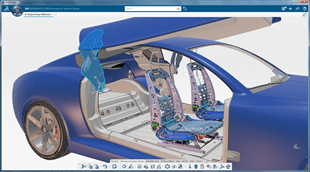
Reduce design cost, shorten time to market and enhance quality with powerful web-based 3D design and collaboration applications
ロール
Leverage Model Based Design through fast 3D Tolerancing adoption for product engineering
ロール
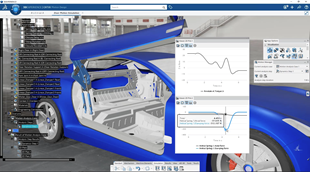
With respect of manufacturing rules, accelerate the detailed design of complex body-in-white structures, including fasteners
ロール
Create agile and robust Conceptual Structure, from shapes to fastening. Explore it thanks to a one click simulation model and find the best design alternative.
ロール
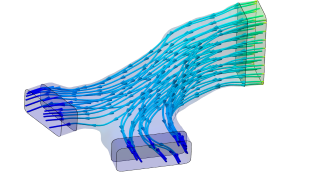
Improve the efficiency of internal fluid systems by generating shapes that respect performance KPI targets, via a streamlined & intuitive workflow experience
ロール
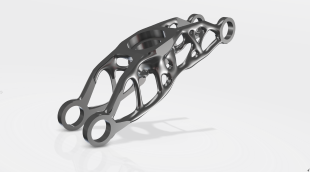
Increase & parallelize weight reduction trade-off studies of generated design alternatives with high accurate shapes respecting structural & thermal KPI targets
ロール
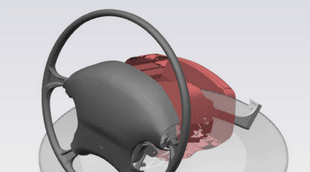
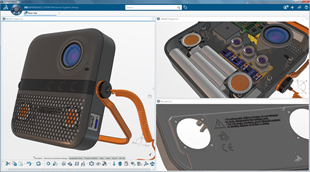
With respect of manufacturing rules, accelerate the detailed design of complex plastic parts mechanism, including model based definition and kinematics
ロール
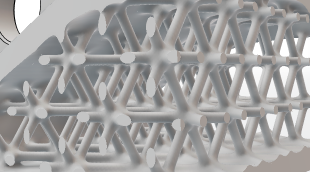
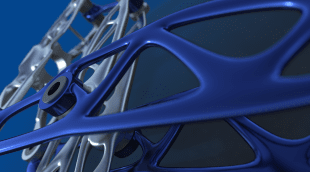
Design lattice structures in high performance parts, from conceptual to detailed, enabling structural validation, and output 3D printers readable format.
ロール
Create simple and sophisticated mechanical projects with integrated part, product and complex surface diversity
ロール
Increase your mechanical & advanced shape product design quality. Increase the number of studies for complex mechanism design and simulation alternatives.
ロール
A powerful set of applications built to create and manage sophisticated mechanical projects
ロール
Enhance your mechanical product design quality & alternatives, Increase the number of studies for complex mechanism design and simulation alternatives.
ロール
Engineer accurate mechanism motion, composed of sophisticated sheet metal, machined metal parts for tooling and general mechanical applications
ロール
Design mechanisms and validate their kinematic and dynamic behaviors within the complete 3D product definition and assess static structural strength of parts
ロール
Empower mechanical designers to design and validate any kind of Home & Lifestyle sophisticated products
ロール
Efficiently conceive & validate innovative lightweight, structural performance-driven and manufacturing-ready designs, for a wide variety of shapes
ロール
Hello all,Have you noticed the new "Symbolic material" option in the View Modes panel ? It allows to display symbolic information about threads in any shading rendering mode (with or without materials).Note: before, this thread information was not displayed if the Shading with Materials mode was used.threadsHoles
CATIA USER COMMUNITY
A collaborative project with DIAKOMOLD, under the project management of Hamid Fallah.My role focused on reverse engineering the horseshoe from the supplied 3D scan data, reconstructing its geometry and creating the CAD model for the next stages of development. A sincere thank you to Hamid Fallah and the DIAKOMOLD team for their trust and professional collaboration. It was a pleasure to contribute
CATIA USER COMMUNITY
According to PwC’s 29th Global CEO Survey, only 1 in 8 CEOs say AI delivers both higher revenues and lower costs. Billions invested. Countless pilots. So where is AI creating value?It starts with a real business challenge, and virtual twins give industrial AI the context to solve it.On Thursday, November 19, 2026, join us for the CATIA R2027x Live Release Keynote, in person in Vélizy-Villacoublay
CATIA USER COMMUNITY
Webinar replay x Lifecycle Insight
E-seminars
私たちは航空機全体に対応できる機能を持つ CAD パッケージを必要としており、CATIA がその条件を満たすことを知っていました。このプラットフォームを使用して、非常に早い段階から複合材ワークベンチを使用して複合材部品を作成し、レイヤーとプライを構築できました。 さらに解析が必要な場合、部品の最適な製造方法を最初から最後まで検討できるため、プロセスを大幅に高速化できます。
製品情報の表現に新たな次元を追加
会社のノウハウとベストプラクティスを把握する
複合領域エンジニアリングのための全体包括的ソリューション
3D 設計の視覚化、エクスペリエンスを提供し、適切な決定を促す
高品質のメカニカルプロダクトを迅速に開発する
組織の規模の大小を問わず、シームレスなコラボレーションと持続可能なイノベーションに、このソリューションがどう役立つかについて、CATIA の担当技術者がご説明します。
学生、教育機関、専門家、企業向けに、さまざまなトレーニング・コースをご提供しています。最適な CATIA トレーニングを見つけてください。
ソフトウェアおよびハードウェアの認証情報、ソフトウェアのダウンロード、ユーザー・ドキュメント、サポート窓口、ならびに提供サービスに関する情報はこちらから。