[Do not delete] WOC display
UX/UI testing brings many advantages to software product development improving build quality into the product
Limited scope of search
There are 4295 results

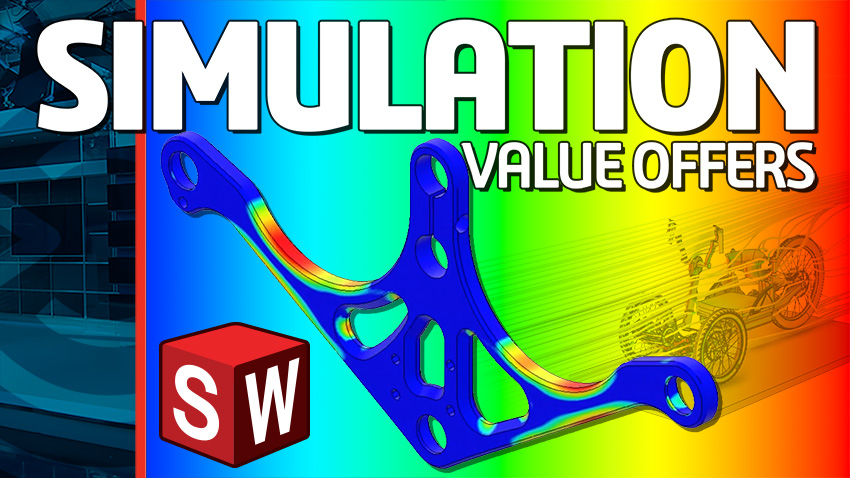
Exciting New Simulation Value Offer Announcements
Join us for this exciting episode of SOLIDWORKS Live as we unveil our latest Simulation value offer announcements!
SOLIDWORKS LIVE
3DEXPERIENCE World 2024: Community & SOLIDWORKS 2025
Our last day of 3DEXPERIENCE World 2024 wraps with conversations about COMMUNITY and sneak peeks at what's to come in SOLIDWORKS 2025!
SOLIDWORKS LIVE

Curing Analysis of Adhesives For Consumer Electronics | Dassault Systèmes
In this on-demand, we review the following key objectives related to Curing.
E-seminar

On demand
Beyond Basic Quality Management | Dassault Systèmes
Quality Management functionality that can increase your competitive advantage
E-seminar

On demand
Quality Control in the Digital Age | Dassault Systèmes
The digitial technology that will help you continuously excel at product quality to beat your competition and become a top supplier for your customers.
E-seminar
On demand
Preventive Maintenance: Extend the Life of Your Shop Floor Equipment | Dassault Systèmes
Take a proactive approach to maintain and service your manufacturing equipment as well as identify and track the financial impact of your maintenance program.
E-seminar

On demand

Revolutionizing Engineering with 3D CAD and MODSIM | Dassault Systèmes
This session is designed for engineers, designers, and industry professionals eager to explore how cutting-edge technology can streamline and enhance their workflow.
E-seminar

On demand
Essential Values of Manufacturing Execution Systems (MES) | Dassault Systèmes
How to Leverage Real-Time Manufacturing Data to Improve Production Efficiency.
E-seminar

On demand
Test relevance: sustainability OR card_content_categories:"%sustainability%" OR card_content_keywords:"%sustainability%"
There are 135 results
Test relevance card_content_categories:"%sustainability%"
There are 89 results
Test relevance card_content_keywords:"%sustainability%"
There are 9 results
Test relevance: card_content_title:"%sustainability%"
There are 17 results
Test relevance: NOT card_content_title:"%sustainability%"
There are 42 results
Test relevance card_content_categories:"%sustainability%" BUT NOT sustainability in content
There are 83 results
Test relevance: sustainability OR card_content_categories:"%sustainability%"
There are 135 results
Do not delete : Compact
SOLIDWORKS Enterprise PDM | ATR Soft Oy
Solutions from scratch. From Customer's specific needs. E.g. Reporting & data quality systems - Time saving tools. Batch printing and file format conversion. Link EPDM to your ERP. Master your business data.Testing and quality insurance. Data loads & data migration. Empower your system. EPDM-PDM (Enovia-Smart Team,... ) integration. System and process optimization
Partner Product
3DPartFinder | 3DSemantix Inc.
3DPartFinder is a shape search product that does for parts what Google does with text: They find and display parts similar to the initial inquiry. That initial inquiry can come in various ways. One approach is to load an existing file of the target part and launch 3DPartFinder. Another approach is to sketch an image of the target part in SOLIDWORKS, and then have the search engine find similar parts. Suitable matches are displayed in an assembly of SOLIDWORKS that ranks them according to their similarities for further analysis. As necessary, you can rotate any part in the assembly and access any detailed information or function available in SOLIDWORKS. You can easily launch another search using any file results returned by the first search, and you can tell the engine how many results to return. 3DPartFinder Analytics can manage database and find Duplicates and Quasi-Duplicates (nearby-parts) to reduce part numbers and inventory or help standardization process!
Partner Product
Genius CAD2BOM | Genius ERP
The Genius CAD2BOM bridge for SOLIDWORKS software enables automatic and simultaneous conversion between the two solutions. This reduces unsynchronized information, work redundancy, and data entry errors.
Partner Product
SOLIDWORKS® Video Training Course | Video-Tutorials.Net
VTN's SOLIDWORKS Video Training courses provide nearly 40 hours of training in SOLIDWORKS. Our courses cover Core Concepts, Drawings, Part Design, Assembly, Renderings/Animation, 3D Skills, Advanced Parts, Advanced Assemblies, Sheet Metal Design, Surface Design and Modeling, Application Programming Interface, Update Training, and more. We have courses in SOLIDWORKS 2007-2010. Our SolidWorks video tutorials focus on fundamental skills and concepts, and will will help you master the techniques you need to quickly become productive in SOLIDWORKS. Courses are delivered via our online library, and all our pre-2010 material is also available on disc/download. Subscriptions to the online library include free access to all course updates that we make during your subscription term.
Partner Product
PEPS | Vero Software
The PEPS suite of software is a Computer Aided Manufacturing (CAM) system based upon an integrated suite of software with facilities for designing geometrical models with its in-built CAD drawing tools or importing models from external CAD systems and CNC part programming. The PEPS system takes a central part in fully integrated CAM installations, but is also an affordable solution to the CNC part programming needs of engineering businesses of all sizes.PEPS software allows machines to produce components economically and can extend the range of work that a user is able to manufacture. This affords older machines a new lease on life, making them more productive without need for expensive replacements or maximizing the output.The system's key benefit is its unique approach, offering powerful features with extreme simplicity of use. The adoption of a graphical user interface under Windows on a stand-alone or networked PC provides an intuitive method of working. Using an industry standard system in this way greatly reduces training times and ensures you produce NC programs quickly and effectively.The system is supported by a set of post processors that generates high-quality CNC code for each individual machine tool. The CNC code produced is unmatched by competitive systems for reliability and quality. Camtek does not believe in the concept of customers having to edit its CNC code. They produce it ready for the machine. PEPS software offers considerable scope for users to reduce scrap, improve quality, increase material utilization, reduce prove-out time and substantially enhance the productivity.PEPS has a great number of CAD system integrators that allow the direct import of CAD drawings in their native form or as industry standards, such as IGES, STEP, and DXF. Every system comes standard with interfaces for SOLIDWORKS. Optional CATIA V4, CATIA V5 integrators are available.PEPS is available for metal-cutting operations such as: Wire EDM Multi-axis laser Milling Turning
Partner Product
INRETO | mbm Solution
Quality control by manufacturers becomes an important issue in a planned or already existing Quality Service (QS) certification. The creation of a first article report or a Production Part Approval Process (PPAP), or just the drawing of a prototype, can be a time-consuming task. With INRETO (Inspection-Report-Tool), you have the ability to create your drawing fully automated with verification symbols so you can generate a proof sheet with all the necessary information, including tolerance calculations. Within the SOLIDWORKS integrated menu, you can now automatically choose a verification symbol (function test or measurement test) and have the symbol placed in your chosen drawing. Of course, you can also choose to place verification symbols in specific measurements or surface signs, as well as plain marks in specific writings and text blocks. Should you need to erase or add verification symbols retroactively, INRETO xxxx will create new sequential numbering automatically, without duplicating any numbers-an advantage when working with large drawings. Because of the ability of turning verification symbols on or off in your drawing, you eliminate the need for a proof drawing, as you have the choice of turning your finished drawing into a proof drawing and vice versa automatically. The creation of a verification report happens with the push of a button. Measurements are considered with upper and lower tolerance and will be included in the report. The numerical integrity will be identical with the drawing. Reports can be obtained in Microsoft Word as well as Microsoft Excel and can be easily changed and reworked by the user. Quality control by manufacturers becomes an important issue in a planned or already existing QS certification.
Partner Product
Do not delete : Compact large
SOLIDWORKS Enterprise PDM | ATR Soft Oy
Solutions from scratch. From Customer's specific needs. E.g. Reporting & data quality systems - Time saving tools. Batch printing and file format conversion. Link EPDM to your ERP. Master your business data.Testing and quality insurance. Data loads & data migration. Empower your system. EPDM-PDM (Enovia-Smart Team,... ) integration. System and process optimization
Partner Product
3DPartFinder | 3DSemantix Inc.
3DPartFinder is a shape search product that does for parts what Google does with text: They find and display parts similar to the initial inquiry. That initial inquiry can come in various ways. One approach is to load an existing file of the target part and launch 3DPartFinder. Another approach is to sketch an image of the target part in SOLIDWORKS, and then have the search engine find similar parts. Suitable matches are displayed in an assembly of SOLIDWORKS that ranks them according to their similarities for further analysis. As necessary, you can rotate any part in the assembly and access any detailed information or function available in SOLIDWORKS. You can easily launch another search using any file results returned by the first search, and you can tell the engine how many results to return. 3DPartFinder Analytics can manage database and find Duplicates and Quasi-Duplicates (nearby-parts) to reduce part numbers and inventory or help standardization process!
Partner Product
Genius CAD2BOM | Genius ERP
The Genius CAD2BOM bridge for SOLIDWORKS software enables automatic and simultaneous conversion between the two solutions. This reduces unsynchronized information, work redundancy, and data entry errors.
Partner Product
SOLIDWORKS® Video Training Course | Video-Tutorials.Net
VTN's SOLIDWORKS Video Training courses provide nearly 40 hours of training in SOLIDWORKS. Our courses cover Core Concepts, Drawings, Part Design, Assembly, Renderings/Animation, 3D Skills, Advanced Parts, Advanced Assemblies, Sheet Metal Design, Surface Design and Modeling, Application Programming Interface, Update Training, and more. We have courses in SOLIDWORKS 2007-2010. Our SolidWorks video tutorials focus on fundamental skills and concepts, and will will help you master the techniques you need to quickly become productive in SOLIDWORKS. Courses are delivered via our online library, and all our pre-2010 material is also available on disc/download. Subscriptions to the online library include free access to all course updates that we make during your subscription term.
Partner Product
PEPS | Vero Software
The PEPS suite of software is a Computer Aided Manufacturing (CAM) system based upon an integrated suite of software with facilities for designing geometrical models with its in-built CAD drawing tools or importing models from external CAD systems and CNC part programming. The PEPS system takes a central part in fully integrated CAM installations, but is also an affordable solution to the CNC part programming needs of engineering businesses of all sizes.PEPS software allows machines to produce components economically and can extend the range of work that a user is able to manufacture. This affords older machines a new lease on life, making them more productive without need for expensive replacements or maximizing the output.The system's key benefit is its unique approach, offering powerful features with extreme simplicity of use. The adoption of a graphical user interface under Windows on a stand-alone or networked PC provides an intuitive method of working. Using an industry standard system in this way greatly reduces training times and ensures you produce NC programs quickly and effectively.The system is supported by a set of post processors that generates high-quality CNC code for each individual machine tool. The CNC code produced is unmatched by competitive systems for reliability and quality. Camtek does not believe in the concept of customers having to edit its CNC code. They produce it ready for the machine. PEPS software offers considerable scope for users to reduce scrap, improve quality, increase material utilization, reduce prove-out time and substantially enhance the productivity.PEPS has a great number of CAD system integrators that allow the direct import of CAD drawings in their native form or as industry standards, such as IGES, STEP, and DXF. Every system comes standard with interfaces for SOLIDWORKS. Optional CATIA V4, CATIA V5 integrators are available.PEPS is available for metal-cutting operations such as: Wire EDM Multi-axis laser Milling Turning
Partner Product
INRETO | mbm Solution
Quality control by manufacturers becomes an important issue in a planned or already existing Quality Service (QS) certification. The creation of a first article report or a Production Part Approval Process (PPAP), or just the drawing of a prototype, can be a time-consuming task. With INRETO (Inspection-Report-Tool), you have the ability to create your drawing fully automated with verification symbols so you can generate a proof sheet with all the necessary information, including tolerance calculations. Within the SOLIDWORKS integrated menu, you can now automatically choose a verification symbol (function test or measurement test) and have the symbol placed in your chosen drawing. Of course, you can also choose to place verification symbols in specific measurements or surface signs, as well as plain marks in specific writings and text blocks. Should you need to erase or add verification symbols retroactively, INRETO xxxx will create new sequential numbering automatically, without duplicating any numbers-an advantage when working with large drawings. Because of the ability of turning verification symbols on or off in your drawing, you eliminate the need for a proof drawing, as you have the choice of turning your finished drawing into a proof drawing and vice versa automatically. The creation of a verification report happens with the push of a button. Measurements are considered with upper and lower tolerance and will be included in the report. The numerical integrity will be identical with the drawing. Reports can be obtained in Microsoft Word as well as Microsoft Excel and can be easily changed and reworked by the user. Quality control by manufacturers becomes an important issue in a planned or already existing QS certification.
Partner Product
Do not delete : List
SOLIDWORKS Enterprise PDM | ATR Soft Oy
Solutions from scratch. From Customer's specific needs. E.g. Reporting & data quality systems - Time saving tools. Batch printing and file format conversion. Link EPDM to your ERP. Master your business data.Testing and quality insurance. Data loads & data migration. Empower your system. EPDM-PDM (Enovia-Smart Team,... ) integration. System and process optimization
Partner Product
3DPartFinder | 3DSemantix Inc.
3DPartFinder is a shape search product that does for parts what Google does with text: They find and display parts similar to the initial inquiry. That initial inquiry can come in various ways. One approach is to load an existing file of the target part and launch 3DPartFinder. Another approach is to sketch an image of the target part in SOLIDWORKS, and then have the search engine find similar parts. Suitable matches are displayed in an assembly of SOLIDWORKS that ranks them according to their similarities for further analysis. As necessary, you can rotate any part in the assembly and access any detailed information or function available in SOLIDWORKS. You can easily launch another search using any file results returned by the first search, and you can tell the engine how many results to return. 3DPartFinder Analytics can manage database and find Duplicates and Quasi-Duplicates (nearby-parts) to reduce part numbers and inventory or help standardization process!
Partner Product
Genius CAD2BOM | Genius ERP
The Genius CAD2BOM bridge for SOLIDWORKS software enables automatic and simultaneous conversion between the two solutions. This reduces unsynchronized information, work redundancy, and data entry errors.
Partner Product
SOLIDWORKS® Video Training Course | Video-Tutorials.Net
VTN's SOLIDWORKS Video Training courses provide nearly 40 hours of training in SOLIDWORKS. Our courses cover Core Concepts, Drawings, Part Design, Assembly, Renderings/Animation, 3D Skills, Advanced Parts, Advanced Assemblies, Sheet Metal Design, Surface Design and Modeling, Application Programming Interface, Update Training, and more. We have courses in SOLIDWORKS 2007-2010. Our SolidWorks video tutorials focus on fundamental skills and concepts, and will will help you master the techniques you need to quickly become productive in SOLIDWORKS. Courses are delivered via our online library, and all our pre-2010 material is also available on disc/download. Subscriptions to the online library include free access to all course updates that we make during your subscription term.
Partner Product
PEPS | Vero Software
The PEPS suite of software is a Computer Aided Manufacturing (CAM) system based upon an integrated suite of software with facilities for designing geometrical models with its in-built CAD drawing tools or importing models from external CAD systems and CNC part programming. The PEPS system takes a central part in fully integrated CAM installations, but is also an affordable solution to the CNC part programming needs of engineering businesses of all sizes.PEPS software allows machines to produce components economically and can extend the range of work that a user is able to manufacture. This affords older machines a new lease on life, making them more productive without need for expensive replacements or maximizing the output.The system's key benefit is its unique approach, offering powerful features with extreme simplicity of use. The adoption of a graphical user interface under Windows on a stand-alone or networked PC provides an intuitive method of working. Using an industry standard system in this way greatly reduces training times and ensures you produce NC programs quickly and effectively.The system is supported by a set of post processors that generates high-quality CNC code for each individual machine tool. The CNC code produced is unmatched by competitive systems for reliability and quality. Camtek does not believe in the concept of customers having to edit its CNC code. They produce it ready for the machine. PEPS software offers considerable scope for users to reduce scrap, improve quality, increase material utilization, reduce prove-out time and substantially enhance the productivity.PEPS has a great number of CAD system integrators that allow the direct import of CAD drawings in their native form or as industry standards, such as IGES, STEP, and DXF. Every system comes standard with interfaces for SOLIDWORKS. Optional CATIA V4, CATIA V5 integrators are available.PEPS is available for metal-cutting operations such as: Wire EDM Multi-axis laser Milling Turning
Partner Product
INRETO | mbm Solution
Quality control by manufacturers becomes an important issue in a planned or already existing Quality Service (QS) certification. The creation of a first article report or a Production Part Approval Process (PPAP), or just the drawing of a prototype, can be a time-consuming task. With INRETO (Inspection-Report-Tool), you have the ability to create your drawing fully automated with verification symbols so you can generate a proof sheet with all the necessary information, including tolerance calculations. Within the SOLIDWORKS integrated menu, you can now automatically choose a verification symbol (function test or measurement test) and have the symbol placed in your chosen drawing. Of course, you can also choose to place verification symbols in specific measurements or surface signs, as well as plain marks in specific writings and text blocks. Should you need to erase or add verification symbols retroactively, INRETO xxxx will create new sequential numbering automatically, without duplicating any numbers-an advantage when working with large drawings. Because of the ability of turning verification symbols on or off in your drawing, you eliminate the need for a proof drawing, as you have the choice of turning your finished drawing into a proof drawing and vice versa automatically. The creation of a verification report happens with the push of a button. Measurements are considered with upper and lower tolerance and will be included in the report. The numerical integrity will be identical with the drawing. Reports can be obtained in Microsoft Word as well as Microsoft Excel and can be easily changed and reworked by the user. Quality control by manufacturers becomes an important issue in a planned or already existing QS certification.
Partner Product
Do not delete : Medium
SOLIDWORKS Enterprise PDM | ATR Soft Oy
Solutions from scratch. From Customer's specific needs. E.g. Reporting & data quality systems - Time saving tools. Batch printing and file format conversion. Link EPDM to your ERP. Master your business data.Testing and quality insurance. Data loads & data migration. Empower your system. EPDM-PDM (Enovia-Smart Team,... ) integration. System and process optimization
Partner Product
3DPartFinder | 3DSemantix Inc.
3DPartFinder is a shape search product that does for parts what Google does with text: They find and display parts similar to the initial inquiry. That initial inquiry can come in various ways. One approach is to load an existing file of the target part and launch 3DPartFinder. Another approach is to sketch an image of the target part in SOLIDWORKS, and then have the search engine find similar parts. Suitable matches are displayed in an assembly of SOLIDWORKS that ranks them according to their similarities for further analysis. As necessary, you can rotate any part in the assembly and access any detailed information or function available in SOLIDWORKS. You can easily launch another search using any file results returned by the first search, and you can tell the engine how many results to return. 3DPartFinder Analytics can manage database and find Duplicates and Quasi-Duplicates (nearby-parts) to reduce part numbers and inventory or help standardization process!
Partner Product
Genius CAD2BOM | Genius ERP
The Genius CAD2BOM bridge for SOLIDWORKS software enables automatic and simultaneous conversion between the two solutions. This reduces unsynchronized information, work redundancy, and data entry errors.
Partner Product
SOLIDWORKS® Video Training Course | Video-Tutorials.Net
VTN's SOLIDWORKS Video Training courses provide nearly 40 hours of training in SOLIDWORKS. Our courses cover Core Concepts, Drawings, Part Design, Assembly, Renderings/Animation, 3D Skills, Advanced Parts, Advanced Assemblies, Sheet Metal Design, Surface Design and Modeling, Application Programming Interface, Update Training, and more. We have courses in SOLIDWORKS 2007-2010. Our SolidWorks video tutorials focus on fundamental skills and concepts, and will will help you master the techniques you need to quickly become productive in SOLIDWORKS. Courses are delivered via our online library, and all our pre-2010 material is also available on disc/download. Subscriptions to the online library include free access to all course updates that we make during your subscription term.
Partner Product
PEPS | Vero Software
The PEPS suite of software is a Computer Aided Manufacturing (CAM) system based upon an integrated suite of software with facilities for designing geometrical models with its in-built CAD drawing tools or importing models from external CAD systems and CNC part programming. The PEPS system takes a central part in fully integrated CAM installations, but is also an affordable solution to the CNC part programming needs of engineering businesses of all sizes.PEPS software allows machines to produce components economically and can extend the range of work that a user is able to manufacture. This affords older machines a new lease on life, making them more productive without need for expensive replacements or maximizing the output.The system's key benefit is its unique approach, offering powerful features with extreme simplicity of use. The adoption of a graphical user interface under Windows on a stand-alone or networked PC provides an intuitive method of working. Using an industry standard system in this way greatly reduces training times and ensures you produce NC programs quickly and effectively.The system is supported by a set of post processors that generates high-quality CNC code for each individual machine tool. The CNC code produced is unmatched by competitive systems for reliability and quality. Camtek does not believe in the concept of customers having to edit its CNC code. They produce it ready for the machine. PEPS software offers considerable scope for users to reduce scrap, improve quality, increase material utilization, reduce prove-out time and substantially enhance the productivity.PEPS has a great number of CAD system integrators that allow the direct import of CAD drawings in their native form or as industry standards, such as IGES, STEP, and DXF. Every system comes standard with interfaces for SOLIDWORKS. Optional CATIA V4, CATIA V5 integrators are available.PEPS is available for metal-cutting operations such as: Wire EDM Multi-axis laser Milling Turning
Partner Product
INRETO | mbm Solution
Quality control by manufacturers becomes an important issue in a planned or already existing Quality Service (QS) certification. The creation of a first article report or a Production Part Approval Process (PPAP), or just the drawing of a prototype, can be a time-consuming task. With INRETO (Inspection-Report-Tool), you have the ability to create your drawing fully automated with verification symbols so you can generate a proof sheet with all the necessary information, including tolerance calculations. Within the SOLIDWORKS integrated menu, you can now automatically choose a verification symbol (function test or measurement test) and have the symbol placed in your chosen drawing. Of course, you can also choose to place verification symbols in specific measurements or surface signs, as well as plain marks in specific writings and text blocks. Should you need to erase or add verification symbols retroactively, INRETO xxxx will create new sequential numbering automatically, without duplicating any numbers-an advantage when working with large drawings. Because of the ability of turning verification symbols on or off in your drawing, you eliminate the need for a proof drawing, as you have the choice of turning your finished drawing into a proof drawing and vice versa automatically. The creation of a verification report happens with the push of a button. Measurements are considered with upper and lower tolerance and will be included in the report. The numerical integrity will be identical with the drawing. Reports can be obtained in Microsoft Word as well as Microsoft Excel and can be easily changed and reworked by the user. Quality control by manufacturers becomes an important issue in a planned or already existing QS certification.
Partner Product
Do not delete : Classic
SOLIDWORKS Enterprise PDM | ATR Soft Oy
Solutions from scratch. From Customer's specific needs. E.g. Reporting & data quality systems - Time saving tools. Batch printing and file format conversion. Link EPDM to your ERP. Master your business data.Testing and quality insurance. Data loads & data migration. Empower your system. EPDM-PDM (Enovia-Smart Team,... ) integration. System and process optimization
Partner Product
3DPartFinder | 3DSemantix Inc.
3DPartFinder is a shape search product that does for parts what Google does with text: They find and display parts similar to the initial inquiry. That initial inquiry can come in various ways. One approach is to load an existing file of the target part and launch 3DPartFinder. Another approach is to sketch an image of the target part in SOLIDWORKS, and then have the search engine find similar parts. Suitable matches are displayed in an assembly of SOLIDWORKS that ranks them according to their similarities for further analysis. As necessary, you can rotate any part in the assembly and access any detailed information or function available in SOLIDWORKS. You can easily launch another search using any file results returned by the first search, and you can tell the engine how many results to return. 3DPartFinder Analytics can manage database and find Duplicates and Quasi-Duplicates (nearby-parts) to reduce part numbers and inventory or help standardization process!
Partner Product
Genius CAD2BOM | Genius ERP
The Genius CAD2BOM bridge for SOLIDWORKS software enables automatic and simultaneous conversion between the two solutions. This reduces unsynchronized information, work redundancy, and data entry errors.
Partner Product
SOLIDWORKS® Video Training Course | Video-Tutorials.Net
VTN's SOLIDWORKS Video Training courses provide nearly 40 hours of training in SOLIDWORKS. Our courses cover Core Concepts, Drawings, Part Design, Assembly, Renderings/Animation, 3D Skills, Advanced Parts, Advanced Assemblies, Sheet Metal Design, Surface Design and Modeling, Application Programming Interface, Update Training, and more. We have courses in SOLIDWORKS 2007-2010. Our SolidWorks video tutorials focus on fundamental skills and concepts, and will will help you master the techniques you need to quickly become productive in SOLIDWORKS. Courses are delivered via our online library, and all our pre-2010 material is also available on disc/download. Subscriptions to the online library include free access to all course updates that we make during your subscription term.
Partner Product
PEPS | Vero Software
The PEPS suite of software is a Computer Aided Manufacturing (CAM) system based upon an integrated suite of software with facilities for designing geometrical models with its in-built CAD drawing tools or importing models from external CAD systems and CNC part programming. The PEPS system takes a central part in fully integrated CAM installations, but is also an affordable solution to the CNC part programming needs of engineering businesses of all sizes.PEPS software allows machines to produce components economically and can extend the range of work that a user is able to manufacture. This affords older machines a new lease on life, making them more productive without need for expensive replacements or maximizing the output.The system's key benefit is its unique approach, offering powerful features with extreme simplicity of use. The adoption of a graphical user interface under Windows on a stand-alone or networked PC provides an intuitive method of working. Using an industry standard system in this way greatly reduces training times and ensures you produce NC programs quickly and effectively.The system is supported by a set of post processors that generates high-quality CNC code for each individual machine tool. The CNC code produced is unmatched by competitive systems for reliability and quality. Camtek does not believe in the concept of customers having to edit its CNC code. They produce it ready for the machine. PEPS software offers considerable scope for users to reduce scrap, improve quality, increase material utilization, reduce prove-out time and substantially enhance the productivity.PEPS has a great number of CAD system integrators that allow the direct import of CAD drawings in their native form or as industry standards, such as IGES, STEP, and DXF. Every system comes standard with interfaces for SOLIDWORKS. Optional CATIA V4, CATIA V5 integrators are available.PEPS is available for metal-cutting operations such as: Wire EDM Multi-axis laser Milling Turning
Partner Product
INRETO | mbm Solution
Quality control by manufacturers becomes an important issue in a planned or already existing Quality Service (QS) certification. The creation of a first article report or a Production Part Approval Process (PPAP), or just the drawing of a prototype, can be a time-consuming task. With INRETO (Inspection-Report-Tool), you have the ability to create your drawing fully automated with verification symbols so you can generate a proof sheet with all the necessary information, including tolerance calculations. Within the SOLIDWORKS integrated menu, you can now automatically choose a verification symbol (function test or measurement test) and have the symbol placed in your chosen drawing. Of course, you can also choose to place verification symbols in specific measurements or surface signs, as well as plain marks in specific writings and text blocks. Should you need to erase or add verification symbols retroactively, INRETO xxxx will create new sequential numbering automatically, without duplicating any numbers-an advantage when working with large drawings. Because of the ability of turning verification symbols on or off in your drawing, you eliminate the need for a proof drawing, as you have the choice of turning your finished drawing into a proof drawing and vice versa automatically. The creation of a verification report happens with the push of a button. Measurements are considered with upper and lower tolerance and will be included in the report. The numerical integrity will be identical with the drawing. Reports can be obtained in Microsoft Word as well as Microsoft Excel and can be easily changed and reworked by the user. Quality control by manufacturers becomes an important issue in a planned or already existing QS certification.
Partner Product
Do not delete : Compact
SOLIDWORKS Enterprise PDM | ATR Soft Oy
Solutions from scratch. From Customer's specific needs. E.g. Reporting & data quality systems - Time saving tools. Batch printing and file format conversion. Link EPDM to your ERP. Master your business data.Testing and quality insurance. Data loads & data migration. Empower your system. EPDM-PDM (Enovia-Smart Team,... ) integration. System and process optimization
Partner Product
3DPartFinder | 3DSemantix Inc.
3DPartFinder is a shape search product that does for parts what Google does with text: They find and display parts similar to the initial inquiry. That initial inquiry can come in various ways. One approach is to load an existing file of the target part and launch 3DPartFinder. Another approach is to sketch an image of the target part in SOLIDWORKS, and then have the search engine find similar parts. Suitable matches are displayed in an assembly of SOLIDWORKS that ranks them according to their similarities for further analysis. As necessary, you can rotate any part in the assembly and access any detailed information or function available in SOLIDWORKS. You can easily launch another search using any file results returned by the first search, and you can tell the engine how many results to return. 3DPartFinder Analytics can manage database and find Duplicates and Quasi-Duplicates (nearby-parts) to reduce part numbers and inventory or help standardization process!
Partner Product
Genius CAD2BOM | Genius ERP
The Genius CAD2BOM bridge for SOLIDWORKS software enables automatic and simultaneous conversion between the two solutions. This reduces unsynchronized information, work redundancy, and data entry errors.
Partner Product
SOLIDWORKS® Video Training Course | Video-Tutorials.Net
VTN's SOLIDWORKS Video Training courses provide nearly 40 hours of training in SOLIDWORKS. Our courses cover Core Concepts, Drawings, Part Design, Assembly, Renderings/Animation, 3D Skills, Advanced Parts, Advanced Assemblies, Sheet Metal Design, Surface Design and Modeling, Application Programming Interface, Update Training, and more. We have courses in SOLIDWORKS 2007-2010. Our SolidWorks video tutorials focus on fundamental skills and concepts, and will will help you master the techniques you need to quickly become productive in SOLIDWORKS. Courses are delivered via our online library, and all our pre-2010 material is also available on disc/download. Subscriptions to the online library include free access to all course updates that we make during your subscription term.
Partner Product
PEPS | Vero Software
The PEPS suite of software is a Computer Aided Manufacturing (CAM) system based upon an integrated suite of software with facilities for designing geometrical models with its in-built CAD drawing tools or importing models from external CAD systems and CNC part programming. The PEPS system takes a central part in fully integrated CAM installations, but is also an affordable solution to the CNC part programming needs of engineering businesses of all sizes.PEPS software allows machines to produce components economically and can extend the range of work that a user is able to manufacture. This affords older machines a new lease on life, making them more productive without need for expensive replacements or maximizing the output.The system's key benefit is its unique approach, offering powerful features with extreme simplicity of use. The adoption of a graphical user interface under Windows on a stand-alone or networked PC provides an intuitive method of working. Using an industry standard system in this way greatly reduces training times and ensures you produce NC programs quickly and effectively.The system is supported by a set of post processors that generates high-quality CNC code for each individual machine tool. The CNC code produced is unmatched by competitive systems for reliability and quality. Camtek does not believe in the concept of customers having to edit its CNC code. They produce it ready for the machine. PEPS software offers considerable scope for users to reduce scrap, improve quality, increase material utilization, reduce prove-out time and substantially enhance the productivity.PEPS has a great number of CAD system integrators that allow the direct import of CAD drawings in their native form or as industry standards, such as IGES, STEP, and DXF. Every system comes standard with interfaces for SOLIDWORKS. Optional CATIA V4, CATIA V5 integrators are available.PEPS is available for metal-cutting operations such as: Wire EDM Multi-axis laser Milling Turning
Partner Product
INRETO | mbm Solution
Quality control by manufacturers becomes an important issue in a planned or already existing Quality Service (QS) certification. The creation of a first article report or a Production Part Approval Process (PPAP), or just the drawing of a prototype, can be a time-consuming task. With INRETO (Inspection-Report-Tool), you have the ability to create your drawing fully automated with verification symbols so you can generate a proof sheet with all the necessary information, including tolerance calculations. Within the SOLIDWORKS integrated menu, you can now automatically choose a verification symbol (function test or measurement test) and have the symbol placed in your chosen drawing. Of course, you can also choose to place verification symbols in specific measurements or surface signs, as well as plain marks in specific writings and text blocks. Should you need to erase or add verification symbols retroactively, INRETO xxxx will create new sequential numbering automatically, without duplicating any numbers-an advantage when working with large drawings. Because of the ability of turning verification symbols on or off in your drawing, you eliminate the need for a proof drawing, as you have the choice of turning your finished drawing into a proof drawing and vice versa automatically. The creation of a verification report happens with the push of a button. Measurements are considered with upper and lower tolerance and will be included in the report. The numerical integrity will be identical with the drawing. Reports can be obtained in Microsoft Word as well as Microsoft Excel and can be easily changed and reworked by the user. Quality control by manufacturers becomes an important issue in a planned or already existing QS certification.
Partner Product
Do not delete - Panel nesting WOC query brick
The recent pandemic has forced us all to reevaluate how we work.
Rethink, Reshape and Resilience are the command words for businesses to navigate the “new normal”. At Dassault Systèmes, we want to help you rethink your path to business success. Having the right digital tools for your whole organization can make all the difference: improving productivity, reducing costs and time to market, and increasing profits.
Our 3DEXPERIENCE platform on the cloud allows you to reshape your entire business by connecting your ecosystem on a single environment. From best in class 3D design, simulation and engineering apps to collaborative ideation communities, lean project management and business analytics solutions and marketing cloud rendering apps, we’ve got you covered!
Become more resilient by fostering collaboration within and between different teams, to respond faster and better to any future changes. Be prepared to seize the new possibilities of the new normal.
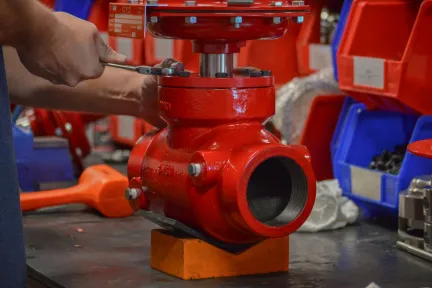
Beaumont Manufacturing Leverages SOLIDWORKS for 3D Design and Simulation
Valves and controls manufacturer depends on SOLIDWORKS and Flow Simulation to improve valve performance, minimize errors, and design faster with fewer iterations.
Customer Story
Test junk cards
There are 119 results