


Product Creative Designer
Imagine, Create & Experience your Product, with a unified creative design workflow solution, for the best Consumer Experience
角色
统一的工业设计工作流程解决方案
从产品到交通运输行业,产品的造型和设计对于其在市场上取得成功发挥着重要作用。对 CATIA 设计与造型而言,实现形态和材料的创新、曲面质量和精细复杂程度达到较高水准、借助物理和虚拟原型获得合适的决策工具等,都是提升设计创新能力的关键因素。
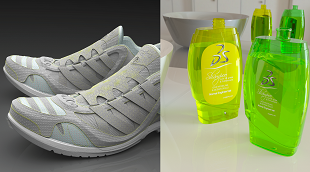
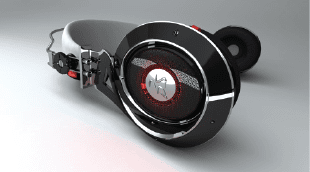
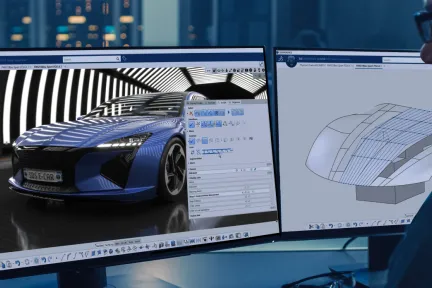
CATIA 设计与造型 为设计创意、高级曲面和产品体验提供了完整的解决方案。这意味着,您可以将 3D 草图绘制、细分曲面、A级曲面建模以及3D 打印、逆向工程、逼真可视化以及虚拟和增强产品体验相结合,通过无缝的工作流程在一个集成流程中创建可视化和渲染。
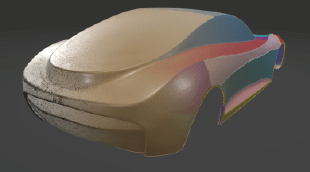
利用集成的创意工作流程,创建和探索创新的概念性构思,依托以人为本的理念,丰富设计体验。
创造最佳优化的轻量化高质量曲面,以达到汽车A 级曲面、航空气动放样或船舶轻量化外形设计。
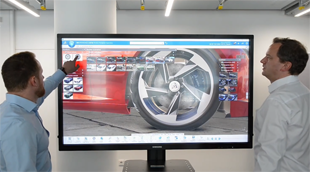
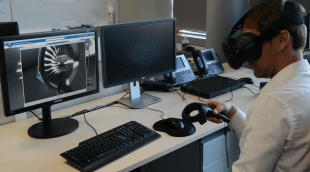
利用高端可视化配合沉浸式虚拟和增强现实体验,在产品开发流程中做出精准的决策。
借助 3DEXPERIENCE 平台,您可以肆意构想、创造和体验未来产品,同时利用从创意设计、曲面建模到产品体验方面的直观 CATIA 解决方案,在设计流程的每个阶段探索更多创意。欢迎探索以下专业学科。
从概念形状构思和探索到以人为中心的用户体验
从概念到产品级 A 级曲面
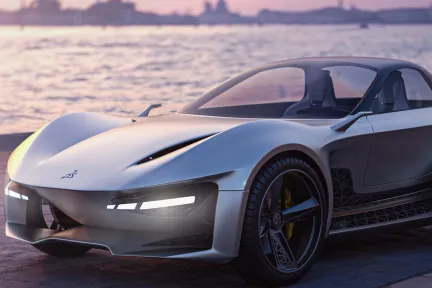
可视化、体验并驾驭您的 3D 设计
利用 CATIA 创意设计与造型产品组合,我们的用户可以开展集成的草图设计、使用细分曲面极快地完成 3D 构思概念建模、创建高质量曲面、高端实时可视化、照片级真实渲染和快速原型设计:依托以人为本的理念和设计思维方法,提供以消费者为中心的体验。这些适用于各种行业和场景的解决方案,使得通过统一的工作流程、协作平台和互联解决方案,能够无缝地创建和修改曲面、原型和渲染。
CATIA 设计与造型软件产品在 3DEXPERIENCE 平台上以角色的形式打包;所有必要的应用工具触手可及,加快您的进度,提升工作效率 选择一个与您在组织中的角色相匹配的软件包。
Imagine, Create & Experience your Product, with a unified creative design workflow solution, for the best Consumer Experience
角色
Make the right Design choice & decision by creating intuitive & realistic Product Design Experience presentations, exploring alternative variants & experiences
角色
Boost your creativity, design with quality and reduce time-to-market of your Product with a Unified Industrial Design workflow solution
角色
Bring Real product to Virtual twin models, with the highest productivity, quality, and multiple possible methodologies of reconstruction.
角色
Imagine the most sophisticated shape Design by creating high end surfaces ready for production, respecting the Design intent and technical requirements
角色
State of the Art for high end surface modeling, suitable for any aeronautical surface design from lofting, interior design up to surfaces simplification
角色
Gain the competitive advantage with an integrated Design workflow, to Imagine, Create & Experience the vehicle of tomorrow with a Unified solution up to class A
角色
Imagine, Create & Experience the Vehicle of Tomorrow, with a unified Industrial Design workflow solution, for the ultimate Consumer Experience
角色
Accelerate the Real to Virtual product Process. From scanned data generate the Virtual twin model and associativity for reconstruction & preparation for 3DPrint
角色
Immediately improve the understanding of your design with integrated & direct access to immersive Virtual Reality inside your 3DEXPERIENCE applications
角色
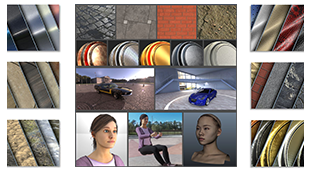
Increase the performance of your design decisions with highly realistic ready-to-use Visual Content - of Materials, Humans, Props and Environments
角色
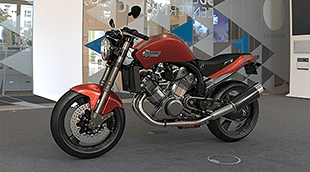
Accelerate the appearance design exploration and make the right visual design decision with a fully integrated real-time Visualization and Rendering
角色
When I am creating sections, I pick the mesh add it as a new section, Plane direction, count 1 select the plane, no section. Keeps doing this.Worse though, is that when I save and then close down file and reopen, all my sections have been deleted except the last one.. Video shows this.What does this option in Preferences do? Nick McferranSylvain CarreThomas Frison
CATIA CREATIVE DESIGN & STYLING - USER COMMUNITY
How do I balance a curve or a surface about a symmetry plane in IDX. We have been using this as a process methodology for over 15 years now and it surprises me that it is still not part of the IDX toolset, unless I am missing something?Currently, for a curve I am having to edit the control point positions as I used to do in ICEM Surf 2.0 in 1995! Forget the surfaces!I can't use the ISD Control poi
CATIA CREATIVE DESIGN & STYLING - USER COMMUNITY
When setting Sliding mode to be None, and then using Z (XY Plane or Top) from VNav everything works perfect as designed.(X direction runs left to right)So why when I press F4 and choose Top or Bottom View does it rotate the view 90 degrees?Nick McferranSylvain Carre
CATIA CREATIVE DESIGN & STYLING - USER COMMUNITY
与 CATIA 专家交流,了解我们的解决方案如何在各种规模的企业中实现无缝协作和可持续创新。
面向学生、学术机构、专业人士和企业的课程与培训现已开放。找到适合您的 CATIA 培训。
查找有关软硬件认证、软件下载、用户文档、支持联系人和服务项目的信息