Selection in ICEM Design Experience 2025X-FD03
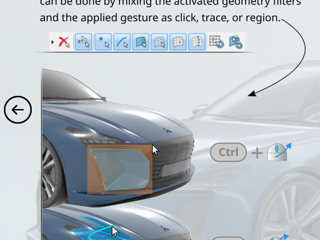
Hi, is it just me but in IDX 2025X-FD03 the selection using Ctrl key is reversed compared to the STEP 4 help. Ctrl + Left mouse button does window drag; Ctrl + Middle mouse button does trace select.Standard CATIA Rotation, Pan and Zoom are working so the buttons aren't reversed. All other menus such as Crown, Alt, Alt+Ctrl are fine too.
CATIA CREATIVE DESIGN & STYLING - USER COMMUNITY
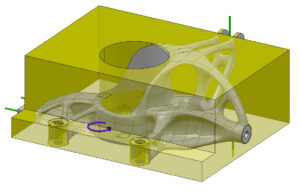
![WEBINAR Replay] “Performance based mold engineering”](https://blog-assets.3ds.com/uploads/2022/03/webinar-mold-tooling-engineering-300x169.png)

![아리TV] CATIA의 고품질 렌더링을 소개합니다](https://blog-assets.3ds.com/uploads/2023/09/221541969085_1-300x235.png)