[Do not delete] WOC display
UX/UI testing brings many advantages to software product development improving build quality into the product
Limited scope of search
There are 4363 results

Unlock The Future Of Airports With Virtual Twins | Dassault Systèmes
Discover how Virtual Twins are revolutionizing airports: efficiency, safety, and seamless passenger flow.
E-seminar

On demand

ASICS
ASICS uses the 3DEXPERIENCE platform on the cloud to deliver personalized shoes through an interactive consumer experience.
Customer Story

3DEXPERIENCE & ENOVIA User Conference 2026 | Dassault Systèmes
Watch the session replays to explore key insights, hear from industry leaders, and revisit conversations shaping the future of business.
Event

Past
How Digital Twins and Simulation Add Nuance to Robotic Developments and Deployments | Dassault Systèmes
Explore how digital twins and simulation shape robotics and automation, featuring expert perspectives from speakers from Dassault Systèmes, Dexory, and RealSense.
E-seminar

On demand
Medidata’s Second Annual AI Report Shows a Shift from Pilots to Enterprise Adoption with 72.9% of Early Adopters Seeing a Reduction in Study Timelines
Press Release
May 18, 2026

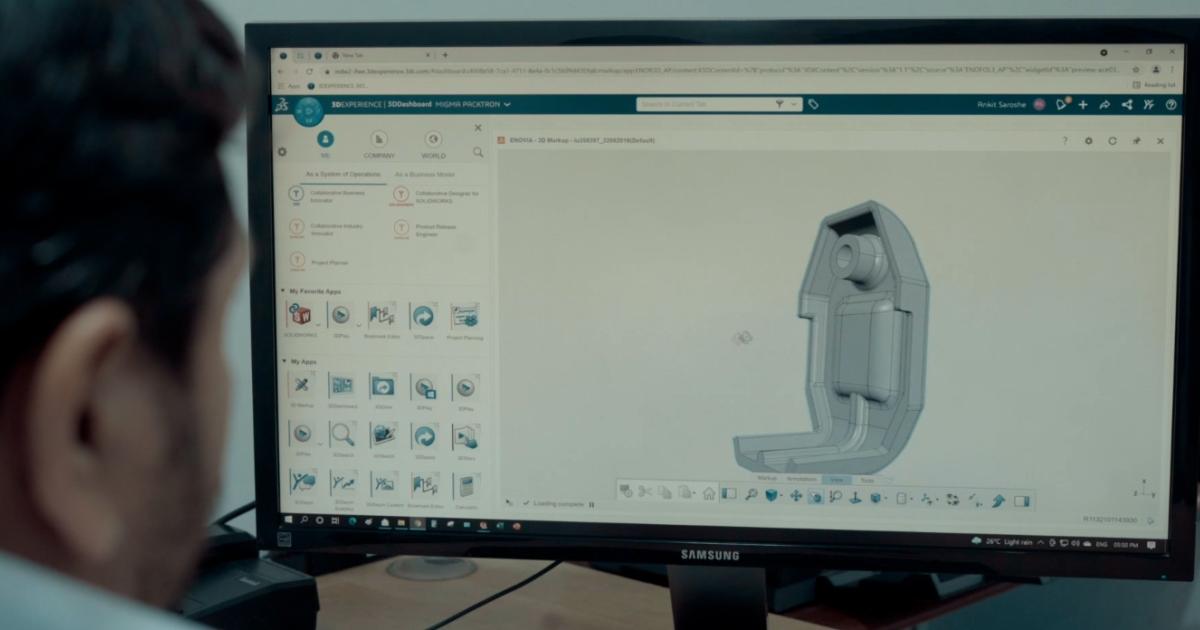
Migma Packtron Cut Design Cycles by 30 Percent with SOLIDWORKS and the 3DEXPERIENCE Platform
Improve collaboration and data management across the product development and manufacturing organization.
Customer Story
MBSE in High-Tech: Accelerating Electronics Innovation | Dassault Systèmes
Discover how Dassault Systèmes accelerates High-Tech innovation with MBSE and the new CATIA Magic Systems EE&S Architect Plug-in for seamless, smarter electronics system development.
E-seminar

On demand
Test relevance: sustainability OR card_content_categories:"%sustainability%" OR card_content_keywords:"%sustainability%"
There are 135 results
Test relevance card_content_categories:"%sustainability%"
There are 89 results
Test relevance card_content_keywords:"%sustainability%"
There are 9 results
Test relevance: card_content_title:"%sustainability%"
There are 18 results
Test relevance: NOT card_content_title:"%sustainability%"
There are 41 results
Test relevance card_content_categories:"%sustainability%" BUT NOT sustainability in content
There are 83 results
Test relevance: sustainability OR card_content_categories:"%sustainability%"
There are 135 results
Do not delete : Compact
L-Class SOLIDWORKS Edition | ORIGIN PC Corp
Featuring an optimized steel front panel for massive airflow, the L-Class SOLIDWORKS Edition is built with CORSAIR's 5000D AIRFLOW case. The case includes a toolless tempered glass side panel, and multiple dust filters around the case. The L-Class SOLIDWORKS Edition is also equipped with a 13th Gen Intel Core i9-13900KS, one of the highest-end CPUs available to date, which makes it perfect for those taking on multiple demanding tasks at once - video rendering, audio editing, 3D renders, and more. For graphics processing, the system is built with the NVIDIA RTX A4000 Graphics Card. The most powerful single-slot GPU created for professionals delivers real-time ray tracing, AI-accelerated computing, and high-performance graphics to your desktop. This level of graphical power is perfect for 3D renders, VR development, and GPU-based applications. Customize your L-Class SOLIDWORKS edition with up to 64GB of 4800 Mhz memory. This high-performance workstation RAM works in conjunction with your CPU to provide increased speed for all your system's tasks. Load programs faster and run more applications at once without lag or slowdown.
Partner Product
SolidWorks Learning Machine (SWLM) | MCAD Skill
SWLM (SOLIDWORKS Learning Machine) program is an ALL-IN-ONE program, which means this program covers a wide range of SolidWorks training material such as essential training, advanced training, module-specific training, project-based training, certification training, mock exams, and much more. Users will follow a specific learning path to master SOLIDWORKS through our proven step-by-step learning path. At the end of the program, users can design any complex real-world product with complete confidence. Also, users will have a higher chance of passing the SOLIDWORKS certification on their first attempt. The best part is you can skip years of trying to grow your SOLIDWORKS skills. MCAD Skill also offers community access, where you can ask the instructor questions if you get stuck in your SOLIDWORKS CAD learning journey.
Partner Product
The GD&T Reference Center - A Virtual Knowledgebase | Tec-Ease, Inc.
Inside The GD&T Premium Reference Center, you will find over 275 GD&T Tips with PDFs, 88 with videos. There are an additional 160 educational videos, electronic versions of our GD&T Hierarchy Pocket Guides (1994, 2009, 2018), all ASME Y14.5 symbols, an easy-to-use search function, Y14.5 Standard references, case studies, Brown Bag sessions, and the SOLIDWORKS add-on. This robust reference center will help to answer questions related to GD&T and help users to refresh their knowledge of symbols not often used. With the SOLIDWORKS add-on, the reference center is available at your fingertips in a convenient drop-down menu within SOLIDWORKS. Our customers find the reference center (AKA GD&T help files) to be a valued resource both before and after GD&T training with Tec-Ease.
Partner Product
DSTV Assistant for SOLIDWORKS | Klietsch GmbH
The DSTV Assistant is integrated into SOLIDWORKS and can be used by any user with basic SOLIDWORKS knowledge. During development, special emphasis was placed on implementing as many functions as possible in the familiar SOLIDWORKS environment and in uniform Property Manager Pages (PMP).If NC data is to be generated from a 3D solid body, the DSTV Assistant analyzes the component and determines the profile type or sheet orientation as well as all processing such as holes, cutouts, chamfers and many more. Thanks to the intelligent functions, the NC data in DSTV format can be generated very quickly and automatically. However, if, for example, the profile type is not known or the sheet metal alignment is not clear, manual entries by the user may be necessary. Here, too, the DSTV Assistant provides you with the best possible support with clearly structured queries for the missing information.In summary, the DSTV Assistant is the perfect addition for all users who work with structural steel components in SOLIDWORKS and offers automatic functions for exporting NC data in DSTV directly from SOLIDWORKS. The source of the data is almost irrelevant as long as SOLIDWORKS can import the data and the volumes are clearly defined.
Partner Product
Ryzen 9000 CAD Workstation | Top Flight Computers
We believe that fostering and strengthening authentic personal relationships with our customers is the most important part of our business. Above all, we want to help you get exactly what you need to be successful. When you need more than a mass-market pre-built system, trust our technical expertise and dedication to personal service to design and build your bespoke PC.
Partner Product
AddItIn | Studio Zwaard
AddItIn is a SolidWorks addin to easily create, modify and deploy your own SolidWork addin.Create your own customized SolidWorks addin, hosting your companies' macros within one single file, without the need of API knowledge.AddItIn allows you to have control which macros are available to users and the way they are implemented within SolidWorks. Some of the implementations are:- Availability depending on the document type- Taskpane: create your own tab in the SolidWorks taskpane containing a Visual Studio usercontrol.- Hidden: macros are ran on certain SolidWorks events e.g. when a file is saved or when the active document changes.- RMB: you can create your own RMB menus depending on the selection a user made.- File open/save: you can add your own extensions to the SolidWorks open and save menu.You can use your own logos and images to make the UI even more in line with your companies demands.Using AddItIn will give you improved performance, a professional UI, ease of deployment and insight in the intensity a macro is used.
Partner Product
Do not delete : Compact large
AddItIn | Studio Zwaard
AddItIn is a SolidWorks addin to easily create, modify and deploy your own SolidWork addin.Create your own customized SolidWorks addin, hosting your companies' macros within one single file, without the need of API knowledge.AddItIn allows you to have control which macros are available to users and the way they are implemented within SolidWorks. Some of the implementations are:- Availability depending on the document type- Taskpane: create your own tab in the SolidWorks taskpane containing a Visual Studio usercontrol.- Hidden: macros are ran on certain SolidWorks events e.g. when a file is saved or when the active document changes.- RMB: you can create your own RMB menus depending on the selection a user made.- File open/save: you can add your own extensions to the SolidWorks open and save menu.You can use your own logos and images to make the UI even more in line with your companies demands.Using AddItIn will give you improved performance, a professional UI, ease of deployment and insight in the intensity a macro is used.
Partner Product
#Task | CENTRAL INNOVATION PTY LTD
Turn hours of file admin into minutes! #TASK takes care of automating tasks, batch processing, and saves you hours of file admin in SOLIDWORKS. Trusted by more than 15,000 users in over 100 countries, #TASK has revolutionized file admin automation. Whether you're a solo designer or managing a national team of users, #TASK is purpose-built to support batch processing at any size.
Partner Product
Pinnacle Series | Eagle Point Software Corporation
Pinnacle Series by Eagle Point Software is a comprehensive Learning Management System (LMS) and eLearning solution designed to enhance workforce productivity and skill development across entire organizations. Created for AEC and manufacturing industries, it offers skills assessments to identify knowledge gaps, personalized learning paths to address them, on-demand resources, and integrated workflows to streamline training. With trusted, expert-developed content and powerful reporting tools, Pinnacle Series enables organizations to track progress, reduce training costs, and boost productivity. It also empowers teams to capture and share organizational knowledge, creating a centralized hub of expertise accessible to all employees. Organizations can customize content to fit company standards, upload internal documentation and training videos, control the look and feel of the Pinnacle Series interface, give assignments and monitor employee progress, create private groups and invite external users, and more.
Partner Product
SOLIDWORKS Books | University of Oklahoma
This book is written to help you learn the core concepts and steps to conduct virtual machining using CAMWorks. CAMWorks is a virtual machining tool designed to increase your productivity and efficiency by simulating machining operations on a computer before creating a physical product. CAMWorks is embedded in SOLIDWORKS as a fully integrated module. CAMWorks provides excellent capabilities for machining simulations in a virtual environment. Capabilities in CAMWorks allow you to select CNC machines and tools, extract or create machinable features, define machining operations, and simulate and visualize machining toolpaths. In addition, the machining time estimated in CAMWorks provides important information for estimating product manufacturing costs without physically manufacturing the product.
Partner Product
QUICKSURFACE for SOLIDWORKS | KVS Ltd
QUICKSURFACE add-in is a natively integrated, powerful reverse engineering add-in for SOLIDWORKS that lets you convert 3D scan meshes into CAD models. It provides efficient tools to generate surfaces and curves for creating professional CAD models. Created with years of experience in the field of 3D scanning, delivering fast and efficient algorithms, including automatic free form surfacing, Mesh2Surface reduces drastically the time for anyone who is working to design using 3D scan data.
Partner Product
BOSS | Solutions 3DL Inc.
BOSS is an integrated add-in to the SolidWorks software, utilizing SolidWorks' API, BOSS allows you to automate many actions a 3D drawer must do every day. It will greatly improve standardization between different components and documents as well as save your drawing team tons of time. The software is available in English and French versions.
Partner Product
Do not delete : List
AddItIn | Studio Zwaard
AddItIn is a SolidWorks addin to easily create, modify and deploy your own SolidWork addin.Create your own customized SolidWorks addin, hosting your companies' macros within one single file, without the need of API knowledge.AddItIn allows you to have control which macros are available to users and the way they are implemented within SolidWorks. Some of the implementations are:- Availability depending on the document type- Taskpane: create your own tab in the SolidWorks taskpane containing a Visual Studio usercontrol.- Hidden: macros are ran on certain SolidWorks events e.g. when a file is saved or when the active document changes.- RMB: you can create your own RMB menus depending on the selection a user made.- File open/save: you can add your own extensions to the SolidWorks open and save menu.You can use your own logos and images to make the UI even more in line with your companies demands.Using AddItIn will give you improved performance, a professional UI, ease of deployment and insight in the intensity a macro is used.
Partner Product
#Task | CENTRAL INNOVATION PTY LTD
Turn hours of file admin into minutes! #TASK takes care of automating tasks, batch processing, and saves you hours of file admin in SOLIDWORKS. Trusted by more than 15,000 users in over 100 countries, #TASK has revolutionized file admin automation. Whether you're a solo designer or managing a national team of users, #TASK is purpose-built to support batch processing at any size.
Partner Product
Pinnacle Series | Eagle Point Software Corporation
Pinnacle Series by Eagle Point Software is a comprehensive Learning Management System (LMS) and eLearning solution designed to enhance workforce productivity and skill development across entire organizations. Created for AEC and manufacturing industries, it offers skills assessments to identify knowledge gaps, personalized learning paths to address them, on-demand resources, and integrated workflows to streamline training. With trusted, expert-developed content and powerful reporting tools, Pinnacle Series enables organizations to track progress, reduce training costs, and boost productivity. It also empowers teams to capture and share organizational knowledge, creating a centralized hub of expertise accessible to all employees. Organizations can customize content to fit company standards, upload internal documentation and training videos, control the look and feel of the Pinnacle Series interface, give assignments and monitor employee progress, create private groups and invite external users, and more.
Partner Product
SOLIDWORKS Books | University of Oklahoma
This book is written to help you learn the core concepts and steps to conduct virtual machining using CAMWorks. CAMWorks is a virtual machining tool designed to increase your productivity and efficiency by simulating machining operations on a computer before creating a physical product. CAMWorks is embedded in SOLIDWORKS as a fully integrated module. CAMWorks provides excellent capabilities for machining simulations in a virtual environment. Capabilities in CAMWorks allow you to select CNC machines and tools, extract or create machinable features, define machining operations, and simulate and visualize machining toolpaths. In addition, the machining time estimated in CAMWorks provides important information for estimating product manufacturing costs without physically manufacturing the product.
Partner Product
QUICKSURFACE for SOLIDWORKS | KVS Ltd
QUICKSURFACE add-in is a natively integrated, powerful reverse engineering add-in for SOLIDWORKS that lets you convert 3D scan meshes into CAD models. It provides efficient tools to generate surfaces and curves for creating professional CAD models. Created with years of experience in the field of 3D scanning, delivering fast and efficient algorithms, including automatic free form surfacing, Mesh2Surface reduces drastically the time for anyone who is working to design using 3D scan data.
Partner Product
BOSS | Solutions 3DL Inc.
BOSS is an integrated add-in to the SolidWorks software, utilizing SolidWorks' API, BOSS allows you to automate many actions a 3D drawer must do every day. It will greatly improve standardization between different components and documents as well as save your drawing team tons of time. The software is available in English and French versions.
Partner Product
Do not delete : Medium
L-Class SOLIDWORKS Edition | ORIGIN PC Corp
Featuring an optimized steel front panel for massive airflow, the L-Class SOLIDWORKS Edition is built with CORSAIR's 5000D AIRFLOW case. The case includes a toolless tempered glass side panel, and multiple dust filters around the case. The L-Class SOLIDWORKS Edition is also equipped with a 13th Gen Intel Core i9-13900KS, one of the highest-end CPUs available to date, which makes it perfect for those taking on multiple demanding tasks at once - video rendering, audio editing, 3D renders, and more. For graphics processing, the system is built with the NVIDIA RTX A4000 Graphics Card. The most powerful single-slot GPU created for professionals delivers real-time ray tracing, AI-accelerated computing, and high-performance graphics to your desktop. This level of graphical power is perfect for 3D renders, VR development, and GPU-based applications. Customize your L-Class SOLIDWORKS edition with up to 64GB of 4800 Mhz memory. This high-performance workstation RAM works in conjunction with your CPU to provide increased speed for all your system's tasks. Load programs faster and run more applications at once without lag or slowdown.
Partner Product
SolidWorks Learning Machine (SWLM) | MCAD Skill
SWLM (SOLIDWORKS Learning Machine) program is an ALL-IN-ONE program, which means this program covers a wide range of SolidWorks training material such as essential training, advanced training, module-specific training, project-based training, certification training, mock exams, and much more. Users will follow a specific learning path to master SOLIDWORKS through our proven step-by-step learning path. At the end of the program, users can design any complex real-world product with complete confidence. Also, users will have a higher chance of passing the SOLIDWORKS certification on their first attempt. The best part is you can skip years of trying to grow your SOLIDWORKS skills. MCAD Skill also offers community access, where you can ask the instructor questions if you get stuck in your SOLIDWORKS CAD learning journey.
Partner Product
The GD&T Reference Center - A Virtual Knowledgebase | Tec-Ease, Inc.
Inside The GD&T Premium Reference Center, you will find over 275 GD&T Tips with PDFs, 88 with videos. There are an additional 160 educational videos, electronic versions of our GD&T Hierarchy Pocket Guides (1994, 2009, 2018), all ASME Y14.5 symbols, an easy-to-use search function, Y14.5 Standard references, case studies, Brown Bag sessions, and the SOLIDWORKS add-on. This robust reference center will help to answer questions related to GD&T and help users to refresh their knowledge of symbols not often used. With the SOLIDWORKS add-on, the reference center is available at your fingertips in a convenient drop-down menu within SOLIDWORKS. Our customers find the reference center (AKA GD&T help files) to be a valued resource both before and after GD&T training with Tec-Ease.
Partner Product
DSTV Assistant for SOLIDWORKS | Klietsch GmbH
The DSTV Assistant is integrated into SOLIDWORKS and can be used by any user with basic SOLIDWORKS knowledge. During development, special emphasis was placed on implementing as many functions as possible in the familiar SOLIDWORKS environment and in uniform Property Manager Pages (PMP).If NC data is to be generated from a 3D solid body, the DSTV Assistant analyzes the component and determines the profile type or sheet orientation as well as all processing such as holes, cutouts, chamfers and many more. Thanks to the intelligent functions, the NC data in DSTV format can be generated very quickly and automatically. However, if, for example, the profile type is not known or the sheet metal alignment is not clear, manual entries by the user may be necessary. Here, too, the DSTV Assistant provides you with the best possible support with clearly structured queries for the missing information.In summary, the DSTV Assistant is the perfect addition for all users who work with structural steel components in SOLIDWORKS and offers automatic functions for exporting NC data in DSTV directly from SOLIDWORKS. The source of the data is almost irrelevant as long as SOLIDWORKS can import the data and the volumes are clearly defined.
Partner Product
Ryzen 9000 CAD Workstation | Top Flight Computers
We believe that fostering and strengthening authentic personal relationships with our customers is the most important part of our business. Above all, we want to help you get exactly what you need to be successful. When you need more than a mass-market pre-built system, trust our technical expertise and dedication to personal service to design and build your bespoke PC.
Partner Product
AddItIn | Studio Zwaard
AddItIn is a SolidWorks addin to easily create, modify and deploy your own SolidWork addin.Create your own customized SolidWorks addin, hosting your companies' macros within one single file, without the need of API knowledge.AddItIn allows you to have control which macros are available to users and the way they are implemented within SolidWorks. Some of the implementations are:- Availability depending on the document type- Taskpane: create your own tab in the SolidWorks taskpane containing a Visual Studio usercontrol.- Hidden: macros are ran on certain SolidWorks events e.g. when a file is saved or when the active document changes.- RMB: you can create your own RMB menus depending on the selection a user made.- File open/save: you can add your own extensions to the SolidWorks open and save menu.You can use your own logos and images to make the UI even more in line with your companies demands.Using AddItIn will give you improved performance, a professional UI, ease of deployment and insight in the intensity a macro is used.
Partner Product
Do not delete : Classic
L-Class SOLIDWORKS Edition | ORIGIN PC Corp
Featuring an optimized steel front panel for massive airflow, the L-Class SOLIDWORKS Edition is built with CORSAIR's 5000D AIRFLOW case. The case includes a toolless tempered glass side panel, and multiple dust filters around the case. The L-Class SOLIDWORKS Edition is also equipped with a 13th Gen Intel Core i9-13900KS, one of the highest-end CPUs available to date, which makes it perfect for those taking on multiple demanding tasks at once - video rendering, audio editing, 3D renders, and more. For graphics processing, the system is built with the NVIDIA RTX A4000 Graphics Card. The most powerful single-slot GPU created for professionals delivers real-time ray tracing, AI-accelerated computing, and high-performance graphics to your desktop. This level of graphical power is perfect for 3D renders, VR development, and GPU-based applications. Customize your L-Class SOLIDWORKS edition with up to 64GB of 4800 Mhz memory. This high-performance workstation RAM works in conjunction with your CPU to provide increased speed for all your system's tasks. Load programs faster and run more applications at once without lag or slowdown.
Partner Product
SolidWorks Learning Machine (SWLM) | MCAD Skill
SWLM (SOLIDWORKS Learning Machine) program is an ALL-IN-ONE program, which means this program covers a wide range of SolidWorks training material such as essential training, advanced training, module-specific training, project-based training, certification training, mock exams, and much more. Users will follow a specific learning path to master SOLIDWORKS through our proven step-by-step learning path. At the end of the program, users can design any complex real-world product with complete confidence. Also, users will have a higher chance of passing the SOLIDWORKS certification on their first attempt. The best part is you can skip years of trying to grow your SOLIDWORKS skills. MCAD Skill also offers community access, where you can ask the instructor questions if you get stuck in your SOLIDWORKS CAD learning journey.
Partner Product
The GD&T Reference Center - A Virtual Knowledgebase | Tec-Ease, Inc.
Inside The GD&T Premium Reference Center, you will find over 275 GD&T Tips with PDFs, 88 with videos. There are an additional 160 educational videos, electronic versions of our GD&T Hierarchy Pocket Guides (1994, 2009, 2018), all ASME Y14.5 symbols, an easy-to-use search function, Y14.5 Standard references, case studies, Brown Bag sessions, and the SOLIDWORKS add-on. This robust reference center will help to answer questions related to GD&T and help users to refresh their knowledge of symbols not often used. With the SOLIDWORKS add-on, the reference center is available at your fingertips in a convenient drop-down menu within SOLIDWORKS. Our customers find the reference center (AKA GD&T help files) to be a valued resource both before and after GD&T training with Tec-Ease.
Partner Product
DSTV Assistant for SOLIDWORKS | Klietsch GmbH
The DSTV Assistant is integrated into SOLIDWORKS and can be used by any user with basic SOLIDWORKS knowledge. During development, special emphasis was placed on implementing as many functions as possible in the familiar SOLIDWORKS environment and in uniform Property Manager Pages (PMP).If NC data is to be generated from a 3D solid body, the DSTV Assistant analyzes the component and determines the profile type or sheet orientation as well as all processing such as holes, cutouts, chamfers and many more. Thanks to the intelligent functions, the NC data in DSTV format can be generated very quickly and automatically. However, if, for example, the profile type is not known or the sheet metal alignment is not clear, manual entries by the user may be necessary. Here, too, the DSTV Assistant provides you with the best possible support with clearly structured queries for the missing information.In summary, the DSTV Assistant is the perfect addition for all users who work with structural steel components in SOLIDWORKS and offers automatic functions for exporting NC data in DSTV directly from SOLIDWORKS. The source of the data is almost irrelevant as long as SOLIDWORKS can import the data and the volumes are clearly defined.
Partner Product
Ryzen 9000 CAD Workstation | Top Flight Computers
We believe that fostering and strengthening authentic personal relationships with our customers is the most important part of our business. Above all, we want to help you get exactly what you need to be successful. When you need more than a mass-market pre-built system, trust our technical expertise and dedication to personal service to design and build your bespoke PC.
Partner Product
AddItIn | Studio Zwaard
AddItIn is a SolidWorks addin to easily create, modify and deploy your own SolidWork addin.Create your own customized SolidWorks addin, hosting your companies' macros within one single file, without the need of API knowledge.AddItIn allows you to have control which macros are available to users and the way they are implemented within SolidWorks. Some of the implementations are:- Availability depending on the document type- Taskpane: create your own tab in the SolidWorks taskpane containing a Visual Studio usercontrol.- Hidden: macros are ran on certain SolidWorks events e.g. when a file is saved or when the active document changes.- RMB: you can create your own RMB menus depending on the selection a user made.- File open/save: you can add your own extensions to the SolidWorks open and save menu.You can use your own logos and images to make the UI even more in line with your companies demands.Using AddItIn will give you improved performance, a professional UI, ease of deployment and insight in the intensity a macro is used.
Partner Product
Do not delete : Compact
AddItIn | Studio Zwaard
AddItIn is a SolidWorks addin to easily create, modify and deploy your own SolidWork addin.Create your own customized SolidWorks addin, hosting your companies' macros within one single file, without the need of API knowledge.AddItIn allows you to have control which macros are available to users and the way they are implemented within SolidWorks. Some of the implementations are:- Availability depending on the document type- Taskpane: create your own tab in the SolidWorks taskpane containing a Visual Studio usercontrol.- Hidden: macros are ran on certain SolidWorks events e.g. when a file is saved or when the active document changes.- RMB: you can create your own RMB menus depending on the selection a user made.- File open/save: you can add your own extensions to the SolidWorks open and save menu.You can use your own logos and images to make the UI even more in line with your companies demands.Using AddItIn will give you improved performance, a professional UI, ease of deployment and insight in the intensity a macro is used.
Partner Product
#Task | CENTRAL INNOVATION PTY LTD
Turn hours of file admin into minutes! #TASK takes care of automating tasks, batch processing, and saves you hours of file admin in SOLIDWORKS. Trusted by more than 15,000 users in over 100 countries, #TASK has revolutionized file admin automation. Whether you're a solo designer or managing a national team of users, #TASK is purpose-built to support batch processing at any size.
Partner Product
Pinnacle Series | Eagle Point Software Corporation
Pinnacle Series by Eagle Point Software is a comprehensive Learning Management System (LMS) and eLearning solution designed to enhance workforce productivity and skill development across entire organizations. Created for AEC and manufacturing industries, it offers skills assessments to identify knowledge gaps, personalized learning paths to address them, on-demand resources, and integrated workflows to streamline training. With trusted, expert-developed content and powerful reporting tools, Pinnacle Series enables organizations to track progress, reduce training costs, and boost productivity. It also empowers teams to capture and share organizational knowledge, creating a centralized hub of expertise accessible to all employees. Organizations can customize content to fit company standards, upload internal documentation and training videos, control the look and feel of the Pinnacle Series interface, give assignments and monitor employee progress, create private groups and invite external users, and more.
Partner Product
SOLIDWORKS Books | University of Oklahoma
This book is written to help you learn the core concepts and steps to conduct virtual machining using CAMWorks. CAMWorks is a virtual machining tool designed to increase your productivity and efficiency by simulating machining operations on a computer before creating a physical product. CAMWorks is embedded in SOLIDWORKS as a fully integrated module. CAMWorks provides excellent capabilities for machining simulations in a virtual environment. Capabilities in CAMWorks allow you to select CNC machines and tools, extract or create machinable features, define machining operations, and simulate and visualize machining toolpaths. In addition, the machining time estimated in CAMWorks provides important information for estimating product manufacturing costs without physically manufacturing the product.
Partner Product
QUICKSURFACE for SOLIDWORKS | KVS Ltd
QUICKSURFACE add-in is a natively integrated, powerful reverse engineering add-in for SOLIDWORKS that lets you convert 3D scan meshes into CAD models. It provides efficient tools to generate surfaces and curves for creating professional CAD models. Created with years of experience in the field of 3D scanning, delivering fast and efficient algorithms, including automatic free form surfacing, Mesh2Surface reduces drastically the time for anyone who is working to design using 3D scan data.
Partner Product
BOSS | Solutions 3DL Inc.
BOSS is an integrated add-in to the SolidWorks software, utilizing SolidWorks' API, BOSS allows you to automate many actions a 3D drawer must do every day. It will greatly improve standardization between different components and documents as well as save your drawing team tons of time. The software is available in English and French versions.
Partner Product
Product Design
Engage with your questions, requests and to share your experience (tip &tricks, good to know, lessons learn, ergonomics findings and more) while using Ergonomic Workplace Design.
For owners of the Ergonomic Workplace Design role.
Edwards
Edwards introduced the 3DEXPERIENCE platform to manage all aspects of the product development lifecycle for vacuum pumps development.
Customer Story
BorgWarner
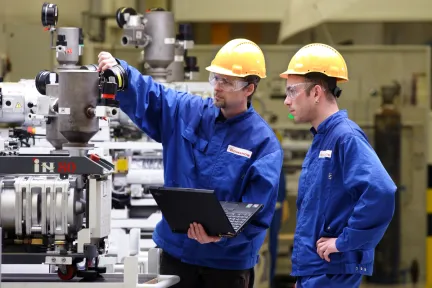
The collaboration with DELMIA Apriso is focused on building Lean business processes and establishing a standardized operation for global manufacturing sites.
Customer Story

NOWY STYL
Office furniture leader Nowy Styl uses 3DEXPERIENCE to build an integrated digital environment enabling multi-disciplinary collaboration to better innovate.
Customer Story

Verve Motion Wearable Robotics Enable Healthy Lifting for Humans
See how SOLIDWORKS on the 3DEXPERIENCE platform enables Verve Motion to create innovative robotic "wearables" that can help do the heavy lifting for thousands of workers worldwide.
Customer Story

CSADI
Using industry solutions Building Design for Fabrication and Integrated Built Environment, China's Central-South Architectural Design Institute (CSADI) embraced smart construction on the 3DEXPERIENCE p
Customer Story

Streamlining Remote Product Development with 3DEXPERIENCE Works
Adventure vehicle company radically improves efficiency and reduces overall costs by enabling each product team member to contribute their unique expertise to the development process.
Customer Story

Test junk cards
There are 120 results