AI in Construction Delivery | Dassault Systèmes
Discover how AI and digital twin technology are transforming construction management and design processes.
E-seminar

On demand
UX/UI testing brings many advantages to software product development improving build quality into the product
Discover how AI and digital twin technology are transforming construction management and design processes.
E-seminar
Explore how simulations with CST Studio Suite can help identify the suitable antenna designs for your applications and learn about the latest advancements in non-parametric optimization techniques.
E-seminar
In this final episode of 3DEXPERIENCE World Sneak Peek Week: MANUFACTURING, join industry experts Devin Malone and Mike Buchli as they explore the cutting-edge innovations shaping the future of manufacturing at Dassault Systèmes, and learn about the role MANUFACTURING will play at 3DEXPERIENCE World 2025.
SOLIDWORKS LIVE
Welcome to the second episode of 3DEXPERIENCE World Sneak Peek Week with SIMULATION! In this episode, subject matter experts Delphine Genouvrier and Srikrishna Chittur take you on an exciting journey through the current state of SIMULATION at Dassault Systèmes and give you a preview of what’s coming at 3DEXPERIENCE World 2025.
SOLIDWORKS LIVE
Get ready for our first episode of our 3DEXPERIENCE World Sneak Peek Week with an exciting look into the future of DESIGN at Dassault Systèmes and what's to come at 3DEXPERIENCE World 2025!
SOLIDWORKS LIVE
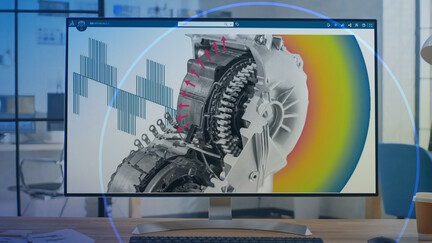
Join the episode and learn how assess e-NVH risk in early phase, how to mitigate noise and vibration with parameter sweep and optimization and more.
E-seminar
Press Release
December 18, 2024
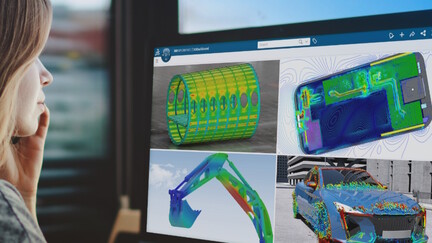
Explore two multi-physics simulation workflows using the same main board of our demonstration smartphone model. Learn how the 3DS software packages are being used for EM, and Mechanical simulation
E-seminar
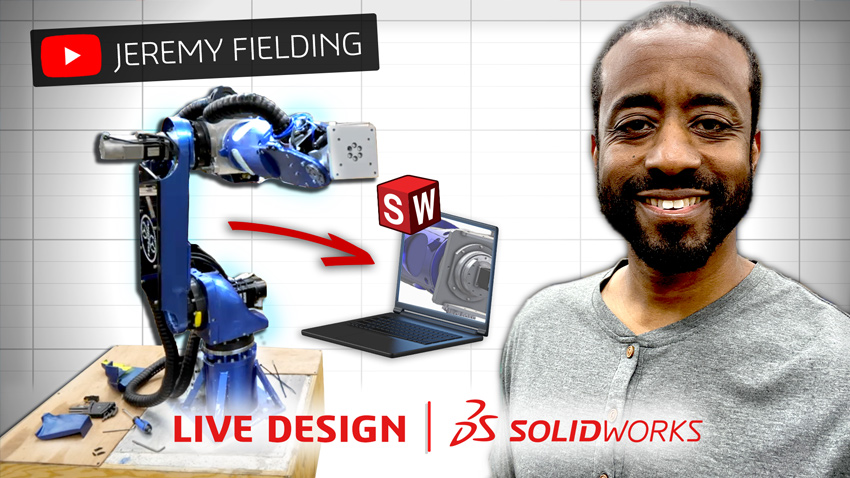
In this episode of SOLIDWORKS LIVE Design, we're welcomed by YouTube phenomenon and mechatronics whiz @Jeremy_Fielding.
SOLIDWORKS LIVE
SOLIDWORKS 2013 Weldments | Sheet metal | In context modeling - the book is dedicated for beginner and intermediate user. In first chapter, you can learn how to prepare weldment library, create sketch (2D and 3D), and design structural members. You can learn about manual trimming of structural members, adding plates, gussets and end caps. Also, it shows drawings with cut list and balloons. Second chapter is dedicated to sheet metal area. You can learn each method of designing metal parts, like base flange, insert bends, converting from solid body, and more about k factor. You will learn about the features: flat pattern, edge flanges, break corner, miter flange, weld corner etc. Further, you can learn how to design multibody parts and create drawings with cut list. Last chapter called "in context modeling" (top-down) based on interesting SolidWorks model created from a scratch. You can learn how to save virtual parts and break or lock external references. Each chapter includes many exercises and samples. We combine weldments and sheet metal design inside one multibody part.
Partner Product
SOLIDWORKS 2014 Surface modeling | Mold tools | Renderings and visualization is written for more advanced users who comprehend basic skills of the SOLIDWORKS program. The first chapter of the book will teach you everything about surfaces. i.e. when to use surface and what is the difference between standard solid modeling and surfacing. You can learn about each features dedicated for surfacing: swept and lofted surface, boundary, filled surfaces, trim and extend. The book explaining all features in a very practical way, using many examples. In addition you can learn how to repair imported geometry, and how apply changes. You can learn how to modify and create surface from stl or point cloud using data from 3D scanner. The second chapter shows mold tools. You can learn how to use draft and undercut analysis tool. The author shows how to split part, how to build a simple mold inside a part (indent feature) or in assembly (cavity feature). Additionally, the book explains split line, parting line, parting and shut-off surfaces and tooling split or core feature. Last chapter presents renderings with the PhotoView 360 add-in. You can learn how to apply appearances on a different level, and how to use a RealView mode. The author explains how to customize a scene including background, environment, lights and how create an own scene. You can practice all techniques using 3D models created in the previous chapters.
Partner Product
The VISION Control is a ground-breaking and revolutionary control software system. VISION streamlines and simplifies the bending process, giving you full control over every aspect of metal forming.Our VISION 3D software works directly with SOLIDWORKS to create accurate part designs that are fine-tuned using VISION's Bend Tables. Import part models into VISION for full 3D programming, bend visualization, and dynamic viewing during the forming process.
Partner Product
The Canada-France-Hawaii Telescope (CFHT) Corporation operates a world-class, 3.6-meter optical/infrared telescope from an observatory atop the summit of Mauna Kea, a 4,200-meter dormant volcano located on the big island of Hawaii. When the CFHT Observatory was built in the 1970s, design work was done through drawings, with stacks of vellum stored at the observatory’s headquarters in Waimea.
Story

SOLIDWORKS 2013 Weldments | Sheet metal | In context modeling - the book is dedicated for beginner and intermediate user. In first chapter, you can learn how to prepare weldment library, create sketch (2D and 3D), and design structural members. You can learn about manual trimming of structural members, adding plates, gussets and end caps. Also, it shows drawings with cut list and balloons. Second chapter is dedicated to sheet metal area. You can learn each method of designing metal parts, like base flange, insert bends, converting from solid body, and more about k factor. You will learn about the features: flat pattern, edge flanges, break corner, miter flange, weld corner etc. Further, you can learn how to design multibody parts and create drawings with cut list. Last chapter called "in context modeling" (top-down) based on interesting SolidWorks model created from a scratch. You can learn how to save virtual parts and break or lock external references. Each chapter includes many exercises and samples. We combine weldments and sheet metal design inside one multibody part.
Partner Product
SOLIDWORKS 2014 Surface modeling | Mold tools | Renderings and visualization is written for more advanced users who comprehend basic skills of the SOLIDWORKS program. The first chapter of the book will teach you everything about surfaces. i.e. when to use surface and what is the difference between standard solid modeling and surfacing. You can learn about each features dedicated for surfacing: swept and lofted surface, boundary, filled surfaces, trim and extend. The book explaining all features in a very practical way, using many examples. In addition you can learn how to repair imported geometry, and how apply changes. You can learn how to modify and create surface from stl or point cloud using data from 3D scanner. The second chapter shows mold tools. You can learn how to use draft and undercut analysis tool. The author shows how to split part, how to build a simple mold inside a part (indent feature) or in assembly (cavity feature). Additionally, the book explains split line, parting line, parting and shut-off surfaces and tooling split or core feature. Last chapter presents renderings with the PhotoView 360 add-in. You can learn how to apply appearances on a different level, and how to use a RealView mode. The author explains how to customize a scene including background, environment, lights and how create an own scene. You can practice all techniques using 3D models created in the previous chapters.
Partner Product
The VISION Control is a ground-breaking and revolutionary control software system. VISION streamlines and simplifies the bending process, giving you full control over every aspect of metal forming.Our VISION 3D software works directly with SOLIDWORKS to create accurate part designs that are fine-tuned using VISION's Bend Tables. Import part models into VISION for full 3D programming, bend visualization, and dynamic viewing during the forming process.
Partner Product
The Canada-France-Hawaii Telescope (CFHT) Corporation operates a world-class, 3.6-meter optical/infrared telescope from an observatory atop the summit of Mauna Kea, a 4,200-meter dormant volcano located on the big island of Hawaii. When the CFHT Observatory was built in the 1970s, design work was done through drawings, with stacks of vellum stored at the observatory’s headquarters in Waimea.
Story
SOLIDWORKS 2013 Weldments | Sheet metal | In context modeling - the book is dedicated for beginner and intermediate user. In first chapter, you can learn how to prepare weldment library, create sketch (2D and 3D), and design structural members. You can learn about manual trimming of structural members, adding plates, gussets and end caps. Also, it shows drawings with cut list and balloons. Second chapter is dedicated to sheet metal area. You can learn each method of designing metal parts, like base flange, insert bends, converting from solid body, and more about k factor. You will learn about the features: flat pattern, edge flanges, break corner, miter flange, weld corner etc. Further, you can learn how to design multibody parts and create drawings with cut list. Last chapter called "in context modeling" (top-down) based on interesting SolidWorks model created from a scratch. You can learn how to save virtual parts and break or lock external references. Each chapter includes many exercises and samples. We combine weldments and sheet metal design inside one multibody part.
Partner Product
SOLIDWORKS 2014 Surface modeling | Mold tools | Renderings and visualization is written for more advanced users who comprehend basic skills of the SOLIDWORKS program. The first chapter of the book will teach you everything about surfaces. i.e. when to use surface and what is the difference between standard solid modeling and surfacing. You can learn about each features dedicated for surfacing: swept and lofted surface, boundary, filled surfaces, trim and extend. The book explaining all features in a very practical way, using many examples. In addition you can learn how to repair imported geometry, and how apply changes. You can learn how to modify and create surface from stl or point cloud using data from 3D scanner. The second chapter shows mold tools. You can learn how to use draft and undercut analysis tool. The author shows how to split part, how to build a simple mold inside a part (indent feature) or in assembly (cavity feature). Additionally, the book explains split line, parting line, parting and shut-off surfaces and tooling split or core feature. Last chapter presents renderings with the PhotoView 360 add-in. You can learn how to apply appearances on a different level, and how to use a RealView mode. The author explains how to customize a scene including background, environment, lights and how create an own scene. You can practice all techniques using 3D models created in the previous chapters.
Partner Product
The VISION Control is a ground-breaking and revolutionary control software system. VISION streamlines and simplifies the bending process, giving you full control over every aspect of metal forming.Our VISION 3D software works directly with SOLIDWORKS to create accurate part designs that are fine-tuned using VISION's Bend Tables. Import part models into VISION for full 3D programming, bend visualization, and dynamic viewing during the forming process.
Partner Product
The Canada-France-Hawaii Telescope (CFHT) Corporation operates a world-class, 3.6-meter optical/infrared telescope from an observatory atop the summit of Mauna Kea, a 4,200-meter dormant volcano located on the big island of Hawaii. When the CFHT Observatory was built in the 1970s, design work was done through drawings, with stacks of vellum stored at the observatory’s headquarters in Waimea.
Story
SOLIDWORKS 2013 Weldments | Sheet metal | In context modeling - the book is dedicated for beginner and intermediate user. In first chapter, you can learn how to prepare weldment library, create sketch (2D and 3D), and design structural members. You can learn about manual trimming of structural members, adding plates, gussets and end caps. Also, it shows drawings with cut list and balloons. Second chapter is dedicated to sheet metal area. You can learn each method of designing metal parts, like base flange, insert bends, converting from solid body, and more about k factor. You will learn about the features: flat pattern, edge flanges, break corner, miter flange, weld corner etc. Further, you can learn how to design multibody parts and create drawings with cut list. Last chapter called "in context modeling" (top-down) based on interesting SolidWorks model created from a scratch. You can learn how to save virtual parts and break or lock external references. Each chapter includes many exercises and samples. We combine weldments and sheet metal design inside one multibody part.
Partner Product
SOLIDWORKS 2014 Surface modeling | Mold tools | Renderings and visualization is written for more advanced users who comprehend basic skills of the SOLIDWORKS program. The first chapter of the book will teach you everything about surfaces. i.e. when to use surface and what is the difference between standard solid modeling and surfacing. You can learn about each features dedicated for surfacing: swept and lofted surface, boundary, filled surfaces, trim and extend. The book explaining all features in a very practical way, using many examples. In addition you can learn how to repair imported geometry, and how apply changes. You can learn how to modify and create surface from stl or point cloud using data from 3D scanner. The second chapter shows mold tools. You can learn how to use draft and undercut analysis tool. The author shows how to split part, how to build a simple mold inside a part (indent feature) or in assembly (cavity feature). Additionally, the book explains split line, parting line, parting and shut-off surfaces and tooling split or core feature. Last chapter presents renderings with the PhotoView 360 add-in. You can learn how to apply appearances on a different level, and how to use a RealView mode. The author explains how to customize a scene including background, environment, lights and how create an own scene. You can practice all techniques using 3D models created in the previous chapters.
Partner Product
The VISION Control is a ground-breaking and revolutionary control software system. VISION streamlines and simplifies the bending process, giving you full control over every aspect of metal forming.Our VISION 3D software works directly with SOLIDWORKS to create accurate part designs that are fine-tuned using VISION's Bend Tables. Import part models into VISION for full 3D programming, bend visualization, and dynamic viewing during the forming process.
Partner Product
The Canada-France-Hawaii Telescope (CFHT) Corporation operates a world-class, 3.6-meter optical/infrared telescope from an observatory atop the summit of Mauna Kea, a 4,200-meter dormant volcano located on the big island of Hawaii. When the CFHT Observatory was built in the 1970s, design work was done through drawings, with stacks of vellum stored at the observatory’s headquarters in Waimea.
Story
SOLIDWORKS 2013 Weldments | Sheet metal | In context modeling - the book is dedicated for beginner and intermediate user. In first chapter, you can learn how to prepare weldment library, create sketch (2D and 3D), and design structural members. You can learn about manual trimming of structural members, adding plates, gussets and end caps. Also, it shows drawings with cut list and balloons. Second chapter is dedicated to sheet metal area. You can learn each method of designing metal parts, like base flange, insert bends, converting from solid body, and more about k factor. You will learn about the features: flat pattern, edge flanges, break corner, miter flange, weld corner etc. Further, you can learn how to design multibody parts and create drawings with cut list. Last chapter called "in context modeling" (top-down) based on interesting SolidWorks model created from a scratch. You can learn how to save virtual parts and break or lock external references. Each chapter includes many exercises and samples. We combine weldments and sheet metal design inside one multibody part.
Partner Product
SOLIDWORKS 2014 Surface modeling | Mold tools | Renderings and visualization is written for more advanced users who comprehend basic skills of the SOLIDWORKS program. The first chapter of the book will teach you everything about surfaces. i.e. when to use surface and what is the difference between standard solid modeling and surfacing. You can learn about each features dedicated for surfacing: swept and lofted surface, boundary, filled surfaces, trim and extend. The book explaining all features in a very practical way, using many examples. In addition you can learn how to repair imported geometry, and how apply changes. You can learn how to modify and create surface from stl or point cloud using data from 3D scanner. The second chapter shows mold tools. You can learn how to use draft and undercut analysis tool. The author shows how to split part, how to build a simple mold inside a part (indent feature) or in assembly (cavity feature). Additionally, the book explains split line, parting line, parting and shut-off surfaces and tooling split or core feature. Last chapter presents renderings with the PhotoView 360 add-in. You can learn how to apply appearances on a different level, and how to use a RealView mode. The author explains how to customize a scene including background, environment, lights and how create an own scene. You can practice all techniques using 3D models created in the previous chapters.
Partner Product
The VISION Control is a ground-breaking and revolutionary control software system. VISION streamlines and simplifies the bending process, giving you full control over every aspect of metal forming.Our VISION 3D software works directly with SOLIDWORKS to create accurate part designs that are fine-tuned using VISION's Bend Tables. Import part models into VISION for full 3D programming, bend visualization, and dynamic viewing during the forming process.
Partner Product
The Canada-France-Hawaii Telescope (CFHT) Corporation operates a world-class, 3.6-meter optical/infrared telescope from an observatory atop the summit of Mauna Kea, a 4,200-meter dormant volcano located on the big island of Hawaii. When the CFHT Observatory was built in the 1970s, design work was done through drawings, with stacks of vellum stored at the observatory’s headquarters in Waimea.
Story
SOLIDWORKS 2013 Weldments | Sheet metal | In context modeling - the book is dedicated for beginner and intermediate user. In first chapter, you can learn how to prepare weldment library, create sketch (2D and 3D), and design structural members. You can learn about manual trimming of structural members, adding plates, gussets and end caps. Also, it shows drawings with cut list and balloons. Second chapter is dedicated to sheet metal area. You can learn each method of designing metal parts, like base flange, insert bends, converting from solid body, and more about k factor. You will learn about the features: flat pattern, edge flanges, break corner, miter flange, weld corner etc. Further, you can learn how to design multibody parts and create drawings with cut list. Last chapter called "in context modeling" (top-down) based on interesting SolidWorks model created from a scratch. You can learn how to save virtual parts and break or lock external references. Each chapter includes many exercises and samples. We combine weldments and sheet metal design inside one multibody part.
Partner Product
SOLIDWORKS 2014 Surface modeling | Mold tools | Renderings and visualization is written for more advanced users who comprehend basic skills of the SOLIDWORKS program. The first chapter of the book will teach you everything about surfaces. i.e. when to use surface and what is the difference between standard solid modeling and surfacing. You can learn about each features dedicated for surfacing: swept and lofted surface, boundary, filled surfaces, trim and extend. The book explaining all features in a very practical way, using many examples. In addition you can learn how to repair imported geometry, and how apply changes. You can learn how to modify and create surface from stl or point cloud using data from 3D scanner. The second chapter shows mold tools. You can learn how to use draft and undercut analysis tool. The author shows how to split part, how to build a simple mold inside a part (indent feature) or in assembly (cavity feature). Additionally, the book explains split line, parting line, parting and shut-off surfaces and tooling split or core feature. Last chapter presents renderings with the PhotoView 360 add-in. You can learn how to apply appearances on a different level, and how to use a RealView mode. The author explains how to customize a scene including background, environment, lights and how create an own scene. You can practice all techniques using 3D models created in the previous chapters.
Partner Product
The VISION Control is a ground-breaking and revolutionary control software system. VISION streamlines and simplifies the bending process, giving you full control over every aspect of metal forming.Our VISION 3D software works directly with SOLIDWORKS to create accurate part designs that are fine-tuned using VISION's Bend Tables. Import part models into VISION for full 3D programming, bend visualization, and dynamic viewing during the forming process.
Partner Product
The Canada-France-Hawaii Telescope (CFHT) Corporation operates a world-class, 3.6-meter optical/infrared telescope from an observatory atop the summit of Mauna Kea, a 4,200-meter dormant volcano located on the big island of Hawaii. When the CFHT Observatory was built in the 1970s, design work was done through drawings, with stacks of vellum stored at the observatory’s headquarters in Waimea.
Story
Rethink, Reshape and Resilience are the command words for businesses to navigate the “new normal”. At Dassault Systèmes, we want to help you rethink your path to business success. Having the right digital tools for your whole organization can make all the difference: improving productivity, reducing costs and time to market, and increasing profits.
Our 3DEXPERIENCE platform on the cloud allows you to reshape your entire business by connecting your ecosystem on a single environment. From best in class 3D design, simulation and engineering apps to collaborative ideation communities, lean project management and business analytics solutions and marketing cloud rendering apps, we’ve got you covered!
Become more resilient by fostering collaboration within and between different teams, to respond faster and better to any future changes. Be prepared to seize the new possibilities of the new normal.
VAERIDION uses Dassault Systèmes’ 3DEXPERIENCE to accelerate electric aircraft design, certification, and development of its zero-emission Microliner.
Customer Story