How to overline text on a SolidWorks drawing
Remastered from SolidWorks Legion article entitled How to overline text on a...
Article
UX/UI testing brings many advantages to software product development improving build quality into the product
Remastered from SolidWorks Legion article entitled How to overline text on a...
Article
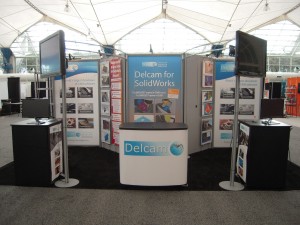
One of the things we’ve heard from SolidWorks World attendees over the past few years is that you’d like to learn more in advance about the SolidWorks partners who set up booths in the Partner Pavilion. So now through SolidWorks World 2013, we’ll ... Continued
Article
This bulb was a fun and festive project. I used a couple of Thin Revolve features to make the globe and the cap, and the clip and hanger are done with Sweeps. Enjoy this bulb; use it to decorate your ... Continued
Article
This white paper will provide an introduction to the mechanisms available within the ENOVIA SmarTeam environment to configure and manage the Toolbars a user has available when working with the EDR....
support resource library
SolidWorks Simulation 2013, like in previous releases, has been loaded with enhancements. Two things I particularly like in this release include Sub-Modeling, a huge time savings in solving large scale problems, and Parametric Optimization inside Flow, a DOE scheme for fluid flow optimization. Let’s talk about them one at a time… ... Continued
Article
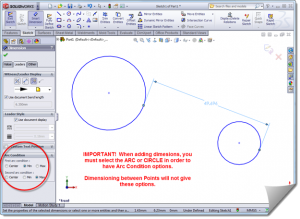
When adding sketch dimensions from one circle or arc to another, a...
Article
The IQMS Development and Automation staff are working on some exciting new development projects for 2013, over and above the hundreds of software enhancement requests (SERs) that we receive from our customers every month through the customer support website, MyIQMS. ... Continued
Article
When adding sketch dimensions from one circle or arc to another, a dimension will be added between the center points by default. However, by selecting the circle and/or arc when adding the dimension, the properties for that dimension now have ... Continued
Article
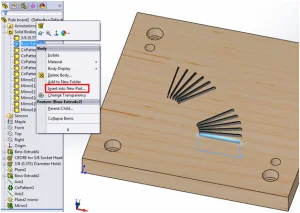
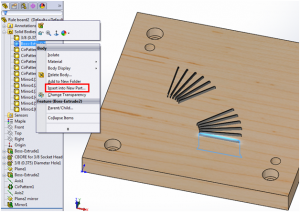
When you have a multi-body part in SolidWorks the question that comes...
Article
When you have a multi-body part in SolidWorks the question that comes into play at some point is how do I make a drawing for each of the different bodies “parts”. The answer to this is like many items in ... Continued
Article