[Do not delete] WOC issue

 UX/UI testing brings many advantages to software product development improving build quality into the product 

There are 49388 results
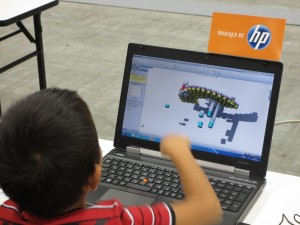
SolidWorks Japan Starts Young Engineers At Age 9

SolidWorks Japan has raised the bar in engineering education. My Japanese colleagues have introduced SolidWorks to students starting at age 9 during "Kids Engineer" in Yokohama. Organized by the Society of Automotive Engineers of Japan and major Japanese automobile companies, ... Continued

Article

Snapshots of PhotoView 360: Appearances

Read the entire series: (Part One: The Basics, Part Two: Appearances) Appearances are usually one of the first properties added to produce a rendered image. They can add a color, texture, or illumination settings to an assembly, component, face, feature, body, or part. Applying appearances works in a hierarchy; assembly appearances will always override component appearances, and component appearances will override face appearances, and it continues down the list. TIP: Adding appearances does NOT add mechanical properties. When dragging and dropping appearances onto a part from the task pane, pressing ALT while dragging and dropping will enable the property manager for that appearance. This gives you the option of choosing your settings without having to edit the appearance to enable the property manager of that appearance. ... Continued

Article

3DCS Visualization Export (VE) CAAV5

3DCS Visualization Export CAA V5 Based is an Add-on for 3DCS Variation Analyst CAA V5 Based Engineers and Designers can use the push of a button with this easy to use add-on to quickly export their CAD models and variation conditions (tolerances) to RTT Deltagen, a high-end visualization software, and then automatically update the model with Deltagen materials and colors. The modeling in RTT Deltagen is done for you, and can be produced as light weight, easy to share flash presentations. This allows users to show all of your tolerance scenarios as toggleable scenes in a 3D flash presentation. As a part of Perceived Quality studies, 3DCS Visualization Export CAA V5 Based is the perfect tool to quickly understand how manufacturing variation affects the appearance of your product by viewing the model in photo realisitic quality incorporating the changes to geometry and tolerance conditions input. This means that instead of always seeing the product in nominal, or perfect condition, the user can now see the product as it could be produced given the manufacturing inputs. This allows the designers to evaluate whether certain conditions or tolerances, even if they do not affect fit and function, will affect the appearance and perceived quality of the product. Bring RTT Deltagen's High End Visualization Tools to Your CAD Models Get new insight into your design by viewing the visual impact of your tolerances and manufacturing process to more easily make design related changes. Add to Existing 3DCS Analyst Software 3DCS RTT Deltagen Export add-on can be added to the 3DCS Variation Analyst Multi-CAD platform, allowing models created in CATIA, NX, SolidWorks, Pro/E or any other CAD system to be rendered with ray tracing and high end visualization with the push of a b

PARTNER SOLUTION

Theorem Format Converter for JT

Theorem's V6 JT 3DXML CADverter enables the unrestricted data transfer between V6 and JT data using the 3DXML file format.The V6 JT 3DXML CADverter integrated within the V6 environment enables bi-directional file and PDM collaboration scenarios. It can be used interactively or in batch mode depending upon a user's requirements. As standard, this particular product has been designed specifically to be incorporated into process oriented operations and so is integrated and runs under the management of the V6 infrastructure.Theorem’s CADverter reads and writes both V6 and Siemens JTOpen data, converting assembly data (product structure) Exact Brep solids and surfaces, tessellated data, PMI (product manufacturing information) and colour. The V6 converted data can then be used anywhere within the V6 environment, in all applications (CATIA, DELMIA, SIMULIA, ENOVIA) enabling supply chains with mixed V6 and JT environments the ability to collaborate more efficiently.Theorem’s CADverter also provides the ability to convert JT data into 3DXML files for collaboration with all applications collaborating through this format, such as CATIA, DELMIA, SIMULIA, ENOVIA, 3DLive, 3DVIA and 3DSWYM.The use of Dassault Systemes strategic XCAD and Siemens JT Open technology ensures full compatibility, delivers high quality data and business benefits.

PARTNER SOLUTION
SolidWorks World 2013 Partner Profile: Capvidia

One of the things we’ve heard from SolidWorks World attendees over the past few years is that you’d like to learn more in advance about the SolidWorks partners who set up booths in the Partner Pavilion. So now through SolidWorks World 2013, we’ll ... Continued

Article

For Teknion, It’s Easy Being Green with SolidWorks

As business models and office spaces evolve to meet the expectations of the 21st century, more companies are embracing green, open spaces and collaborative environments. Many offices are designed with sustainability in mind, such as the Dassault Systemes Boston Office ... Continued

Article

Paper Airplane in SolidWorks

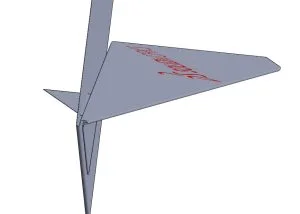
For this post I created a paper airplane using the sheet metal tools in SolidWorks. These tools allowed me to create all the folds that I would use if I were to create the airplane from an actual piece of ... Continued

Article

How to overline text on a SolidWorks drawing

Remastered from SolidWorks Legion article entitled How to overline text on a SolidWorks drawing. Occasionally, a SolidWorks user may need to state a number or variable as approximate within an annotation note. The mathematical symbol for this is an overline. ... Continued

Article