Search

Please use the search box below or the filters provided to fine-tune the results and discover more about our offers, products, customers, and stories.

There are 17630 results
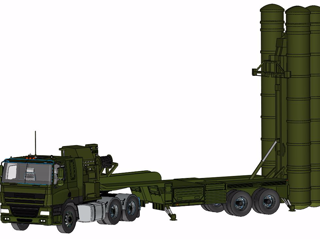
S-400 Triumf Air Defense System | Complete 3D CAD Model in SOLIDWORKS

Pleased to share the completed 3D CAD model of the S-400 Triumf Air Defense System, designed in SOLIDWORKS (Dassault Systèmes) by me and my friend @Tushar Bagade.The S-400 Triumf, also known as the SA-21 Growler, is a Russian long-range surface-to-air missile defense system recognized worldwide for its advanced tracking and defense capabilities. Key modeled components include: Missile launch t

3DEXPERIENCE EDU | STUDENTS

PAM-DIEMAKER for CATIA V5

ESI Group's PAM-DIEMAKER for CATIA V5 is a dedicated Workbench presented inside the CATIA V5 environment; it is a fully integrated software tool to provide trade oriented solutions for rapid Stamping tool design directly within CATIA V5.

PARTNER SOLUTION

Elysium DirectTranslator

Elysium Direct Translator is a translator available in following two ways; Desktop type: Embedded into CAD systems, users can utilize Elysium’s interoperability solution within their in-house CAD systems. Server / Batch type: Integrated into Web-based systems, PDM systems etc., users can collaborate Elysium’s interoperability solution with their other systems and share 3D data seamlessly for the enterprise-level 3D data utilization.This product is developed using CATIA V5 CAA toolkit authorized by Dassault Systemes, and DEK (Elysium Data Exchange Kernel) which realize the best-in-industry accuracy in data translation. The Elysium data exchange foundation understands the characteristics of each of the supported CAD systems and can make the required adjustments and corrections required for any data conversion.

PARTNER SOLUTION

Publisher for Rhapsody

SodiusWillert Publisher for Rhapsody is a tool extension that supports the bi-directional transformation of UML or SysML models between NoMagic MagicDraw and IBM Rhapsody.Publisher for Rhapsody speeds up the development of systems models by using a two-way bridge between MagicDraw and IBM Rhapsody. The plugin supports model elements, diagrams, and layouts to ensure that the quality of your model migrations remains truthful.

PARTNER SOLUTION

NC Machine Composites Simulation CAA V5 Based

The Tapelay application, developped by CIMPA and integrated in Catia V5 workbench, automates tape cutting and laying for Forest-Liné machines.Tapelay comprises 2 sets of tools: Tape Generation enables to configure tape creation from composite manufacturing plies and to analyse and correct gaps and overlaps. Tape Manufacturing automates the tape laying and cutting process with ultra-sonic and laser technologies.

PARTNER SOLUTION

V6 xPDM Integration for SAP

Integrating ENOVIA and SAP is not an easy task, in particular if there is data that may be changed on both systems and must be synchronized between them. While The ENOVIA Event Bus, together with the xPDM adapters, provides the technical solution to do this, the different data models and process paradigms present a challenge of their own. Knowledge of both sides of the gap and experience in transforming the data from far over 50 customer projects give T-Systems a unique position to satisfy customer needs. Functions The ENOVIA "Send to xPDM", used either from the VPM product structure or an engineering BOM, sends the data to SAP to create or update the corresponding items. Optionally, it provides an interactive SAP function for the reverse transfer. BOMs are transferred as single- or multi-level, depending on your company’s preferred settings. Event-triggered operation is possible as a project-implemented feature. Characteristics The ENOVIA-side business logic is provided by the ENOVIA components involved and can be customized to the level they allow. The SAP-side business logic is provided by the SAP adapter that is the main component of the integration. It can be customized to a high degree, including scripted attribute mapping. The SAP adapter, core component of the integration, runs as an independent web application. To use the standard functionality, no installation in either ENOVIA or SAP is necessary. All transfers are done via a system of gateways and adapters that provide message and file exchange via web services. Data transfer and synchronization are asynchronous.Note: As of V6R2014, ENOVIA does not offer to transfer change objects (ECR/ECO). This function can be provided on a project basis.

PARTNER SOLUTION
Looking for more?

Check out the links below

Want to join the Workforce of the Future?

Search, find and apply to job opportunities at Dassault Systèmes

Explore our Network of Partners

Our partners extend our solutions by offering complementary products, expertise, and services

Search the Knowledge Base

Dassault Systèmes customers' one stop to get help and support information