Search

Please use the search box below or the filters provided to fine-tune the results and discover more about our offers, products, customers, and stories.

There are 17894 results
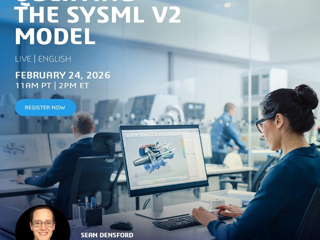
SysML v2 Webinar Series Webinar - February 24, QUERYING THE SYSML V2 MODEL

Dear Community Members,As SysML V2 gains momentum, industries are discovering its advanced capabilities. One key promise is using textual notation and powerful queries to manipulate system models in ways not possible with V1. Join us for the next webinar in our SysML V2 Series:Querying the SysML v2 Model February 24, 2026, 2 PM ET Register here http://go.3ds.com/mzNG Expert - Sean Densf

CATIA MBSE CYBER SYSTEMS
NEW: virtual Ergonomics Ebook and web page

EWD ​​​​​​​After the first Ergonomic Workplace Design landing page, a brand new Ebook about virtual ergonomics is available on this amazing page.Thanks to the great work of @Hydee ONG you'll be able to learn more on how our new technologies are disrupting the field of ergonomics.A big thanks also to @Polina IVANNIKOVA for this wonderful web page initiative and design.

DELMIA ERGONOMICS

Replay | Seamlessly Manage Your Design Changes Using the 3DEXPERIENCE Platform

​​​​​​​Thank you to the 222 participants who joined our LIVE Webinar! If you missed it, no worries! It's now available on-demand.​​​​​​​Are you the driving force behind design changes in your products? Do you aspire to simplify and enhance the way you communicate and collaborate on design change decisions with your team? Ready to take your design change processes to the next level of seamlessness

NETVIBES USER COMMUNITY

Converting Simulation Results into Manufacturable CAD Geometry

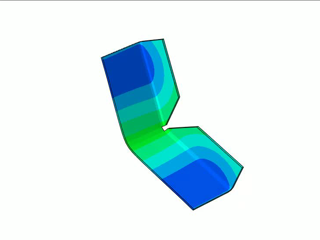
The process steps shown in the video:1-Finite Element Analysis: Performed a sheet metal bending simulation using SIMULIA ABAQUS.2-Data Export: Exported the resulting deformed (bent) geometry as an OBJ mesh file.3-Reverse Engineering: Used Geomagic for SOLIDWORKS to reference the analyzed mesh and re-design the part with high precision.4-Final Design : Converted the model into a parametric part usi

SIMULIA COMMUNITY

Explore DFT Models REPLAY @ BIOVIA Conference 2022

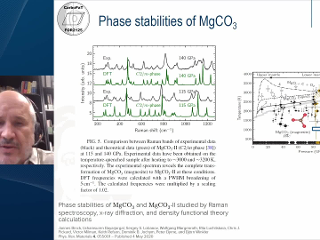
DFT Models to Explore Structures and Properties of Novel CarbonatesCarbonates are an important mineral group and therefore, their stabilities and properties have been extensively investigated. Specifically, due to their important role in the deep carbon cycle, numerous high pressure studies have been carried out. Until 2011, anhydrous carbonates were thought to overwhelmingly consist of nearly pla

BIOVIA MATERIALS STUDIO

Reverse Engineering | Peugeot 207 – Mirror Frame

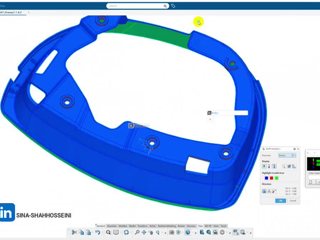
I recently worked on the reverse engineering of the Peugeot 207 side mirror frame, and this video is a short walkthrough of the process.From 3D scanning the real part, to accurate CAD reconstruction in CATIA / 3DEXPERIENCE, and finally validating the geometry with a 3D-printed prototype. In this video you’ll see:The part reviewed in a 3D environmentComparison between the real component and the C

CATIA USER COMMUNITY

Translate, rotate, and scale components in 3DEXCITE Product Communicator xStudio

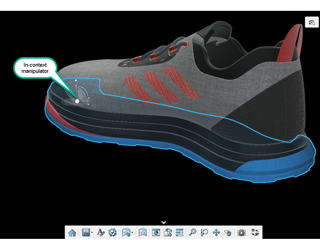
@Emna Sellami raised a good question about moving parts around in xStudio. I guess the discoverability issue may arise from several factors: Remember to double click a part to select it. Single-click selects the entire assembly, rather than the target part. Once a part is selected, please look for a small triad, sometimes at a corner, as shown below. This small manipulator integrates lots of contr

3DEXCITE USER COMMUNITY

[Tip] Analyze protein-ligand interactions during a simulation

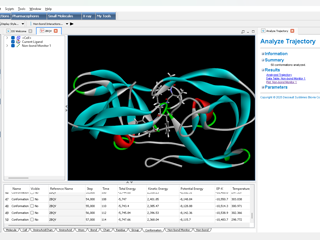
To analyze protein-ligand interactions during the course of a simulation you can use the “Analyze Trajectory...” protocol. To do this analysis follow these steps:Make sure the ligand is defined in the Receptor-Ligand Interaction Toolbar under View Interactions.In the Menu Bar select Structure > Monitor > Non-bond interactions and select which interactions to monitor. Make sure Intermolecular is sele

BIOVIA DRUG DISCOVERY & DEVELOPMENT

Solidworks configuration

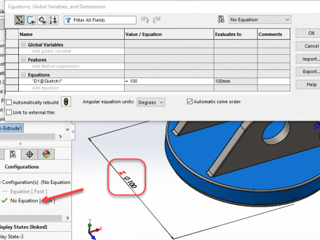
Hello, I'm trying to figure out where to find the configuration and Global variable box to be able to type in for 'A' on the SolidWorks xdesign for example

3DEXPERIENCE EDU | STUDENTS

BIOVIA announces the release of BIOVIA Direct 2026

BIOVIA Direct 2026 was released on November 28, 2025 and is available for download at https://software.3ds.com under BIOVIA products and can be found under:Product line: Lab, Scientific and Content SolutionsRelease: BIOVIA 2026Level: BIOVIA 2026 GoldenThe following Technical Note informs you about BIOVIA Direct 2026 including the release's supported operating systems, enhancements and fixed defect

BIOVIA DRUG DISCOVERY & DEVELOPMENT

Introduction to 'Supplier Request Manager' (SRQ-OC) Role

Introduction The 2025x FD03 release introduced a new cloud-only role: 'Supplier Request Manager' (SRQ-OC).The 'Supplier Request Manager' role empowers OEMs and suppliers to collaborate seamlessly on design, prototype, sustainability, and design-change requests through a secure supplier portal. It ensures end-to-end traceability, protects sensitive data, and supports a streamlined, structured reque

ENOVIA USER COMMUNITY

Looking for more?

Check out the links below

Want to join the Workforce of the Future?

Search, find and apply to job opportunities at Dassault Systèmes

Explore our Network of Partners

Our partners extend our solutions by offering complementary products, expertise, and services

Search the Knowledge Base

Dassault Systèmes customers' one stop to get help and support information