Search

Please use the search box below or the filters provided to fine-tune the results and discover more about our offers, products, customers, and stories.

There are 17900 results
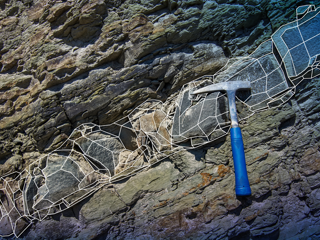
Exploration ToolKit l Explore with Confidence. Model with Surpac. Scale with GEOVIA.

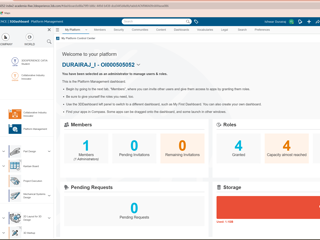
A geologist sits in a remote camp, waiting on drill files stuck on a USB drive that left site two days ago. Sound familiar? Fragmented data is a hidden cost in exploration. Every hour spent chasing the right file is an hour not spent interpreting geology. Connecting GEOVIA Surpac with the 3DEXPERIENCEplatform gives you one source of truth: Less time managing files Faster drilling

GEOVIA USER COMMUNITY
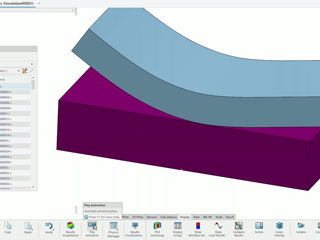
Exploring Formula SAE Aerodynamics with SIMULIA PowerFLOW (University Collaboration)

Formula SAE is all about pushing the limits of design, performance, and innovation → CFD plays a powerful role by enabling student teams to develop a virtual twin of their vehicle, explore aerodynamic behavior in the virtual world, and make faster, more informed design decisions.With this objective in mind, we’re pleased to share the work of our SIMULIA colleagues who supported this engagement wit

SIMULIA COMMUNITY

Unable to access certification for catia student

Hello Support Team, I purchased the 3DEXPERIENCE CATIA for Students subscription, which includes 3 Certifications. My student licenses are properly assigned to my account and are active. However, when I access the certification portal (Edu Space), I receive the message: "Content is not accessible to you. Kindly contact your admin." Additionally, the certification page shows: Credits: 0 My account

3DEXPERIENCE EDU | STUDENTS

Certification Error: Content is not accessible (Order: ORD231674730589)

Hello Support Team,I am currently enrolled in the 3DEXPERIENCE EDU platform and I am trying to take the following certification exam:ENOVIA Collaborative Business & Industry InnovatorHowever, when I access the certification page, the "Start Certification" button is unavailable and I receive the error message: “Content is not accessible to you. Kindly contact your admin.”Could you please help me re

3DEXPERIENCE EDU | STUDENTS

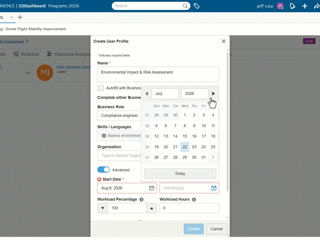
Useful Tip- Create Workforce Requests

Did you know?As a Project Leader, once you identify a workforce need, you can create a User Profile that serves both as a placeholder for a future team member and as a Workforce Request. This allows you to initiate the resource allocation process while continuing to plan your project in the meantime. How? Open your project in Project Planning app, and navigate to the Members tab.Use the ‘Create us

ENOVIA USER COMMUNITY

Looking for more?

Check out the links below

Want to join the Workforce of the Future?

Search, find and apply to job opportunities at Dassault Systèmes

Explore our Network of Partners

Our partners extend our solutions by offering complementary products, expertise, and services

Search the Knowledge Base

Dassault Systèmes customers' one stop to get help and support information