On demand
Search
Please use the search box below or the filters provided to fine-tune the results and discover more about our offers, products, customers, and stories.
There are 17898 results
Designing Quieter Aircraft with SIMULIA | Dassault Systèmes
Discover how SIMULIA’s advanced aeroacoustic simulations can help you design quieter aircraft efficiently—join our webinar to revolutionize your approach to noise reduction in aerospace engineering!
E-seminar

On demand
Optimizing Antenna Performance: Simulating Human Body Interaction for Safe and Efficient Designs | Dassault Systèmes
Discover how SIMULIA’s electromagnetic tools can be used to model antennas with the human body
E-seminar

On demand
2026x Server side simulation
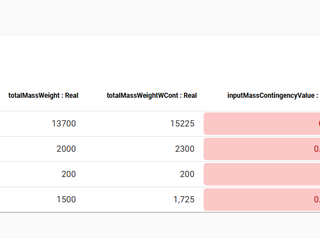
Hello,I was able to create a server side simulation using an instance table. There is one part of the simulation that is not working. I have a script that executes as part of a rollup pattern that performs a simple table lookup that fails.The rollup pattern uses a constraint block that has a Groovy script that performs the lookup. The simulation works just fine when executed within Cameo.Here is a
CATIA MBSE CYBER SYSTEMS
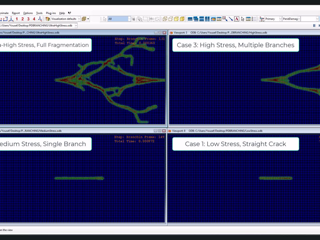
Coupled VUEL-VUMAT Subroutines for Peridynamic (PDFEM) Simulation of Dynamic Crack Propagation and Branching in Abaqus (a part of my thesis)
SIMULIA COMMUNITY
Custom Table Column to show indirect references
I have a table that shows the concerns in a specific part. In that table I want to add a column that shows the requirement(s) that satisfy each concern. The satisfy relations that provide this are contained within the associated requirements and target the specific concerns. The issue I am having is that I am unsure how to pull that information.SysML v2 SysMLv2
CATIA MBSE CYBER SYSTEMS

From Plan to Impact: join us September 24th in Vélizy, France!
Join us at the Dassault Systèmes campus in Vélizy to learn practical insights to improve your industrial operations through visualization, simulation, and AI applied to manufacturing.You will discover how, with Dassault Systèmes solutions, manufacturers:visualize and optimize their processes prior to execution,identify and reduce planning and scheduling bottlenecks,align planning, supply chain, an
DELMIA GLOBAL OPERATIONS COMMUNITY
What Can I Do With Virtual Companions, part 2
This is the third post about our newly available Virtual Companions. More than AI assistants, Virtual Companions are trusted experts who embody decades of industrial knowledge and know-how. They understand your intent, reason with Industry World Models grounded in the laws of physics and materials science, and orchestrate actions across the full lifecycle of your products — helping you see the inv
SOLIDWORKS NEWS & INFO
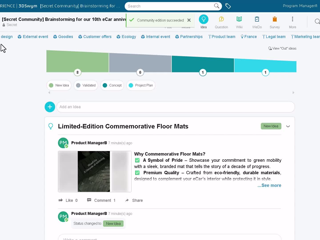
Explore the ENOVIA Workforce Planning Solution | Upcoming Webinar & Role Adoption Pages Available
Are you looking to improve workforce visibility, align skills with business priorities, and make more informed resource planning decisions? Check out the upcoming webinar and these resources below to start your journey with the ENOVIA Workforce Planning Solution!ENOVIA to the MAX: Introduction to the ENOVIA Workforce Planning SolutionJoin us for the upcoming ENOVIA to the MAX webinar on July 29.In
ENOVIA USER COMMUNITY

Impossible to save ENOVIA Document containing DWG or DGN files
Since the upgrade of R2026xFD03 , it is no longer possible to save ENOVIA Documents containing DWG or DGN files.Here is the symptom :We discussed with ENOVIA R&D to fix this situation.Conclusion :Implementation change: Remove DWG and DGN file extensions from the default unsupported file list.Documentation: Record this change in the Program Directory.Release Planning: Promote the fix for R2026xFD04
CATIA BUILDINGS & INFRASTRUCTURE

Looking for more?
Check out the links below
Want to join the Workforce of the Future?
Search, find and apply to job opportunities at Dassault Systèmes
Explore our Network of Partners
Our partners extend our solutions by offering complementary products, expertise, and services
Search the Knowledge Base
Dassault Systèmes customers' one stop to get help and support information