Search

Please use the search box below or the filters provided to fine-tune the results and discover more about our offers, products, customers, and stories.

There are 17568 results
Why I am unable to open the EPS file exported from DraftSight?

Answer: This can happen if PDF printer is not set as the ‘Default printer’. You can change the default printer under ‘Control Panel’ > ‘Devices and Printers’.Once the PDF print is set as default printer, EPS file exported from DraftSight should open in EPS file viewer application.

DRAFTSIGHT USER COMMUNITY

DraftSight 2021 SP2 is LIVE

Dear All,DraftSight 2021 SP2 went live today (Monday 05/31), around 12.47 EDT. DraftSight 2021 SP2 version has released on website for download. If you are not using the latest version, try downloading and installing the latest version available on the website, https://www.draftsight.com/support/draftsight-download?wockw=Draftsight

DRAFTSIGHT USER COMMUNITY

[EVENT] CATIA @ NXT / BLD and NXT / DEV

Dear all, NXT / BLD and NXT / DEV just ended and it was really a great event. Thank you very much @JA @JM @AG @PC @HB @Andreas KULIC @FG @GG for participating so actively to it and for making it a success.Don't hesitate to watch the replay for free, and listen to CATIA Testimony from @FG from BOUYGUES CONSTRUCTION UK

CATIA BUILDINGS & INFRASTRUCTURE

Two-Factor Authentication

I have not heard of this till this morning. I guess if I get locked out because the last thing I want to put on my phone is another app and to have to have a device with me to get on here to share tips and experiences with those that come here. It was a lot better when there was just one place for the SolidWorks questions and answers. as I look at just about 1% of what is available on this site

SOLIDWORKS USER FORUM

CATIA Magic/Cameo SysML v2 Community Edition, for Learning and Teaching - completely FREE

Hot news for the entire #MBSE and #SysMLv2 community.According to local Los Angeles radio I was listening to yesterday when driving, these are expected to be the 3 hottest January days Southern California has seen in 150 years Okay... that’s not actually the main news. ...to add even more heat this week, I’m super proud to announce a game changer the #MBSE community has been badly needing for le

CATIA MBSE CYBER SYSTEMS

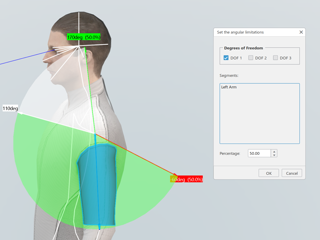
Set the angular limitations

Hi Community,What is the purpose of the 'Percentage' option in the set angular limitations command ? (EMA)

DELMIA ERGONOMICS

Materials Management: Unable to select constituents when creating a material.

Scenario to reproduce this issue:1) Create some substances first.2) Try to create a material of type Experimental, Sourced or Unified3) Go to the Constituency section, click on + sign at the right to provide details for a constituent 4) Enter a substance name in the search box under Title to search for that substance Users might sometimes see a message "No results found" in the search box under T

BIOVIA LABORATORY INFORMATICS

[REPLAY] GEOVIA Tutorials: Stope Shape Optimizer | Part 1 & 2

On Sep 24, we launched a new GEOVIA Tutorials: Stope Shape Optimizer, where our GEOVIA Support team members touch base on our users' most frequently asked questions. In this series, our GEOVIA User Success Specialist, @Cory CASE addressed GEOVIA Stope Optimizer, from basics to advanced setups, and a full workflow linking optimized stopes into scheduling with GEOVIA MineSched. We'd like to thank ev

GEOVIA USER COMMUNITY

BIOVIA announces the release of TURBOMOLE 2024

BIOVIA TURBOMOLE 2024 was released in December 2023 and is available for download at https://software.3ds.com under BIOVIA products and can be found under:Product line: Lab, Scientific and Content SolutionsRelease: BIOVIA 2024Level: BIOVIA 2024 GoldenThe following Technical Note informs you about BIOVIA TURBOMOLE 2024 including the release's supported operating systems, enhancements and fixed defe

BIOVIA MATERIALS STUDIO

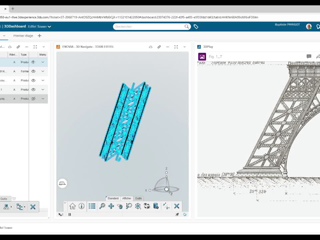
TIP - Open Objects Faster Across Web Apps, 3DDashboard, Web Tabs, and the Desktop App

If you also copy → paste → search → open fifty times a day... Read this. This post is for you.Use Drag & Drop EverywhereYou can directly drag & drop any object (from 3DSearch, Dashboards, or widgets) into:a Web Appa 3DDashboard tilea Web Tabthe Desktop AppNo need to re-search.No need to copy the name again.Just drag → drop → open.It works in way more places than you might expect!If you already

ENOVIA USER COMMUNITY

CIMS adapter in LES Admin Console has the status of "Not Connected"

Issue:CIMS adapter in LES Admin Console has the status of "Not Connected" Solution:Please check the following:-Open Admin Console on LES App server | Mouse click on the row for CIMS Adapter | Mouse click on Adapters on top and select "Edit Adapter" | Make sure Host field has the hostname of LES client machine that has this Adapter installed on and Port field is 5063-Open windows services on LES c

BIOVIA LABORATORY INFORMATICS

Looking for more?

Check out the links below

Want to join the Workforce of the Future?

Search, find and apply to job opportunities at Dassault Systèmes

Explore our Network of Partners

Our partners extend our solutions by offering complementary products, expertise, and services

Search the Knowledge Base

Dassault Systèmes customers' one stop to get help and support information