Search

Please use the search box below or the filters provided to fine-tune the results and discover more about our offers, products, customers, and stories.

There are 17579 results
Top 5 Reasons xDesign Is My Go-To Tool for Industrial Design

Hey everyone, Jason Pohl here! I’m an Industrial Designer who’s been sketching, sculpting, and building products for as long as I can remember. Over the course of my career, I’ve completed thousands of projects—and I chose this profession for one big reason: I get to be wildly creative and have a ton of FUN doing it. Check out the video below Today, I want to break down the Top 5 reasons

MAKERS | MADE IN 3D
Retail Operations 2025.3.0 - Release Notes

We're pleased to present HomeByMe Retail Operations 2025.3.0March 2025 What’s New and ImprovedFeatures in Pre-releaseInstallations Catalog managementAlign Service & Installation catalog processes:- if a provider is set in the catalog, orders are sent to this provider;- if no provider is set, orders are sent to installer set in the project;- if no provider, no installer are set, set the value "TBD"

3DVIA USER COMMUNITY

Pipeline Pilot Installer shows an error that running jobs have been detected despite the service is not running.

It is very rare and unusual but there are cases when running the Pipeline Pilot installer to upgrade or add collections to an existing installation, the installer shows an error like:-----scitegicsetup-----Running jobs have been detected.Please terminate them from the administration portal.-----Since the Pipeline Pilot services are not running, there can be no jobs and it is not possible to log in

BIOVIA PIPELINE PILOT

Reverse Engineering | Peugeot 207 – Mirror Frame

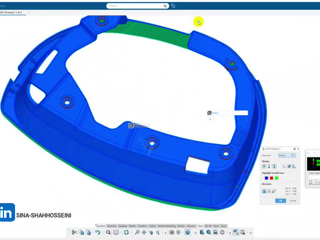
I recently worked on the reverse engineering of the Peugeot 207 side mirror frame, and this video is a short walkthrough of the process.From 3D scanning the real part, to accurate CAD reconstruction in CATIA / 3DEXPERIENCE, and finally validating the geometry with a 3D-printed prototype. In this video you’ll see:The part reviewed in a 3D environmentComparison between the real component and the C

CATIA USER COMMUNITY

Useful Tip| Add a Web link as 'Attachment"

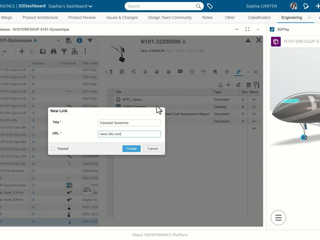
Did You know?You can make your objects (documents, Engineering Item etc.) more powerful and informative by adding links to relevant websites directly in their attachments.This provides instant access to supporting information and keeps your objects connected to up-to-date resources. How?Click the "Create Link" icon from the 'Attachments" tab in Information panel, and define the URL of the relevant

ENOVIA USER COMMUNITY

Virtual Testing of Medical Devices | Flyer

Successful medical device innovation depends on feasibility, reliability, manufacturability, and product safety. Traditional development remains siloed and heavily reliant on physical testing, which is costly and slow. Virtual testing transforms the development process. High-fidelity simulation enables faster design evaluation while reducing time, cost, and effort. MedTech companies are increasing

SIMULIA COMMUNITY

GEOVIA CONNECT25X | Mine Planning & Design for CAVING | Dec 2-3, 2025

STARTING NEXT WEEK!Our expert is showcasing how GEOVIA Surpac enhances caving design, draw control, and analysis to improve predictability, recovery, and overall mine performance. Explore all Caving sessions. 3 Sub Sessions: Session 1 - Planning and Designing Efficient Caving Operations with Surpac. Learn Surpac’s key tools for caving operations through a practical, step-by-step walkthrough desig

GEOVIA USER COMMUNITY

Need help downloading(can't find serial number)

I'm a student trying to download SolidWorks on my persoanl pc. My profferser sent me a link for a "SolidWorks SEK Student Premium Download." I downloaded the file and unzipped it, but I can't find my serial number for the installation anywhere. I checked the downloaded page and the email sent by SolidWorks, but I can't find anything Edu

3DEXPERIENCE EDU | STUDENTS

Looking for more?

Check out the links below

Want to join the Workforce of the Future?

Search, find and apply to job opportunities at Dassault Systèmes

Explore our Network of Partners

Our partners extend our solutions by offering complementary products, expertise, and services

Search the Knowledge Base

Dassault Systèmes customers' one stop to get help and support information