Search

Please use the search box below or the filters provided to fine-tune the results and discover more about our offers, products, customers, and stories.

There are 17609 results
How to Drive Drawing Titles During Component Families Resolution ?

Hello all,By default, when resolving a Component Family, the child Drawing of the resolved items have all the same Title which is not the expected behavior for some customers.This document explains how to drive the Drawing Titles from the Design Table/Product table contained in the generic 3D Part/Physical Product.component family

CATIA USER COMMUNITY

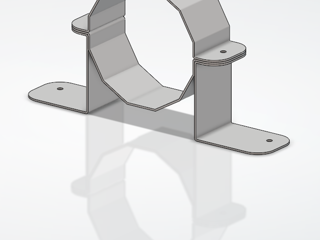
Reinforcing the wood CNC's dust extraction: a custom bracket solution

We have a wood CNC at the Lab, but couldn't find a system robust and well-suited enough to properly hold the suction tube in place without damaging the machine.To solve this problem, I designed and fabricated 4 custom aluminum parts to clamp around the tube.Using CATIA, I modeled the brackets based precisely on the tube's diameter and the existing holes. I then added pre-forming holes to make the

MAKERS | MADE IN 3D

Dassault Systèmes will be the Exhibitor at ThermoSim 2026 in Aachen

Dear members of Community,at ThermoSim 2026, Dassault Systèmes will present the latest developments in Dymola and System Simulation Designer, its web-based solution for collaborative system simulation.We will be the gold sponsor of the ThermoSim, meet us at the booth in Aachen on September 22-23, 2026. m M - AachenImke Lisa Krüger will make the presentation ”Smart Buildings, renewable energy, and

CATIA MBSE CYBER SYSTEMS

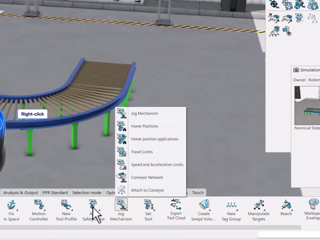
New UI for grouped Commands

Many of you may or may not have noticed that there was a slight UI change to command icons containing grouped commands (2026x FD03). The arrow has now moved to the bottom right corner. This may seem to be slower, however there has been an improvement in that you can now just right click the entire command, and the entire list pops up, you no longer need to explicitly push the arrow. Once you’re aw

DELMIA VIRTUAL FACTORY & ROBOTICS

[Webinar] September 30! Digital Engineering Strategy with a Model-Based Approach

Dear all, we invite you to the upcoming webinar "Digital Engineering Strategy with a Model-Based Approach"Digital Engineering aims to integrate models, simulations, surrogate models, systems and components across engineering disciplines and throughout the full lifecycle.The webinar will explore an integrated digital approach using authoritative system data and models as a connected continuum, supp

CATIA MBSE CYBER SYSTEMS

[SAMPLE MODEL] EE&S Artifact Positioning on the Automotive SPICE Grid

What this isA practice model showing where EE&S plugin artifact types naturally land on the ASPICE process grid, using a Collision Avoidance System (ADAS) as the reference system. The point isn't the system — it's demonstrating that the tool's native constructs map directly to ASPICE work products, and that the chain doesn't stop at architecture.ASPICE Process → EE&S Artifact MappingSYS.1 — Requir

CATIA MBSE CYBER SYSTEMS

3DXW27 Call For Speakers Update - Whoa!

A couple of weeks ago we let you know that the 3DEXPERIENCE World 2027 Call for Speakers portal would be opening soon:https://r1132100503382-eu1-3dswym.3dexperience.3ds.com/community/swym:prd:R1132100503382:community:52?content=swym:prd:R1132100503382:communitypost:shsDsVIcR0-QufyH8UfBcw Well, guess what? My colleague & friend, @SL just couldn't contain his excitement! I saw this on his LinkedIn f

SOLIDWORKS NEWS & INFO

ENOVIA 2026x: Parent Route with Dependent Estimates and Actuals Estimates Subroutes

We are designing a Travel & Living approval process in ENOVIA 2026x.Proposed structure:Parent Route (Travel & Living)Estimates Approval SubrouteActuals Approval SubrouteRequirements:Actuals approvals cannot begin until Estimates approvals are completeMaintain traceability between both approval packagesMinimize user effort when creating routesQuestions:What is the recommended ENOVIA 2026x approach

ENOVIA USER COMMUNITY

density profile along the z-axis

I am using BIOVIA Materials Studio (Forcite MD) to analyze a vapor/liquid system, where the liquid layer is in the middle of the cell. I want to calculate a density profile along the z-axis using the Concentration profiles in Forcite --> analysis. However, the liquid layer is moved along z-axis during MD runs, so the concentration cannot be calculated correctly. My question is how to remove such

BIOVIA MATERIALS STUDIO

Looking for more?

Check out the links below

Want to join the Workforce of the Future?

Search, find and apply to job opportunities at Dassault Systèmes

Explore our Network of Partners

Our partners extend our solutions by offering complementary products, expertise, and services

Search the Knowledge Base

Dassault Systèmes customers' one stop to get help and support information