[Do not delete] WOC issue

 UX/UI testing brings many advantages to software product development improving build quality into the product 

There are 49610 results
Customer Story | Ericsson

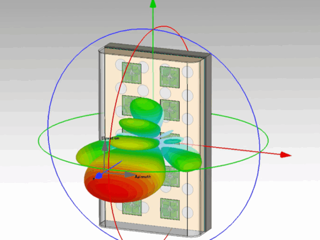
Ericsson, a global leader in mobile connectivity solutions, has modernized its electromagnetic design workflow by adopting SIMULIA CST Studio Suite and the 3DEXPERIENCE platform to address growing complexity in antenna development for 5G and future networks. ChallengeAs antenna designs become increasingly complex to support 5G and future connectivity standards, Ericsson faced challenges in managi

SIMULIA COMMUNITY
Position Variable on sensors

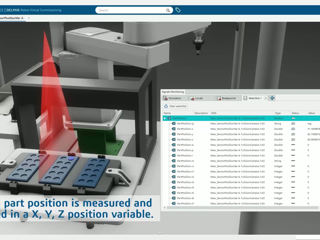
We have provided in R2026xFD01 an interesting enhancement on sensors.Value : This enhancement effectively addresses multiple material handling scenarios where a camera must compute a part's position before a robot can grip it.Highlights :Each part position is measured and stored in a X, Y, Z position variable.This addition enables the sensors to accurately measure the position of any detected prod

DELMIA VIRTUAL FACTORY & ROBOTICS

Student licence instalation problem - Port@server

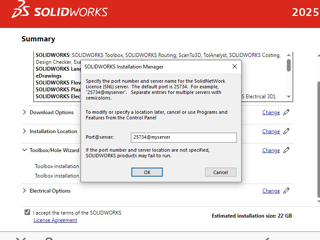
Hello,I'm contacting you regarding installation problems, please help if is possible.Before around 1 month ago I purchased student licence for SolidWorks Design.Unfortunately i had problems with installation and tried everything i could in that period but nothing happened. Currently mainly issue that i have is regarding Port@server option at the end of installation process. How i understand until

3DEXPERIENCE EDU | STUDENTS

Co-simulation with Abaqus and Dymola

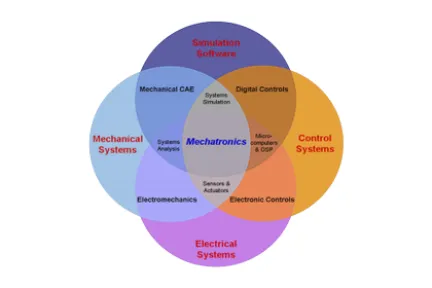
AbaqusDymola Co simulation is useful when logical modeling needs to be included in a physical system simulation; for example, it can be used to couple Anti lock Braking System (ABS) logic modeled in Dymola with an Abaqus rolling tire and brake simulation. In a typical workflow, sensor data computed in Abaqus (the physical system) are passed to Dymola (the controller), which in turn computes the needed actuation to drive the Abaqus model to a desired state. The powerful logical modeling features in Dymola cover a wide variety of engineering fields, such as electromechanics, control systems, hydraulics, penumatics, etc. This course illustrates coupling Dymola and Abaqus to develop a very versatile logical physical modeling capability.

Course Catalog

Electromagnetic Analysis with Abaqus

Abaqus provides computational electromagnetic capabilities for the simulation of problems involving steady state electrical conduction, piezoelectric phenomena and low frequency eddy currents. In this course, you will learn how to analyze low frequency eddy current problems in Abaqus Standard.

Course Catalog

Modeling Fracture and Failure with Abaqus

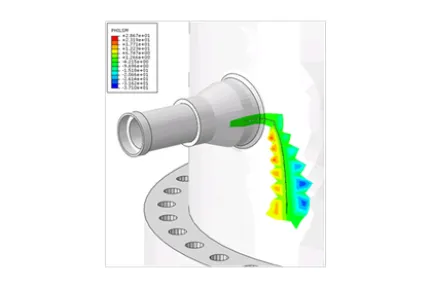
Fracture and failure modeling allows for product designs that maximize the safe operating life of structural components. Abaqus offers many capabilities that enable fracture and failure modeling. This course provides a detailed discussion of these capabilities.

Course Catalog

Uncertainty Quantification with Isight

This course introduces Isight users to methods dealing with statistical behavior as a result of variability in the system. It motivates why uncertainty quantification (UQ) analysis is important, presents concepts and methods in Isight to do UQ analysis, and shows how to use Isight’s open architecture to integrate user developed algorithms into components as Plug ins.

Course Catalog

Introduction to Abaqus Scripting

Abaqus makes extensive use of Python, a powerful, object oriented scripting language that is used widely by organizations throughout the world. Python has been embedded within the Abaqus software products. The language has been extended to include a rich set of commands that are well suited for the daily tasks of a finite element analyst. These extensions are referred to as the Abaqus Scripting Interface (ASI). The Abaqus Scripting Interface may be used by the finite element analyst at many different levels. Scripts can be written as stand alone utilities, or can be written to integrate the Abaqus products with other codes. At a basic level, scripts may be used to automate repetitive tasks such as the creation of results plots from a collection of output files. With some experience, users may actually extend the functionality of the Abaqus products. Advanced users may work with SIMULIA affiliates to customize the graphical user interface of the Abaqus interactive products (Abaqus CAE and Abaqus Viewer). This course covers basic usage of the Abaqus Scripting Interface and Python’s syntax. It includes numerous hands on exercises for the student to learn to automate tasks that are common to most analysts.

Course Catalog

Getting Started with Automation and Optimization

This interactive course is intended for on demand learning and is the prerequisite for many process automation and design optimization courses (if you are new to using the 3DEXPERIENCE platform). Using automation apps requires a baseline knowledge of how to log in to the platform, use 3DSearch to find and filter data, manage maturity of the data for collaboration. The 3DEXPERIENCE native (desktop) apps and web interfaces (including dashboards) will be introduced in this course.

Course Catalog

Introduction to Abaqus/CAE

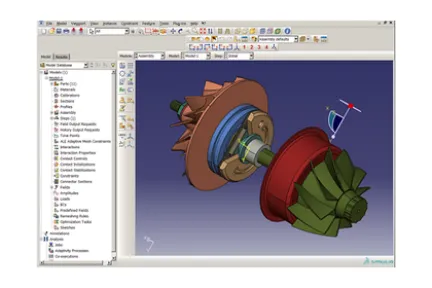
This introductory course introduces you to Abaqus CAE, the interactive interface for Abaqus products. Abaqus CAE provides a complete interactive environment for creating Abaqus models, submitting andmonitoring analysis jobs and viewing and manipulating simulation results.

Course Catalog

Durability Simulation Essentials

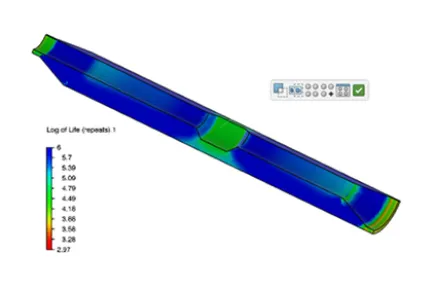
This course is an introduction to fatigue of metals on the 3DEXPERIENCE platform. Using a structural analysis that has been run in the Structural Scenario or Mechanical Scenario apps, the frames can be used to define a complex fatigue loading history. Depending on the material, the durability case can calculate either stress life or strain life damage, infinite life factors or FKM utilization along with other durability output. These can be used to redesign parts and assemblies in conjunction with the structural results.

Course Catalog

Getting Started with Physics Simulation

This interactive course is intended for on demand learning and is the prerequisite for many physics simulation courses (if you are new to using the 3DEXPERIENCE platform). Using physics simulation apps on the3DEXPERIENCE platform requires a baseline knowledge of how to log in to the platform, use 3DSearch to find and filter data, explore the data and manage maturity for the purpose of collaboration. The 3DEXPERIENCE native (desktop) apps and web interfaces (including dashboards) will be introduced in this course.

Course Catalog