[Do not delete] WOC issue

 UX/UI testing brings many advantages to software product development improving build quality into the product 

There are 49610 results
Register Now for the SIMULIA Americas Users Conference; Ford to Keynote Its Journey to a Digital Twin

Don't Miss Top Industry Leaders Present on Simulation at SIMULIA's Premier EventThe SIMULIA Americas Users Conference is returning to Novi, Michigan, on May 13-14, 2026! Our new two-day format will offer everything you expect from our flagship SIMULIA conference, including Advanced Seminars, industry-leading speakers, technology updates from SIMULIA R&D and the game-changing power of the 3DEXPERIE

SIMULIA COMMUNITY

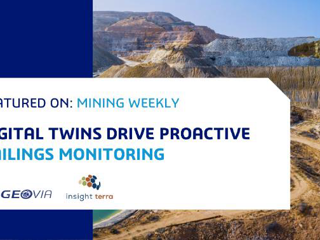
GEOVIA in the Media: Digital Twins Drive Proactive Tailings Monitoring | Mining Weekly

The collaboration between GEOVIA and Insight Terra brings together real-time monitoring and analytics, helping operators move from reactive monitoring to proactive, transparent risk management. By combining design, simulation and live data, teams can detect deviations earlier, test responses and make better decisions across the full lifecycle of a tailings facility. Lynne Davies from Mining Weekly

GEOVIA USER COMMUNITY

How we turned an AI Generated image into a real 3D object

Hello, We are excited to share our team robot.When we created our team’s achievement video last year, we wanted something fun to tie all the segments together. That’s how the little robot was born, a tiny mascot that popped up between topics to guide viewers through our highlights. The character quickly became a team favorite, so we decided to bring it to life. Here’s how we transformed that on-s

MAKERS | MADE IN 3D

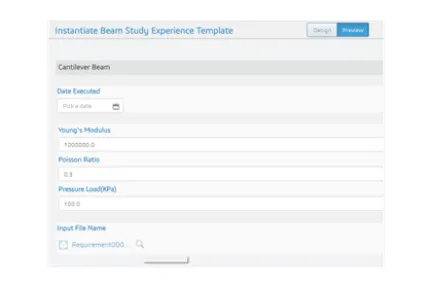
Process Experience Studio Essentials

This course is an introduction to the Process Experience Studio widget on the 3DEXPERIENCE platform. Process Experience Studio allows engineers to create custom interfaces for distributing simulation processes and simulation templates throughout the organization. This widget is similar to a form builder which allows the engineer to develop a simple or complex interface of inputs and outputs to/from the process. Using the widget in a dashboard provides a way to collaborate in teams around process integration and automation.

Course Catalog

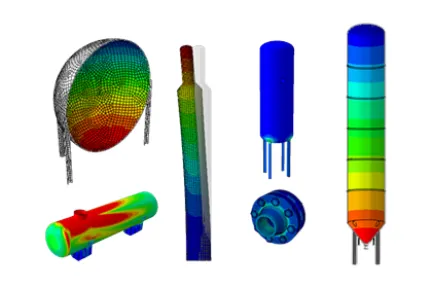
Fitness-for-Service Analysis with Abaqus

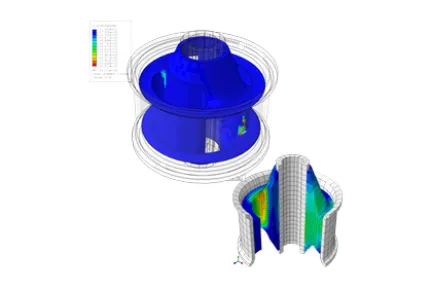
Pressure vessels and piping equipment are periodically assessed based on guidelines prescribed by documents such as ASME/API 579 Fitness for Service (FFS). Finite element based Level 3 assessments are often utilized for assessing equipment with complex geometries and loading conditions. This course discusses methods for modeling common pressure vessels such as distillation towers, storage vessels, etc. using Abaqus CAE. Methods for application and verification of loads such as weight of contents, internal pressure, etc. using Abaqus Standard, as required for Level 3 FFS assessments are also discussed. Procedures for analyzing metal loss using the finite element method by mapping thickness readings from scans are also considered. The following products are covered by this course: Abaqus CAE, Abaqus Standard. The course is divided into lectures and workshops. The course's workshops are integral to the training. They are designed to reinforce concepts presented during the lectures. They are intended to provide users with the experience of running and trouble shooting actual Abaqus analyses.

Course Catalog

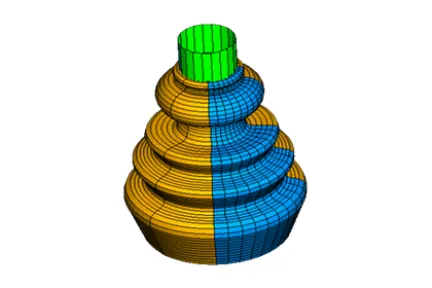
Element Selection in Abaqus

Choosing an element is one of the most fundamental questions that users must answer as they build a finite element model. Many issues should be considered when selecting an element, including: Is there contact in the model? Is the material behavior fully or nearly incompressible? Will the element bend during the analysis? Is the structure thick or thin? Will the mesh become severely distorted? What results are needed from the analysis? Is the analysis a static or dynamic simulation? This course provides an overview of the different element types available in Abaqus for stress analyses. Differences between the Abaqus Standard and Abaqus Explicit element libraries are considered. Application specific recommendations for choosing an element type are provided. The pitfalls and symptoms of choosing incorrect element types are also discussed. Examples and workshops are used to illustrate element behavior and the consequences of choosing incorrect element types for a given problem.

Course Catalog