RadaHaim
IF WE standardize human organoids at scale, can we replace animal testing and transform drug discovery?
3DEXPERIENCE Lab
UX/UI testing brings many advantages to software product development improving build quality into the product
IF WE standardize human organoids at scale, can we replace animal testing and transform drug discovery?
3DEXPERIENCE Lab
Volume 1 - The first volume introduces stereostatics, beginning with Newton's axioms and gradually developing the principles of static equilibrium. A distinctive feature of this book is its strong emphasis on solving problems using computer-based tools such as MATLAB and SOLIDWORKS Finite Element Method (FEM), offering students insight into methods commonly used in industry. Inspired by Henry Ford's quote on perseverance, the book aims to motivate students and demonstrate that mechanics is more than just balancing forces-it is an accessible and practical discipline supported by modern computational techniques. Volume 2 - The second volume expands from stereostatics to elastostatics. It covers the fundamentals of stress theory and various loading types, including tension, compression, bending, torsion, shear, and contact pressure. Stability issues (buckling, twisting, and shell instability) are introduced before moving on to the foundations of continuum mechanics, which form the mathematical basis of modern FEM software. The final chapter examines numerical methods used in FEM to solve elasticity problems. Volume 3 - The third volume addresses dynamics following the structural mechanics topics of the previous books. It begins with kinematics (motion without forces) and then explores kinetics (motion caused by forces). General vibration theory completes the core dynamic concepts of engineering mechanics. The book goes further by also covering gearing theory, machine dynamics, and introductory robotics-fields closely connected to mechanical dynamics. The final section focuses on FEM calculations for linear and nonlinear dynamic problems.Volume 4 - This volume focuses on hydromechanics-fluid mechanics concerning incompressible flows. It begins with hydrostatics, followed by advanced hydrostatic analyses using partial differential equations. The hydrodynamics section introduces key equations such as the continuity equation and the Bernoulli and Euler equations. Advanced hydromechanics includes continuum mechanics for fluid particles and culminates in the Navier-Stokes equations. Quoting Horace Lamb on the mysteries of turbulence, the book dedicates its final chapter to providing clarity on turbulent flows. Throughout the volume, CFD simulations using SolidWorks Flow Simulation are used to analyze phenomena such as cavitation, supersonic flow, free surfaces, and turbine or impeller behavior. The dynamics section highlights the importance of theoretical foundations for FEM computations, especially for vibration analyses (frequency, harmonic, modal, transient), and includes numerous FEM and motion simulations relevant to industry applications. Volume 5 - This volume presents thermodynamics and heat transfer, following the core areas of mechanics previously discussed. Referencing Sommerfeld's famous reflection on the complexity of thermodynamics, the book seeks to make the subject more accessible through numerous real-world examples solved using MATLAB, Excel, SOLIDWORKS FEM, and CFD. Beyond classical topics such as boiling, steam, insulation, and heat transfer, the book also examines industrial applications like steam and gas turbines. Thermodynamics is shown as a fundamental discipline that appears in contexts ranging from entropy in space to energy balances in everyday systems. It also forms the bridge to aeromechanics, which is treated in the next volume.
Partner Product
Learn SOLIDWORKS faster with our new dedicated Tutorials channel, your go-to destination for quick answers, step-by-step guidance, and real-world workflows
Article
IntroductionMost often, design review cycles for products span a few weeks. If the product is not frozen or released before beginning the review, changes made in it during this review cycle can result in product-review misalignment. This leads to:Difficulty in traceability during auditing Inefficient collaborationIncorrect contextExample:The 3D Markup is utilized to evaluate the buttons on a car d
ENOVIA USER COMMUNITY
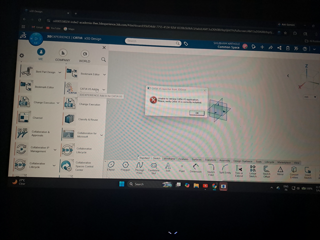
Hello, ive got 3dexperience catia student plan for 60€,The application i am running is similar to catia but it is not catia v5 specifically, also when i try to run catia v5 it gives me pop up error saying Unable to retrieve catia v5 application. Please verify catia v5 is correctly installedEdu Student Offers 3DEXPERIENCE CATIA
3DEXPERIENCE EDU | STUDENTS
Explore electrical design topics – including schematic design, wire harnessing, routing, and more – along with product updates and latest features from SOLIDWORKS Electrical
Article
I've been guilty of taking for granted all the cool things we get from our CAD software, but I have to step back and give credit to this little overlooked tool that's been saving me so much time, the Picture to Sketch tool. It's under the Tools menu and accessible under the Insert Picture popup. This clever tool will help you trace any high resolution and high contrast image and convert that trac
MAKERS | MADE IN 3D
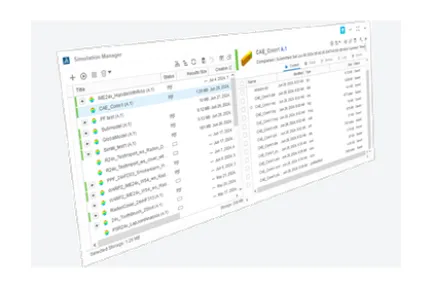
This course is an introduction to the Simulation Manager app on the 3DEXPERIENCE platform, enabling analysts to run, monitor, and manage simulations on the cloud, for analyses created using traditional SIMULIA products, such as Abaqus, CST, Simpack, PowerFLOW, XFlow, and Wave6
Course Catalog
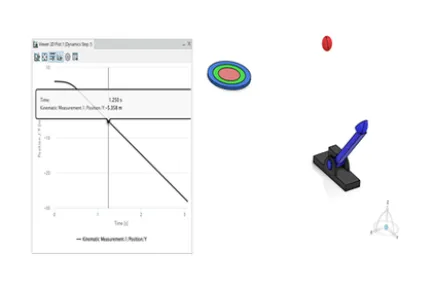
This course provides a hands-on introduction to the multibody features of the Motion Engineering, Motion Analysis and Suspension Analysis apps on the 3DEXPERIENCE platform. It provides a quick start to mechanism creation, multibody model element definition and postprocessing.
Course Catalog
Hello - I did a search but didn't see anything come up for this topic.Is there a way to embed a time series chart into a GUI, versus it just being free floating when you run simulation? I've tried all the different types of Containers but nothing seems to work. Thanks,Russ
CATIA MBSE CYBER SYSTEMS
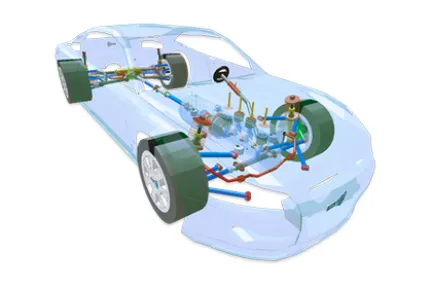
This course describes the procedure to set-up road vehicle models and introduces Simpack’s Automotive elements (tires, roads, steering controllers, etc.).
Course Catalog
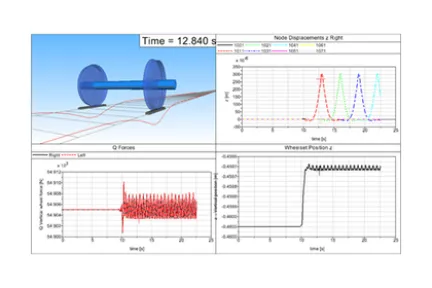
This course explains how to set up flexible rail track models in Simpack.
Course Catalog