Saving views in Visualize Standard
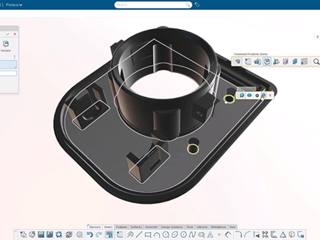
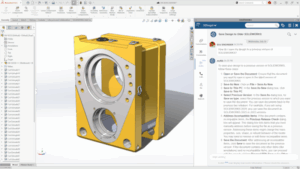
Hello,Does anyone know how to save views in Visualize like you can in Solidworks? I feel like I've looked everywhere. I need to repeat renderings at multiple angles.Thanks
3DEXPERIENCE EDU | STUDENTS
UX/UI testing brings many advantages to software product development improving build quality into the product
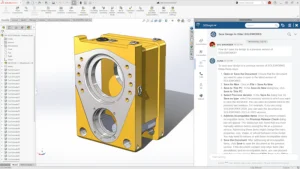
Hello,Does anyone know how to save views in Visualize like you can in Solidworks? I feel like I've looked everywhere. I need to repeat renderings at multiple angles.Thanks
3DEXPERIENCE EDU | STUDENTS
Master Customizing Tables in SysML v2!In my latest video (Link), I’m sharing an early look at customizing tabular views in SysML v2 using technical notation in CATIA Magic 2026x.With a custom-driven table workflow, you can:Inherit and Redefine: Reuse existing view definitions like Generic or Requirements tables to save time.Remove the Noise: Strip away unwanted columns by setting multiplicity to z
CATIA MBSE CYBER SYSTEMS
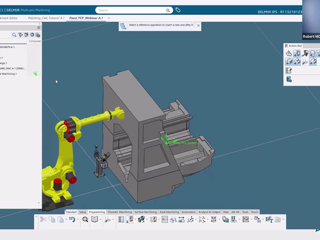
The replay of our webinar focusing on robot programming with DELMIA Machining is available here! Discover how DELMIA Machining supports both robot and CNC programming, and guides you through a Fanuc robot example.A big thank you to our speaker @Robert MOLLS and @Ishaan Nandkumar KAKADE for the organization!
DELMIA VIRTUAL FACTORY & ROBOTICS
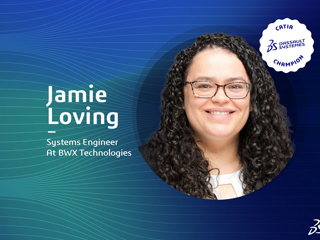
Hello CATIA lovers We are excited to welcome our newest CATIA Champion, @JL! Jamie began working with CATIA and MBSE three years ago and quickly turned curiosity into real impact. Since then, they’ve helped guide practical MBSE implementation at BWX Technologies, supporting advanced programs such as Nuclear Thermal Propulsion Rockets and Small Modular Reactors across different environments.Wit
CATIA USER COMMUNITY
The adoption of the 3DEXPERIENCE platform provided students with a cloud-based, collaborative environment, mirroring the integrated systems used by today's top industrial innovators.
Customer Story
As we step into 2026, we are celebrating some of the remarkable user stories from our CATIA champions in 2025.
Article
AI is finally moving from keynote demos into daily CAD work. It’s quietly showing up inside sketches, assemblies, drawings—removing friction instead of pretending to “design for you.” If you design in SOLIDWORKS, this is worth a quick read.
SOLIDWORKS NEWS & INFO
The newer wave of AI focuses on setup, cleanup, recall, and reducing the mental load between decisions; and it is already showing up inside of SOLIDWORKS. ... Continued
Article
Tech Notes
January 28, 2026
The newer wave of AI focuses on setup, cleanup, recall, and reducing...
Article