[Do not delete] WOC issue

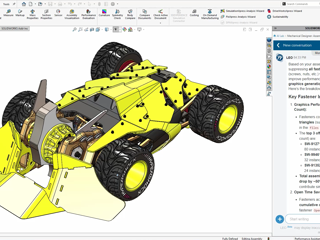
 UX/UI testing brings many advantages to software product development improving build quality into the product 

There are 49603 results
Discover what's new on 3DEXPERIENCE R2026x FD02

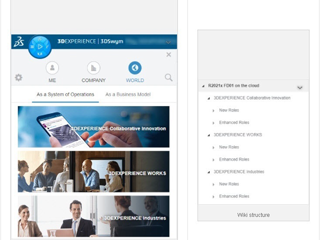
As previously announced, 3DEXPERIENCE R2026x FD02 will soon be deployed!We would like to share with all Dassault Systèmes’ cloud users an overview of the key new additional values provided.Access now to WIKI to discover what’s new on R2026x FD02 A What's new with all roles covered and more mediasWe are sharing a what's new that is organized the same way than you can navigate in the available roles

3DEXPERIENCE PLATFORM USER'S COMMUNITY
Ontology in MBSE: The Missing Link Most Us Don’t Talk About

In systems engineering, we often focus on models, diagrams, and tools like CATIA Magic. But there’s a deeper question we rarely ask:Do we all mean the same thing when we use the same words?Now imagine a real MBSE project:50+ engineersMultiple teams (hardware, software, systems, testing)Hundreds of diagramsWork happening over monthsWhat starts happening:One team writes “component” → means hardwareA

CATIA MBSE CYBER SYSTEMS

Get Ready for the Latest Enhancements in the SOLIDWORKS Roles with the R2026x FD02 Release on April 25th!

SOLIDWORKSPortfolioUpdate R2026x FD02 The SOLIDWORKS team is excited to announce the upcoming release of the SOLIDWORKS roles. The R2026x FD02 release, scheduled for Saturday, April 25th, 2026, features significant enhancements that help customers simplify workflows and improve productivity. What's New in SOLIDWORKS - R2026x FD02 (April 25, 2026)To learn more about the enhancements in R2026x F

SOLIDWORKS NEWS & INFO

Explore the ENOVIA Project Planner Role: User Adoption Journey & Upcoming Webinar

Keep your team aligned and your projects on schedule.The ENOVIA Project Planner role is a cloud-based solution that empowers you to plan, execute, and monitor projects. From task tracking to risk mitigation, this role is your key to collaborative efficiency and data-driven decisions. Start Your Journey TodayDive into the Project Planner Adoption Page to explore:Introduction to the ENOVIA Projec

ENOVIA USER COMMUNITY

Sync'ing to Excel

I am attempting to synch model elements to an .xlsx file. When I specify and read the file into Cameo the mapping options are grayed out, and none of the table columns show up on either side of the mapping window. CSV works fine, but I cannot get the .xlsx file type to work. The excel table is simple text and integer values with the first row as the column header. I've tried this with 22x and 24x.

CATIA MBSE CYBER SYSTEMS

Tomorrow: An ELITE AE Unlocks Hidden SOLIDWORKS Knowledge!

"It's 2026, and you're still learning SOLIDWORKS the old way!"...That's a stance to take, for sure. ...But what about these scorching hot takes?Some of the best SOLIDWORKS knowledge is hiding in documents most users never read.Your next SOLIDWORKS mentor might be AI.You have the engineering wisdom of thousands of support cases, and you aren't using it! https://www.

SOLIDWORKS NEWS & INFO

CATIA at NXT BLD Conference in London, May 13-14, 2026

Dassault Systèmes is proud to announce that we are officially a Platinum Sponsor for NXT BLD, and we’re bringing the future of AEC with us!We’ll be at Booth #3 showcasing how firms can transcend traditional BIM by leveraging the power of the 3DEXPERIENCE platform to create true, integrated digital threads.In an era of rapid transformation, we’re not just talking about tools—we’re talking about AI

CATIA BUILDINGS & INFRASTRUCTURE

DraftSight Display Issue- Workaround

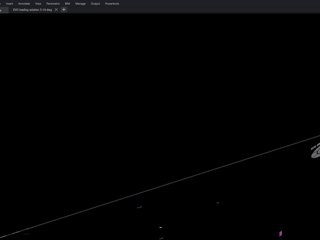
When the user opens DraftSight, the model tab is displayed incorrectly, as shown in the attached image: We have reported this issue to our development team for further investigation and fix.We have observed that issue is happening with latest NVDIA Drivers.It is resolved in DraftSight 2027 subject to successful QA testing which will be released around end of this year tentatively.In the meantime,

DRAFTSIGHT USER COMMUNITY

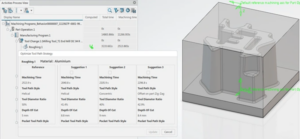
Catia PostProcesor for WinNC

Is there a post procesor (for machining on lathes and mills) in newer Catias that make working G code for WinNC program?The closest that there is in Catia v5 is hseiki02, and I have to change so many lines of code for a simple part. And is APT output for the newer versions same as for the v5?

3DEXPERIENCE EDU | STUDENTS