[Do not delete] WOC issue
UX/UI testing brings many advantages to software product development improving build quality into the product
There are 49603 results

Senior Applications Engineer - Mechanical and Electrical Systems
Handling Specialty
Grimsby
July 23, 2026
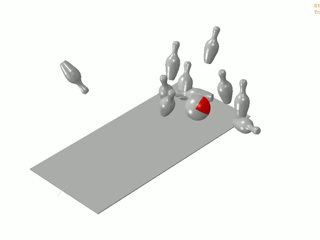
How to use the Jog Mechanism for precise AGV positioning on a Jig?
Hi all,In the Equipment Simulation app, what is the recommended method/API to move an AGV to a precise location for a device task? I am setting up a manufacturing scenario where the AGV places a product onto a Jig Using JOG Mechanism, but I need to fine-tune the docking/positioning accuracy. Any code snippets, snap settings, or positioning methods would be greatly appreciated!"
DELMIA VIRTUAL FACTORY & ROBOTICS

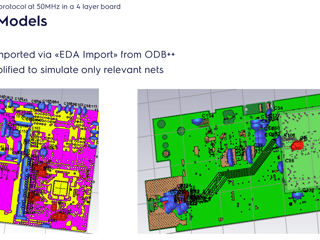
Electrolux Group | Radiated Emissions Investigation of a Serial Digital Interface in a Connected Appliance | EuroMed Conf 2026
AbstractElectrolux is a global leader in home appliances, developing innovative, connected, and sustainable solutions used by millions of consumers worldwide. As connectivity becomes a standard feature in modern appliances, the electromagnetic behavior of digital interfaces plays an increasingly critical role in ensuring compliance, robustness, and product reliability.This presentation focuses on
SIMULIA COMMUNITY
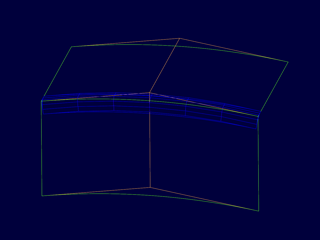
ICEM Surf 2026.0 - Create Surface - Fillet vs. Fillet+
Hi, this is something we already noticed for a long time over several versions on the "Fillet+" tool For some reason it's fillets are not as clean as the ones from the old "Fillet" tool.I becomes very apparent when extrapolating fillets. See here the exact same Fillet (G2, chord, 7CtrlP along, 6CtrlP across). They look almost identical (red=Fillet+ blue=Fillet)But when extrapolating both of them
CATIA CREATIVE DESIGN & STYLING - USER COMMUNITY
Impossible to save ENOVIA Document containing DWG or DGN files
Since the upgrade of R2026xFD03 , it is no longer possible to save ENOVIA Documents containing DWG or DGN files.Here is the symptom :We discussed with ENOVIA R&D to fix this situation.Conclusion :Implementation change: Remove DWG and DGN file extensions from the default unsupported file list.Documentation: Record this change in the Program Directory.Release Planning: Promote the fix for R2026xFD04
CATIA BUILDINGS & INFRASTRUCTURE
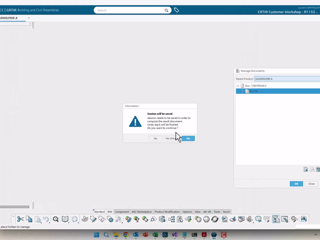
Explore the ENOVIA Workforce Planning Solution | Upcoming Webinar & Role Adoption Pages Available
Are you looking to improve workforce visibility, align skills with business priorities, and make more informed resource planning decisions? Check out the upcoming webinar and these resources below to start your journey with the ENOVIA Workforce Planning Solution!ENOVIA to the MAX: Introduction to the ENOVIA Workforce Planning SolutionJoin us for the upcoming ENOVIA to the MAX webinar on July 29.In
ENOVIA USER COMMUNITY

What Can I Do With Virtual Companions, part 2
This is the third post about our newly available Virtual Companions. More than AI assistants, Virtual Companions are trusted experts who embody decades of industrial knowledge and know-how. They understand your intent, reason with Industry World Models grounded in the laws of physics and materials science, and orchestrate actions across the full lifecycle of your products — helping you see the inv
SOLIDWORKS NEWS & INFO
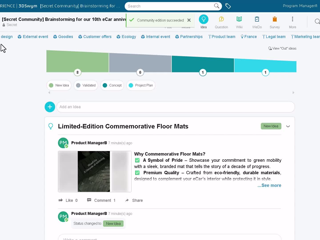
From Plan to Impact: join us September 24th in Vélizy, France!
Join us at the Dassault Systèmes campus in Vélizy to learn practical insights to improve your industrial operations through visualization, simulation, and AI applied to manufacturing.You will discover how, with Dassault Systèmes solutions, manufacturers:visualize and optimize their processes prior to execution,identify and reduce planning and scheduling bottlenecks,align planning, supply chain, an
DELMIA GLOBAL OPERATIONS COMMUNITY