[Do not delete] WOC issue

 UX/UI testing brings many advantages to software product development improving build quality into the product 

There are 49430 results
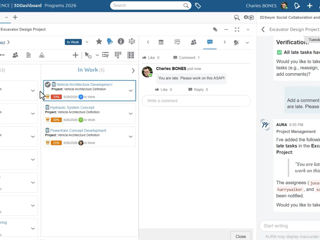
Moment 6: AURA | Project Management Task Escalation

Still manually tracking overdue tasks? Imagine how much time your team could save if overdue tasks were automatically highlighted and escalated.Discover how AURA | Project Management Task Escalation from ENOVIA provides automatic notifications and real-time visibility into overdue tasks, saving your team hours of manual effort—and keeping your projects moving forward.Watch the video and learn mo

ENOVIA USER COMMUNITY
IDX 2026X-FD03 - Sections disappearing

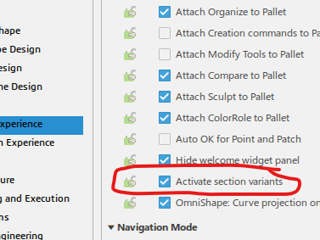
When I am creating sections, I pick the mesh add it as a new section, Plane direction, count 1 select the plane, no section. Keeps doing this.Worse though, is that when I save and then close down file and reopen, all my sections have been deleted except the last one.. Video shows this.What does this option in Preferences do? Nick McferranSylvain CarreThomas Frison

CATIA CREATIVE DESIGN & STYLING - USER COMMUNITY

Symmetric Modelling in IDX 2026X

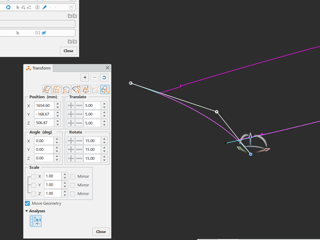
How do I balance a curve or a surface about a symmetry plane in IDX. We have been using this as a process methodology for over 15 years now and it surprises me that it is still not part of the IDX toolset, unless I am missing something?Currently, for a curve I am having to edit the control point positions as I used to do in ICEM Surf 2.0 in 1995! Forget the surfaces!I can't use the ISD Control poi

CATIA CREATIVE DESIGN & STYLING - USER COMMUNITY

CAD to CAM Digital Continuity: How Connected Workflows Accelerate CAM Programming

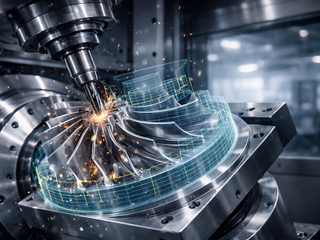
Originally published on DELMIA Blog.CAD to CAM digital continuity seamlessly flows design data from CAD into CAM without file exports, manual rework or lost engineering intent, enabling teams to work from the same product information across design and manufacturing. This eliminates workflow friction like missing updates and NC programming delays while delivering up to 80% faster programming, 90% r

DELMIA FABRICATION

IDX View Alignment issue

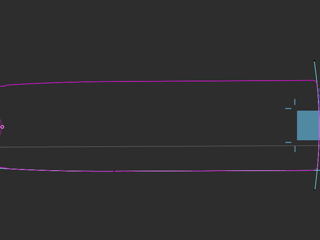
When setting Sliding mode to be None, and then using Z (XY Plane or Top) from VNav everything works perfect as designed.(X direction runs left to right)So why when I press F4 and choose Top or Bottom View does it rotate the view 90 degrees?Nick McferranSylvain Carre

CATIA CREATIVE DESIGN & STYLING - USER COMMUNITY