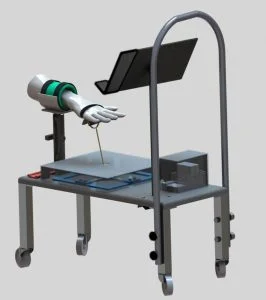
Engineering Students Develop Bioengineering Assistive Devices in SolidWorks
Biomedical and mechanical engineering students continue to amaze me in the products...
Article
UX/UI testing brings many advantages to software product development improving build quality into the product
Biomedical and mechanical engineering students continue to amaze me in the products...
Article
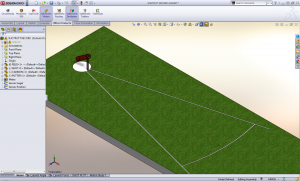
There seems to be a few sporting events going on this summer; one in London seems to be a bit of a big deal and it got me thinking. Could I use SolidWorks to discover something about the track and ... Continued
Article
For this post I made a mold for my traffic cone that I created in my last post. To do this I used the draft analysis tool in order to make sure the cone would come out of the mold ... Continued
Article
AVL Powertrain Engineering, SIMULIA Community Conference, Providence, Rhode Island, May 2012
Resource Center
National University of Ireland, SIMULIA Community Conference, Providence, Rhode Island, May 2012
Resource Center
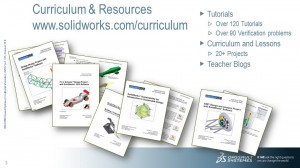
SolidWorks curriculum and lessons, developed for educators and students, are available inside the SolidWorks Education Edition. Lessons include powerpoint presentations, movie files, quiz question, assessments, and projects. There are hundreds of tutorials inside SolidWorks software. Educators also have access to curriculum and ... Continued
Article
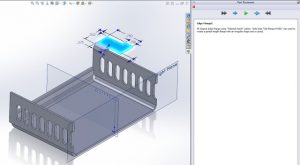
With the 2012 version SolidWorks nearing the end of its release, and 2013 beta available for download and testing, I thought I'd mention a new add-in that SolidWorks snuck in to the 2012 release called the Part Reviewer. Like most ... Continued
Article
1. Tell us about SolidCAM. What does the company do? SolidCAM is a world leader in advanced tool path generation technology (CAM) running directly inside SolidWorks. SolidCAM features a full line of CNC machine programming software solutions ranging from 2 axis lathes and 3 axis mills to extremely complex multi-axis MillTurn machines and Wire Edm. All products run directly inside SolidWorks and provide the user with a true "SolidWorks look and feel" for ease of use and maximum efficiency. Along with the integrated interface and scalability for new machines, SolidCAM also has its patented "iMachining" that powers users to new levels of productivity and profits, through unmatched cycle time reduction and unrivaled tool life. 2. Why should SolidWorks customers be interested in your product? Any company looking for the ultimate competitive advantage can now experience the benefits of an affordable, extremely powerful CAM system that goes beyond the traditional benefits of an integrated CAM program, like automatic tool path updates and ease of use, to an entirely new level of productivity. Stay several steps ahead and enjoy greater profits with our CAM programming products that let users operate at unheard of levels of material removal, while creating tool paths right inside SolidWorks or even enter into new industries where exotic materials and small tools are required. Most people have been exposed to the benefits of working inside SolidWorks to program their CNC machines. These range from eliminating the need to import files into a CAM system and having to do it again if the part changes, the issues with the part data coming through intact, the steep learning curve of adopting a CAM system with its own interface, and having one design model instead of multiple ones sent to other software packages. ... Continued
Article
Are you or will you be analyzing fluids at school? Check out this video, which is part of a series on how SolidWorks can help you in school, that shows several tutorials are highlighted that show how to use ... Continued
Article
Theorem’s bi-directional V6 Creo Parametric CADverter reads and writes both V6 and PTC Creo data, converting assembly data (product structure) Exact Brep solids and surfaces, tessellated data, PMI (product manufacturing information) and colour.The V6 Creo Parametric CADverter is fully integrated within the V6 environment enabling bi-directional file and PDM collaboration scenarios. It can be used interactively or in batch mode depending upon a user’s requirements. As standard, this particular product has been designed specifically to be incorporated into process orientated operations and so is integrated and runs under the management of the V6 infrastructure.The V6 converted data can then be used anywhere within the V6 environment, in all applications (CATIA, DELMIA, SIMULIA, ENOVIA) enabling supply chains with mixed V6 and Creo environments the ability to collaborate more efficiently.Theorem’s CADverter also provides the ability to convert Creo data (Creo Parametric and Creo View) into the 3DXML file format for collaboration with all applications collaborating through this format, such as CATIA, DELMIA, SIMULIA, ENOVIA, 3DVIA and 3DSWYM.
PARTNER SOLUTION
Theorem’s bi-directional CADverter V6 NX CADverter reads and writes both V6 and Siemens NX data, converting assembly data (product structure) Exact Brep solids and surfaces, tessellated data, PMI (product manufacturing information) and colour.The V6 NX CADverter integrated within the V6 environment enables bi-directional file and PDM collaboration scenarios. It can be used interactively or in batch mode depending upon a user's requirements. As standard, this particular product has been designed specifically to be incorporated into process oriented operations and so is integrated and runs under the management of the V6 infrastructure.The V6 converted data can then be used anywhere within the V6 environment, in all applications (CATIA, DELMIA, SIMULIA, ENOVIA) enabling supply chains with mixed V6 and NX environments the ability to collaborate more efficiently.Theorem’s CADverter also provides the ability to convert NX into 3DXML files for collaboration with all applications collaborating through this format, such as CATIA, DELMIA, SIMULIA, ENOVIA, 3DVIA and 3DSWYM.
PARTNER SOLUTION
When the computer gaming controller market became saturated, CH Products sought to leverage its pioneering expertise in advanced motion-control technologies through the development of new markets, including industrial, military, and aviation applications. Making the transition from gaming to more sophisticated ... Continued
Article