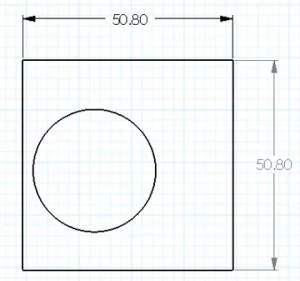
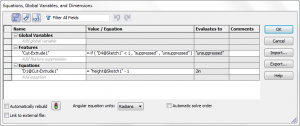
Why are some of my dimensions grey and others black?
Remastered from SolidWorks Legion article entitled Color for non inserted dimensions. SolidWorks...
Article
UX/UI testing brings many advantages to software product development improving build quality into the product
Remastered from SolidWorks Legion article entitled Color for non inserted dimensions. SolidWorks...
Article
Every family has its own set of holiday season traditions: getting together with loved ones, building an awesome gingerbread house, or hitting the slopes (for those of you in colder regions). This year at SolidWorks, we are keeping our own ... Continued
Article
Press Release
November 26, 2012
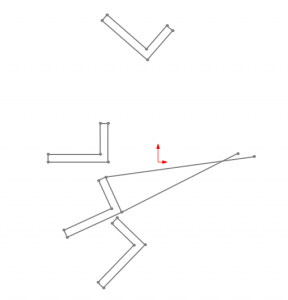
Check out this video showing how to accurately synthesize linkage systems within SolidWorks. Synthesis for two and three different position systems is shown with the help of sketch blocks. This technique is a good way to figure out the ... Continued
Article
The engineers at Nabtesco used Abaqus FEA software from SIMULIA to calculate the contact area and stress of various pinion gear designs.
Resource Center
We need clean energy. Students have creative energy. As Eco-Imagineers, they explore science, engineering and math, to overcome our challenges. SolidWorks reseller, 3D ClassWorks and Ngee Ann Polytechnic, Singapore held the global premier of Destination Zero Carbon (DZC) Inter-School Competition. ... Continued
Article
SIMULIA Isight 5.6 SP3 Program Directory is now available online. Check it out!
news support
This is part two of Dave and my joint project. We finally put dinner on the table for Thanksgiving. We had a few challenges to overcome when designing the food. This was due to the difficulty of designing natural shapes. ... Continued
Article
Press Release
November 21, 2012
One of the things we’ve heard from SolidWorks World attendees over the past few years is that you’d like to learn more in advance about the SolidWorks partners who set up booths in the Partner Pavilion. So now through SolidWorks World 2013, we’ll ... Continued
Article
Check out this video that provides the basics on how to use equations within your model. Equations can be used to link dimensions, files properties, or other variables together. They ensure your design intent, so that if values are ... Continued
Article
“COM/FOX T-Systems Format Converter for JT” provides conversion capabilities available within two contexts:1) Use of T-Systems Converter for V6 vertical architecture strategic scenarios: Apps, PDMx, File2) Use of T-Systems Converter for JT/3dxml file collaboration The “COM/FOX T-Systems Format converter for JT” is integrated within V6 vertical Integration architecture. For V6 to JT for Apps & PDM collaboration T-Systems Format converter supports: Conversion of tessellated/exact V6 Geometry into JT tessellated format Conversion of Graphic V6 FD&T on parts with links on geometry into JT format Conversion of Graphic V6 FD&T on products without links to the geometry on parts into JT format Conversion of V6 Product Structure into JT product structure For JT to V6 for Apps & PDM collaboration T-Systems Format converter supports: Conversion of JT Geometry representations into V6 tessellated representation. V6 3DRep with fixed tessellation: To enable this capability, T-Systems will expose the tessellation stored in JT files to the DS Format Conversion Services API’s. V6 3DRep with adjustable tessellation: To enable this capability T-Systems will expose the exact geometry stored in JT files to the DS Format Conversion Services API’s. Conversion of JT FD&T representations on parts with links on geometry into V6 FD&T. Conversion of JT FD&T representation on products without links on part geometry into V6 FD&T. Conversion of JT Product structure into V6 product structure. Explore the document links from a root JT file. JT files (XT_Brep, JT_Brep or JT_Tessellated) are supported as input to the JT Format converter.
PARTNER SOLUTION