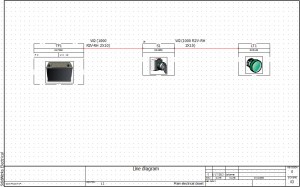
Creating Symbols in SolidWorks Electrical 2D
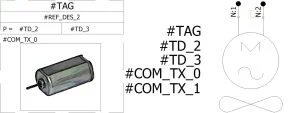
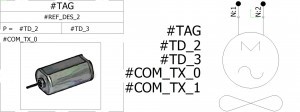
Electric Fan Motor Symbols In the video below, I will show...
Article
UX/UI testing brings many advantages to software product development improving build quality into the product
Electric Fan Motor Symbols In the video below, I will show...
Article
Electric Fan Motor Symbols In the video below, I will show you how to create your own symbol in SolidWorks Electrical 2D. Symbols are created for both a line diagram and a schematic. The next blog post ... Continued
Article
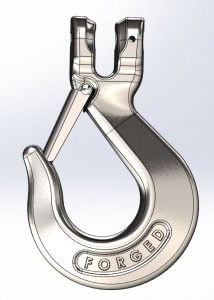
Forged Hook Assembly: A surface loft forms the main surface of the hook. A loft is used instead of a sweep so that the dimensions from the 4 intermediate sections can be inserted into the drawing. A sweep would not have ... Continued
Article
With the world’s fossil fuel supply decreasing, solar power is becoming a more popular and cost-effective options for American homebuyers, according to an article in the Huffington Post in August. Nectar Product Development is paving the way to the solar energy ... Continued
Article
CAD and CAM are so frequently lumped together that many people outside our industry have a difficult time separating the two. “CAD/CAM” has become a single catchall phrase for two very different processes; modeling and machining a part. That line ... Continued
Article
SolidWorks World is still a little over three months away, but it’s not too early to start thinking about all of the great technical sessions that take place. Most are led by SolidWorks users, and focus on real-world approaches to ... Continued
Article
Right off the bat, I want to say how blown away I am to be given this opportunity to participate in the SolidWorks Teacher Blog. I want to thank Marie Planchard and Matthew West for giving me this chance. ... Continued
Article
Glass with Controlled Edges: It is a good best practice to create a central axis for circular features when working on complication “revolved” parts. This should be reference for all circular features instead of sketch center lines, model faces or edges, ... Continued
Article
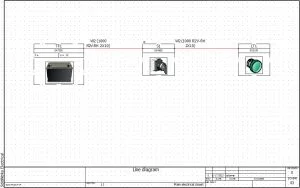
Detailed Cabling in Line Diagram After having created a line diagram...
Article
In SolidWorks 2014, you can add ribs and gussets across sheet metal bends with a single command, with options to create any style. You get full control of the gusset with a single tool, and SolidWorks automatically ignores gusset when ... Continued
Article
Detailed Cabling in Line Diagram After having created a line diagram you should assign manufacturers to the parts and cables. Next, by using the detailed cabling tool you can connect the manufactured components to the cables. The video below ... Continued
Article
Press Release
October 14, 2013