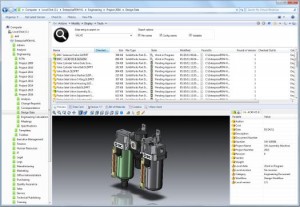
Have you ever saved an office document locally and also on a network or shared drive so other people can see it? What file is the master then? How do you know who modified the file and when? These questions ... Continued
Article
UX/UI testing brings many advantages to software product development improving build quality into the product
Have you ever saved an office document locally and also on a network or shared drive so other people can see it? What file is the master then? How do you know who modified the file and when? These questions ... Continued
Article
Whatever product you design, be it a heart valve, a bracket, an electronic enclosure or a dish washer, you must be certain that your product will perform according to its specifications. How do you know it? How do you make ... Continued
Article
Another month is in the books and it’s hard to believe, but 2014 is now more than half over. With time passing by at such an accelerated rate, the SOLIDWORKS blogging team wants to make sure you’ve been able to ... Continued
Article
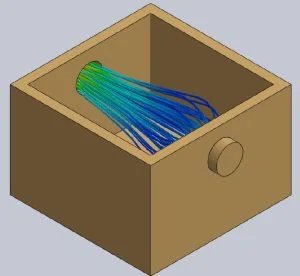
Kayane Dingilian, Chemical Engineering student and researcher, California Institute of Technology, sent us this story on how SolidWorks Flow Simulation is helping to “speed up my research and get to the results more quickly than ever.” Kayane, thank you for ... Continued
Article
Kayane Dingilian, Chemical Engineering student and researcher, California Institute of Technology, sent...
Article
Everyone is talking about drones. Privacy advocates are concerned that drones will become an extension of “Big Brother.” Governments are reviewing drone legislation. Amazon, most famously, is looking into drones for deliveries. Others, including Dassault Systèmes, are using tools, such ... Continued
Article
SEER Ply Cost Estimator provides detailed composite part cost estimates for labor (setup, direct, inspection, rework), material, and tooling costs. It covers processes such as Ply Placement, Debulking, Core Preparation and Machining, Panel Layup Hot Press Forming, Curing (Autoclave, RTM, or VARTM), Trim after Cure, Non-Destructive Testing, Tool Prep, Cleaning, Tool Fabrication & Design, Material, and more.
PARTNER SOLUTION
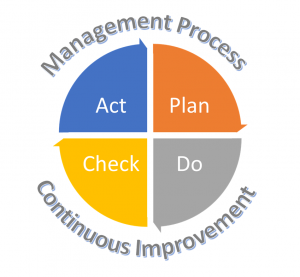
Can you continuously improve a Lean manufacturing approach to a management decision?
Article
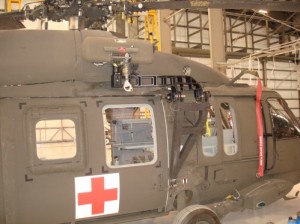
Death and taxes may be the only certainties in life, but of all the uncertainties, Mother Nature is perhaps the most uncertain and unforgiving. It’s hard to turn on the news these days without seeing some sort of talk about ... Continued
Article
3CS FEA Compliant Modeler (CM) for V6 empowers the user to incorporate Finite Element Analysis (FEA) into Dimensional Analysis. 3DCS CM for V6 adds the ability to apply FEA Mesh to parts and features that link material properties to node points. When analyzing process variation, the software deforms the part geometry based on process and force input from assembly processes such as welding, clamping, bending, bolting and more.As part of a 3DCS Variation Analyst simulation, 3DCS CM for V6 adds another level of realism, and increases the accuracy of analysis results when working with compliant and flexible assemblies rather than rigid body components. This becomes especially useful when working with aluminum and other flexible materials commonplace in the aerospace and automotive industries.
PARTNER SOLUTION
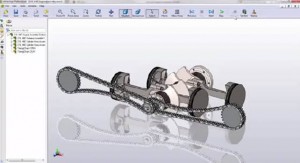
3DCS Mechanical Modeler for V6 is specially geared for the mechanical world. 3DCS Mechanical Modeler is an easy to use add-on that allows users to model mechanical and kinematic assemblies with full range of motion. These assemblies use new joint and constraint assembly definitions instead of the 3-2-1 move routines which allow automatic extraction of the assembly process, making the modeling process faster and easier. This, in addition to a new kinematic solver that allows tolerance analysis of over-constrained assemblies, makes 3DCS Mechanical an excellent fit for performing variation analysis on engines, switches, gears and other mechanical components.
PARTNER SOLUTION
Analyzer: The Analyzer creates a matrix of all the tolerances and contributor inputs and measurement outputs for the model. This makes it easy to change tolerances and work with large models where there are many tolerances that need ot be tested, changed and retested throughout the model. As an equation based analysis output, 3DCS AAO identifies the amount and source of variation within an assembly, giving the results of analyses and their relationships (the Coefficients of Influence) within the same matrix. In addition to making it easier to see the inputs, outputs and relationships of your model, 3DCS AAO gives you a ‘test lab’, as the changes in the matrix are not updated in the model until processed by the user. This allows the changing of tolerances and retesting of scenarios before changing the model itself. Optimizer: This helpful tool creates a baseline for cost and quality, and then gives the user the ability to optimize the design for lower cost, or higher quality. The objective is to loosen tolerances that are non-essential to the quality of the product, thus reducing manufacturing costs, while keeping the overall product quality at a premium.
PARTNER SOLUTION