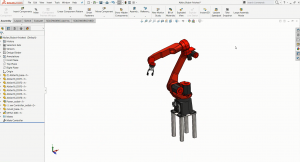
SOLIDWORKS® 2013 Weldments | Sheet metal | In context modeling | CADvantageSOLIDWORKS 2013 Weldments | Sheet metal | In context modeling - the book is dedicated for beginner and intermediate user. In first chapter, you can learn how to prepare weldment library, create sketch (2D and 3D), and design structural members. You can learn about manual trimming of structural members, adding plates, gussets and end caps. Also, it shows drawings with cut list and balloons. Second chapter is dedicated to sheet metal area. You can learn each method of designing metal parts, like base flange, insert bends, converting from solid body, and more about k factor. You will learn about the features: flat pattern, edge flanges, break corner, miter flange, weld corner etc. Further, you can learn how to design multibody parts and create drawings with cut list. Last chapter called "in context modeling" (top-down) based on interesting SolidWorks model created from a scratch. You can learn how to save virtual parts and break or lock external references. Each chapter includes many exercises and samples. We combine weldments and sheet metal design inside one multibody part.
Partner Product