Was ist Scilab?

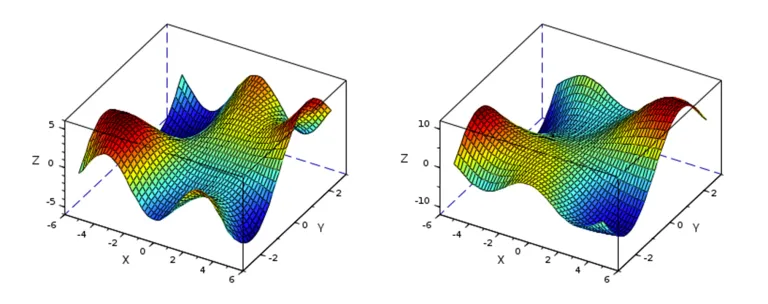
Scilab ist eine kostenlose Open-Source- und plattformübergreifende numerische Berechnungssoftware. Sie beinhaltet eine numerisch orientierte, höhere Programmiersprache, eine effiziente Rechen-Engine, eine integrierte Entwicklungsumgebung sowie Funktionen für 2D- und 3D-Visualisierung.

Scilab kann für Signalverarbeitung, statistische Analyse, numerische Optimierung und Modellierung sowie zur Simulation expliziter und impliziter dynamischer Systeme verwendet werden. Der Funktionsumfang von Scilab lässt sich mithilfe des Toolbox-Mechanismus erweitern, wie zum Beispiel für Bildverarbeitung, dynamische Datenanalyse und Fluidsimulation.

Numerische Berechnung

Scilab bietet ca. 1.700 mathematische Funktionen für technische und wissenschaftliche Anwendungen. Die Software umfasst mathematische Operationen und Datenanalysen wie Interpolation und Regression, Differenzierung und Integration, lineare Gleichungssysteme, Fourier-Analysen, gewöhnliche Differentialgleichungen (ODEs), Matrixberechnung (Bestimmung von Eigenwerten und Singularwerten) und vieles mehr.

Außerdem enthält Scilab Statistikfunktionen wie deskriptive Statistiken, Wahrscheinlichkeitsverteilungen, lineare und nichtlineare Modellierung, maschinelles Lernen und Klassifizierung.

Scilab zur Optimierung

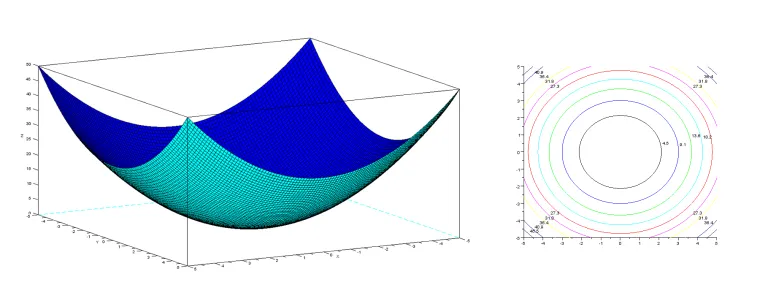
Scilab bietet verschiedene Funktionen zur Optimierung und kann viele Arten von Optimierungsproblemen lösen, mit oder ohne Constraints und mit oder ohne benötigte Derivate. Zum Funktionsumfang gehören simuliertes Ausglühen, genetische Algorithmen, Nelder-Mead-Verfahren, Methode der nichtlinearen kleinsten Quadrate, Simplex, semidefinite Programmierung sowie lineare quadratische Programmierung.

Wenn Sie mehr über die Optimierung in Scilab erfahren möchten, besuchen Sie die Tutorials. Die Optimierungsfunktionen können mithilfe von ATOMS Toolboxen erweitert werden.

ATOMS

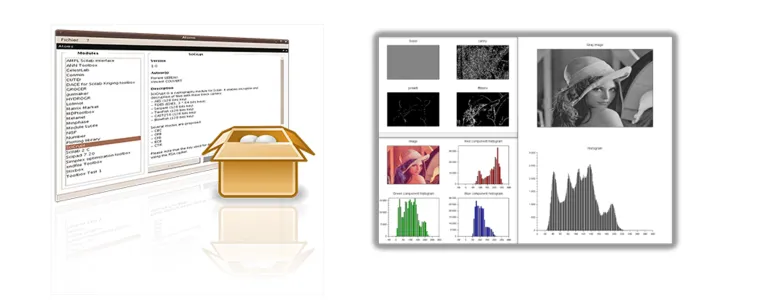
ATOMS (Automatic Toolbox Management for Scilab) ist ein Client/Server-Tool, mit dem Scilab Anwender ihre Funktionen erweitern können. Es unterstützt die Verwaltung öffentlicher und privater Toolboxen und Abhängigkeiten. 

Außerdem können Sie private ATOMS Server in Ihrem Netzwerk bereitstellen, z. B. für Bildverarbeitung, Optimierung, maschinelles Lernen, Datenanalyse und Verwaltung der Xcos-Bibliothek.

3DEXPERIENCE Konnektor

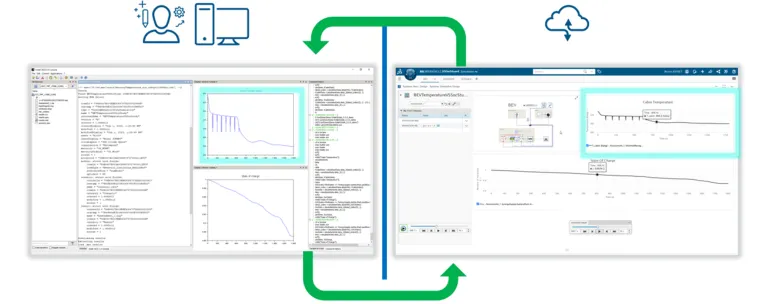
Die von Simulationen erzeugten Daten können von der 3DEXPERIENCE Plattform in Scilab abgerufen werden. Mit den Scilab Funktionen können Anwender diese Daten jetzt nachbearbeiten:

  • Durchführung von statistischen Analysen mit mathematischen Standardfunktionen
  • Datenanpassung basierend auf linearen und nichtlinearen Regressionsalgorithmen
  • Klassifizierung und Optimierung

Die Daten können an die 3DEXPERIENCE Plattform zurückgegeben werden.

Beginnen Sie Ihre Reise

How to Customize the Element Creation Dialog in SysML v2 & CATIA Magic

Tired of digging through menus because your most-used SysML v2 elements aren't in the creation dialog? I just dropped a new video showing how to easily patch your CATIA Magic UI to add elements like Views and Viewpoint Definitions right into your palette. We're keeping it strictly focused on native, out-of-the-box configurations rather than writing complex code.Grab the downloadable source file

CATIA MBSE CYBER SYSTEMS

Updating Requirements with excel via reqtify

Hello,I tried to update the requirements on enovia with excel document like verification matrix that has columns ID, Requirement Text and attributes. But the requirements on the enovia is not imported with reqtify so there is not intermediate file. When tried to update requirement set on the enovia with reqtify, it deletes all existed requirements and create new ones. I am using labels as ID (as

CATIA MBSE CYBER SYSTEMS

[Webinar] Digital Engineering Strategy with a Model-Based Approach, September 30

Dear all, we invite you to the upcoming webinar "Digital Engineering Strategy with a Model-Based Approach"Digital Engineering aims to integrate models, simulations, surrogate models, systems and components across engineering disciplines and throughout the full lifecycle.The webinar will explore an integrated digital approach using authoritative system data and models as a connected continuum, supp

CATIA MBSE CYBER SYSTEMS

Importing a spreadsheet and having the fields correspond to block names and value properties.

Hello, I have a basic question.I've been tasked with building out a series of BDDs for a computer network. I have an excel file that specifies the properties of each device on the network, e.g. host name, ip address, operating system, and make/model.For the blocks in the diagram, I would like to create a value property that corresponds to each of the properties specified in the spreadsheet, and po

CATIA MBSE CYBER SYSTEMS

Mehr entdecken

Erfahren Sie, was CATIA für Sie tun kann

Lassen Sie sich von unseren CATIA Experten erklären, wie unsere Lösungen eine nahtlose Zusammenarbeit und nachhaltige Innovation in Unternehmen jeder Größe ermöglichen.

Erste Schritte

Wir bieten Kurse und Schulungen für Studierende, Hochschulen, Fachleute und Unternehmen an. Hier finden Sie die für Sie passende CATIA Schulung. 

Hilfe anfordern

Hier finden Sie Informationen zu Software- und Hardware-Zertifizierungen, Software-Downloads, Anwenderdokumentation, Support-Kontakten und Serviceangeboten