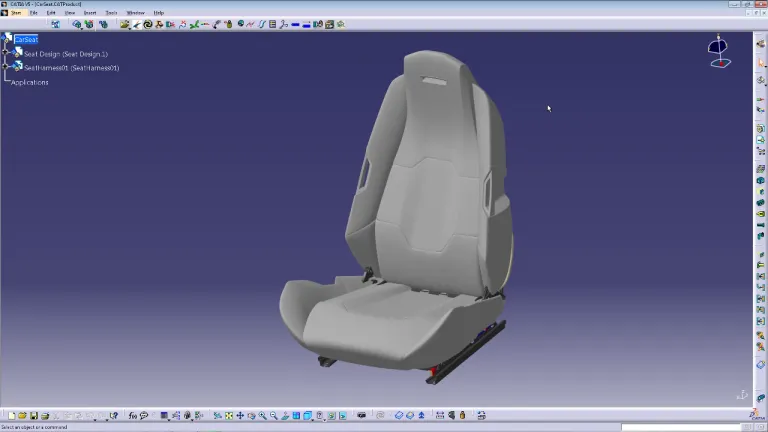
ECAD (Electronic Computer-Aided Design) und MCAD (Mechanical Computer-Aided Design) sind zwei Arten von CAD-Software (Computer-Aided Design), die in Design und Konstruktion für verschiedene Zwecke verwendet werden.
1. ECAD (Electronic Computer-Aided Design):
- Zweck: ECAD-Software wird hauptsächlich für die Entwicklung elektronischer Systeme verwendet (wie Leiterplatten, integrierte Schaltungen und andere Arten von elektronischen Komponenten).
- Funktionalität: Dazu gehören Tools für Schaltpläne, die Konstruktion elektronischer Layouts und häufig auch für die Simulation elektronischer Schaltungen.
- Nutzung: Verschiedene Fachleute, darunter Entwickler und Konstrukteure in der Elektrotechnik, verwenden ECAD, um elektronische Systeme und Komponenten zu entwickeln (wie Leiterplatten, Halbleitergeräte und andere elektronische Hardware).
- Beispiele: Zu den beliebten ECAD-Tools gehören Altium Designer, Cadence OrCAD, Eagle und KiCad.
2. MCAD (Mechanical Computer-Aided Design):
- Zweck: Die MCAD-Software wurde für die Erstellung und Analyse mechanischer Systeme entwickelt. Dazu gehören Teile und Baugruppen in Maschinen, Fahrzeugkomponenten, Industrieanlagen und mehr.
- Funktionalität: Sie bietet Tools für 3D-Modellierung, Zeichnungserstellung, Simulation des physikalischen Verhaltens (wie Spannung, Dehnung oder Wärmefluss) und für die Visualisierung mechanischer Komponenten.
- Nutzung: Maschinenbauingenieure, Produktdesigner und andere Fachleute im Bereich der mechanischen Konstruktion verwenden MCAD, um Maschinen, Verbrauchsgüter, Fahrzeugkomponenten usw. zu konstruieren.
Der Hauptunterschied zwischen ECAD und MCAD liegt im Schwerpunkt: ECAD ist auf die elektronische Konstruktion ausgerichtet, während sich MCAD auf mechanische Komponenten und Systeme konzentriert. Bei komplexen Produkten wie Smartphones oder Kraftfahrzeugen, die sowohl elektronische als auch mechanische Komponenten umfassen, ist die Integration zwischen ECAD und MCAD für eine effiziente Konstruktion und Zusammenarbeit entscheidend. Diese Integration ermöglicht es, die physische Passung und Kompatibilität zwischen elektronischen und mechanischen Komponenten zu überprüfen und so eine nahtlose und funktionale Konstruktion im Endprodukt zu gewährleisten.